42 / 84 Attachment FLUXTRONIC Automatic Mode
3. FLO
Display of flow rate
Display range: 9999.999 to 9999999.
The point is moved when the respective display range is exceeded until the maximum
display is reached.
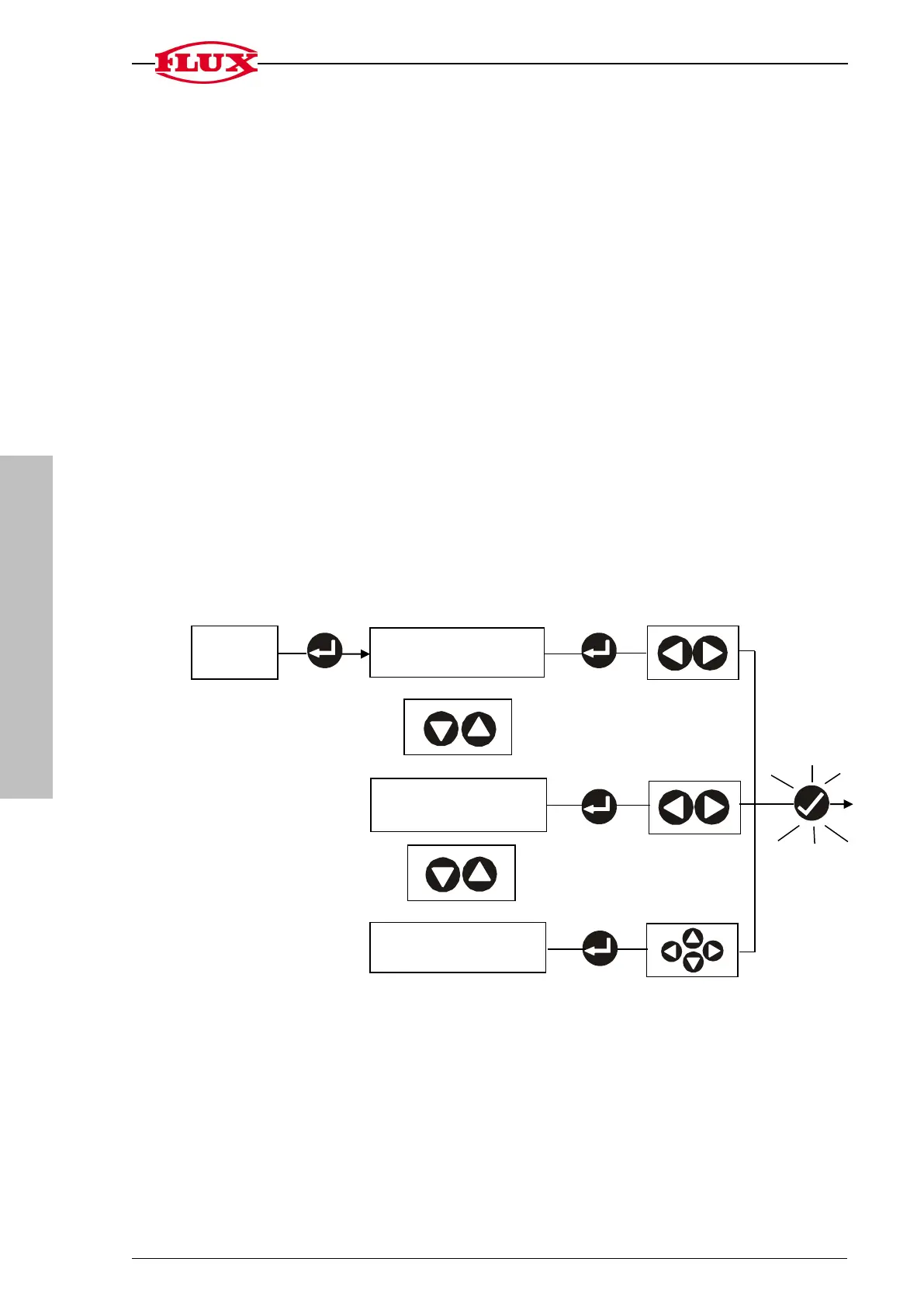
3.1 Change the time unit for the flow rate display [UNIT] m (minute), h (hour),
s (second).
3.2 Change the decimal place [DEC] 0 to 3.
3.3 Change the gate time [GATE] 0.0 to 25.0 seconds.
The electronic unit measures the number of pulses that occur during a defined period of
time. This period of time is known as the gate time [GATE].
The display shows OFF if it is set to 0.0 s.
The flow rate is calculated together with the calibration constant [CAL] and the defined
time unit for the display [UNIT].
The longer the gate time selected, the more precise will be the display although the up-
dating of the display will slow down accordingly.
3. FLO
3.1 Change time unit
[UNIT]
back to
3.2 Change decimal
place [DEC]
3.3 Change gate time
[GATE]
0,0 [OFF] … 25,0 s


 To Next Page