EasyManua.ls Logo

Flux FLUXTRONIC - Page 48

Flux FLUXTRONIC
Print Icon
To Next Page IconTo Next Page
To Previous Page IconTo Previous Page
Loading...
48 / 84 Attachment FLUXTRONIC Automatic Mode
ENGLISH
0 …3
Process
Select
000 … 999
Change / Set
Process
4 digit
0 = Off
Process
Process
Change / Set
Change / Set
Operate and
back to
[START]
0 …4
Process
Select
Process
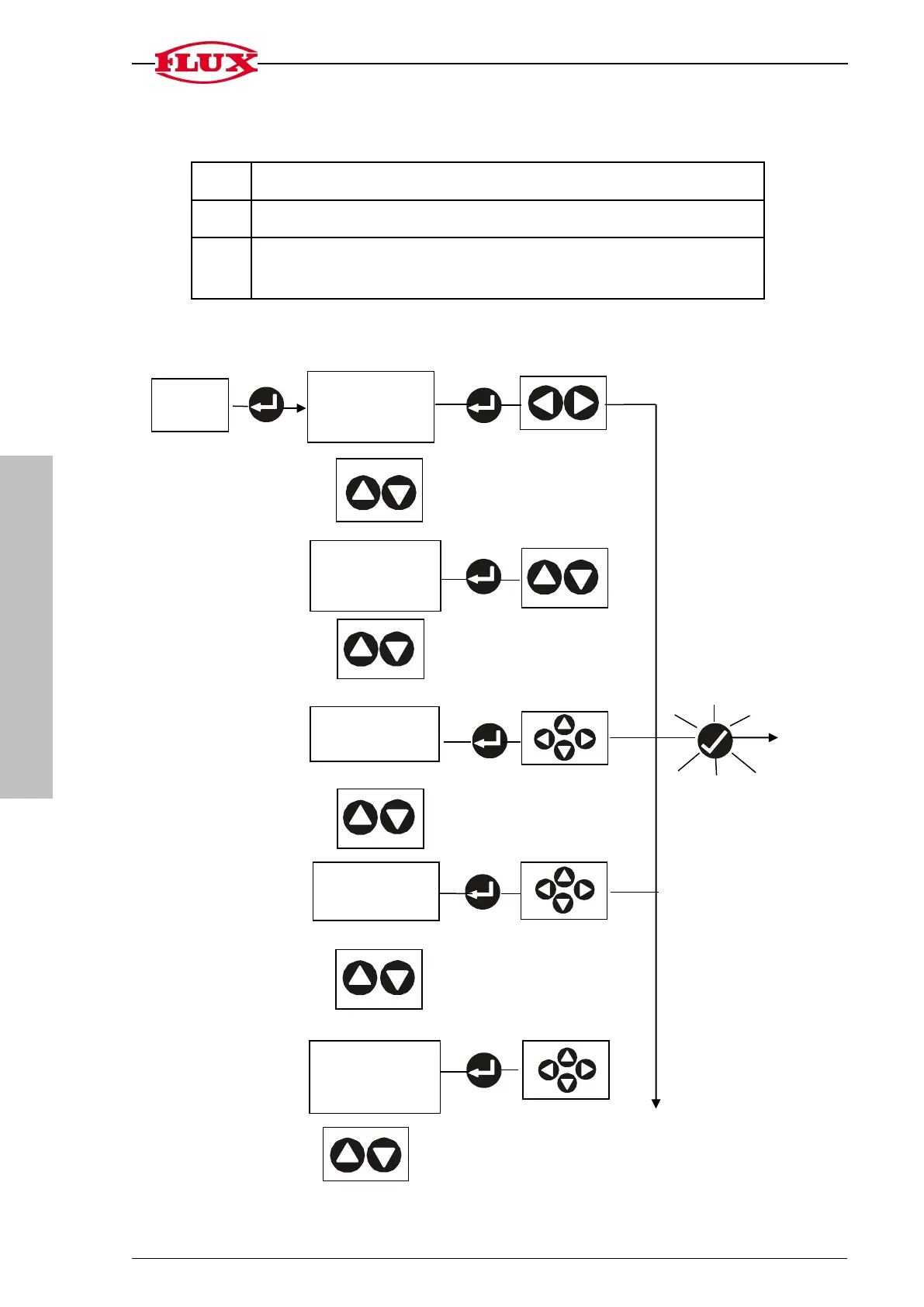
5.11 Information on software version and other information.
No.
Designation
01
Software version currently used (e.g. 1.03.A)
02
Number of times the voltage has been switched off and on
(e.g. battery change)
5. SET
Select
5.2 Change
security level
[LOC]
Select
5.3 Change PIN
[PIN]
Select
5.4 Change
volume [S2]
Select
5.5 Change
pulse monitoring
time [Err]
000 (OFF) … 250 s
Select
5.1 Change
decimal place
[S1] and [S2]

Related product manuals