54 / 84 Attachment FLUXTRONIC Automatic Mode
Using the left/right keys, select the relevant digit and enter the value of the digit using
the Up/Down keys.
Press the Operate key.
The display is now in "START: The volume to be filled is displayed".
From now on, only Items 2 to 5 can be processed via the PIN
5 Change of FLUXTRONIC or battery
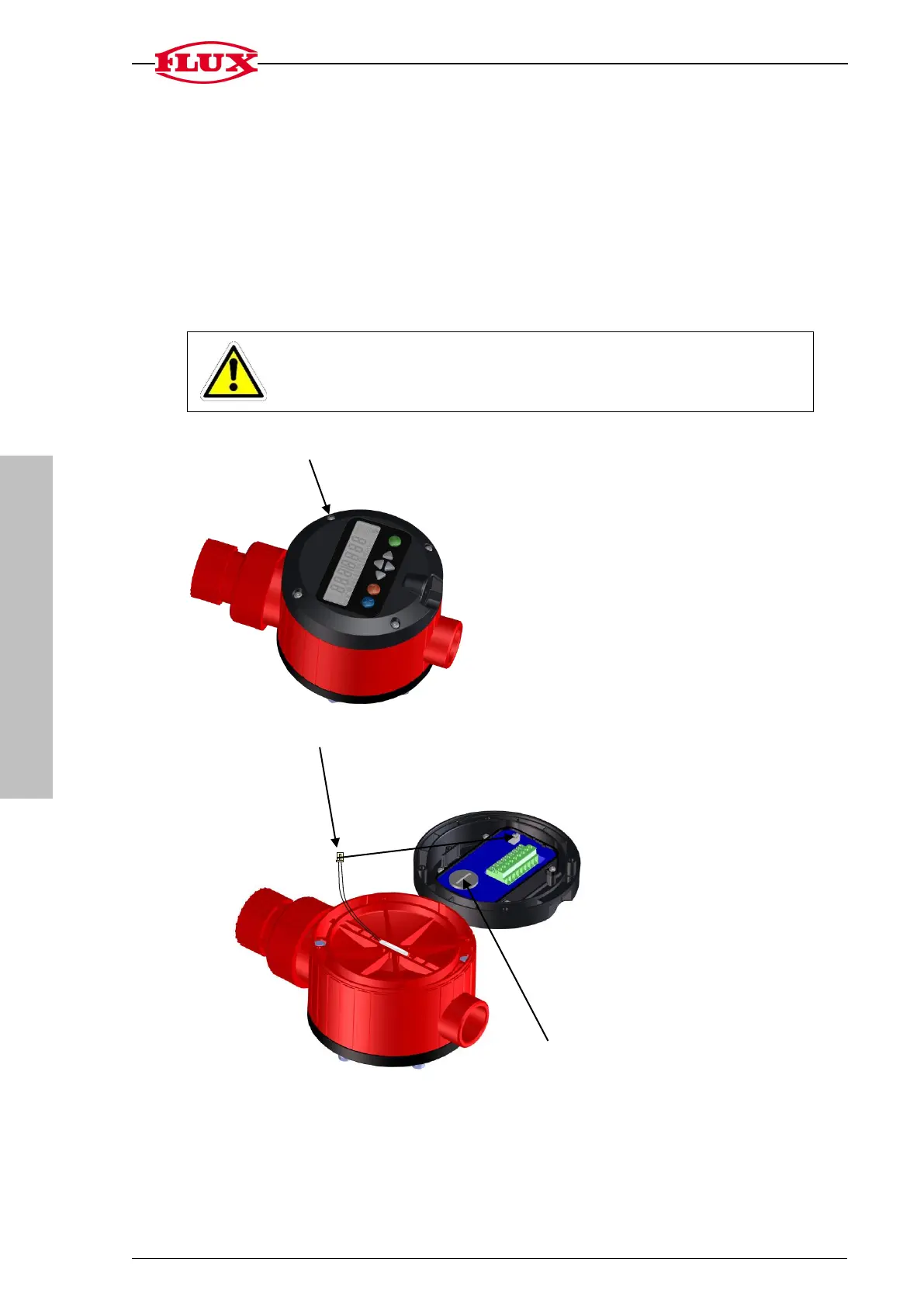
Only change the battery outside of the explosion-risk area.
Unscrew the four Torx screws (torque max. 1.3 Nm)
Pull the plug of the reed sensor out of the electronic unit
Open the battery compartment using an appropriate tool.
No data is lost when the battery is changed.
Lithium round cell battery CR 2032


 To Next Page