ASSEMBLY
www.x.bike
12
The Babymaker|OwnersManual
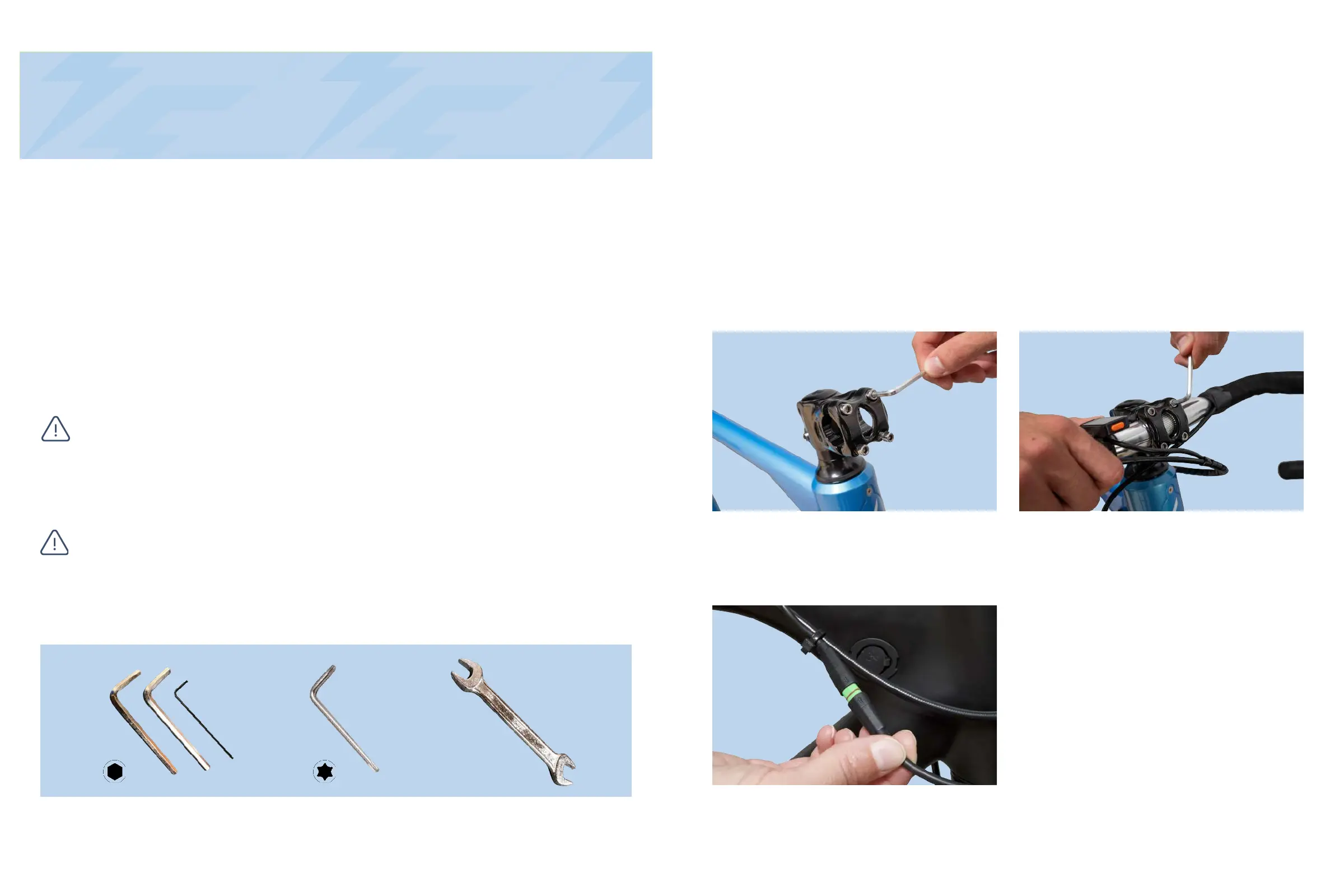
2.5mm,4mm&5mmAllenKeys 15mm Wrench
13www.x.bike
The Babymaker|OwnersManual
Overview
ThefollowingsectioncoverstheassemblydirectionsfortheBabymaker.This
processisverysimilarforbothStandardandPROmodels.Properassemblyisan
essentialstepinensuringyoursafetyandtheproperoperationofthebike.If at any
point you do not feel comfortable assembling the bicycle yourself, please seek
professional assistance or reach out to our support team.
YoucanalsondadetailedassemblyvideoontheFLXYouTubechannel:.
www.x.bike/babymakerassembly
If you do not feel that you have the ability or skill to assemble the bike
yourself, please take it into a local bike shop for professional assistance.
Failure to properly assemble your eBike can result in serious injury or
death.
ToolsIncluded:
Please read through the entire assembly instructions section before you
begin. Proper assembly is important in order to ensure your safety and
satisfaction while operating your eBike.
STEP 1: Install the Handlebars
1.Usingthe4mmAllenwrench,unscrewthe4boltsandremovethestemplate.
2.Placeyourhandlebarsintothegrooveandreplacethestemplateoverthetop.
Tightentheboltsabout3/4thsoftheway.
3.Makethenaladjustmentsonyourhandlebarspositioningensuringthattheyare
centeredandatacomfortableanglebeforetighteningtheboltstherestoftheway.
Note: DO NOT depress the brake levers before installing the front wheel.
Figure1.StemPlateBoltRemoval Figure2.TighteningStemPlateBolts
1.Onceyou’vesecuredyourhandlebars,
locatethecablerunningfromthebackof
theLCDdisplayandconnectittothe
correspondingcablelocatednearthe
chargingportofyourbike.
Tip: Line up the two arrows to
ensureproperconnection.
Figure3.ConnectingtheLCDcables
STEP 2: Connect LCD Display
T25TorxBit



 To Next Page