www.x.bike12
Bandit|OwnersManual
13www.x.bike
Bandit|OwnersManual
STEP 2: Attach the Pedals
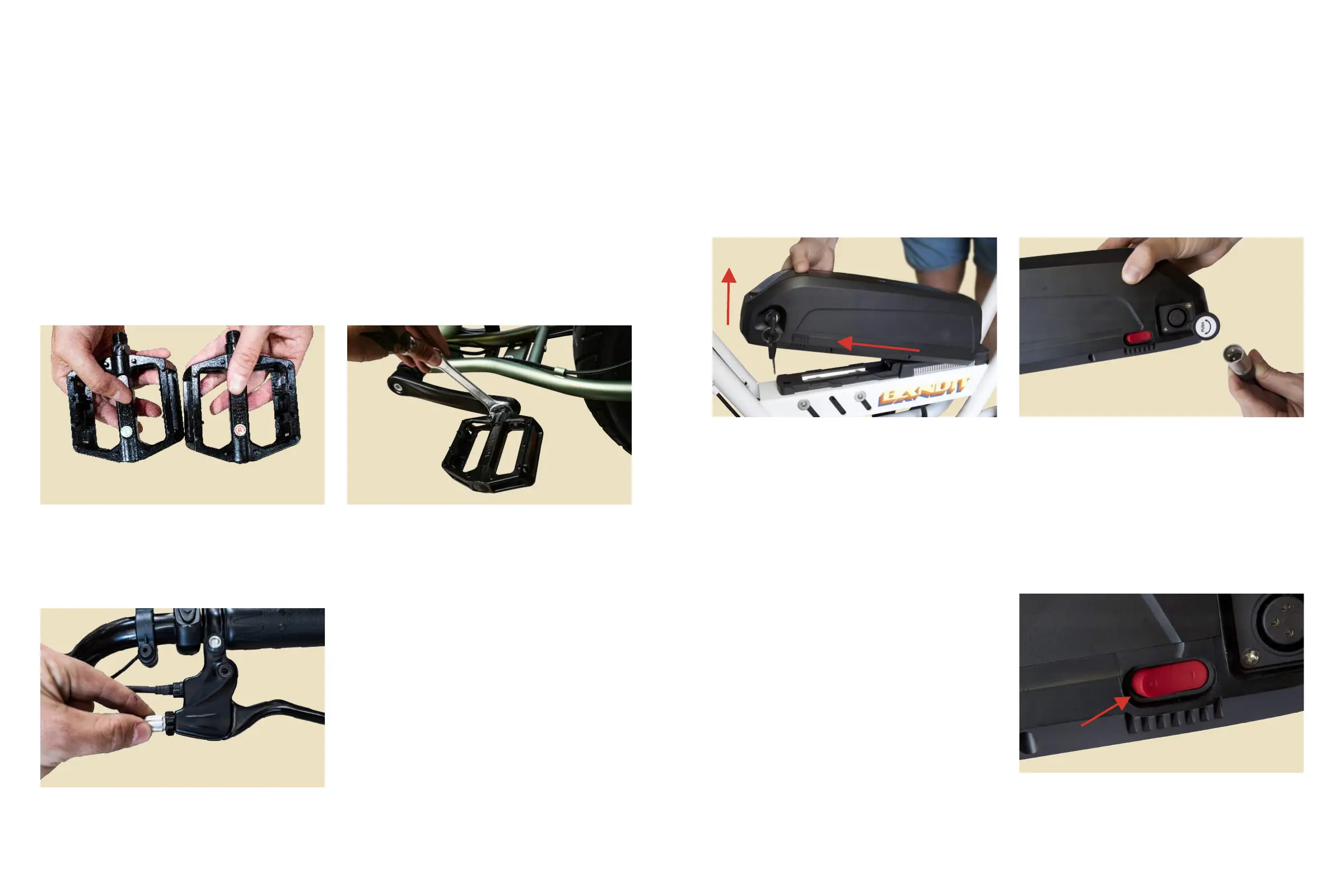
1.Checkthestickeronbothpedalsinordertoidentifytheleftandrightpedal.
Tip: Imagine you are sitting on the bike to correctly determine left vs. right side
when attaching the pedals
2.Usingthe15mmwrench,carefullyscreweachpedaltightlyintothecorrectcrank.
Tip: The right pedal will tighten clockwise, while the left pedal will tighten
counterclockwise.
Figure 4. Left Vs. Right Pedal Figure 5. Attaching Pedal to Crank
1.Testyourbraketensionbysqueezing
yourbrakelevers.Iftheyfeeltooloose,
adjustthetensionbytwistingthebarrel
adjustersoneitherside.
Tip: Twist clockwise to decrease
tension, and counterclockwise to
increase tension.
STEP 3: Adjust the Brakes
STEP 4: Charge the Battery
1.Usingthekeysthatcamewithyourbike,unlockthebatteryfromtheframeand
carefullyremoveitbyslidingitforwardtowardthefrontofthebike.
Figure 7. Removing the Battery Figure 8. Battery Charging Port
3.YourbatteryhasaredON/OFFswitch
locatedalongthesideofthebattery.Be
suretoiptheswitchtotheONposition
beforeridingyourbike.
o=OFF
/=ON
Figure 9. Battery On/Off Switch
2.Plugthechargerintothebikerst,andthenconnectthechargertoyourwalloutlet.
Allowthebatterytochargefor8-12hoursfortherstfewcycles.Afterthat,youmay
returntochargingitnormally(approx.4-6hours).
Figure 6. Barrel Adjusters



 To Next Page