Need help?
Do you have a question about the Flying Voice FIP10P and is the answer not in the manual?
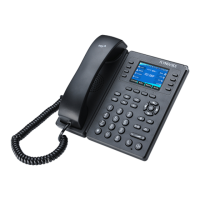
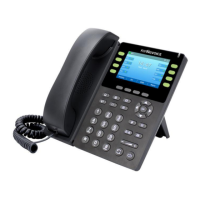
Describes the distinct hardware types of Flyingvoice FIP1X series phones.
Detailed illustration and identification of hardware components of the FIP1X series.
Detailed explanation of each hardware item on the phone, including keys and screen.
Provides instructions on using the keypad to enter characters and switch input modes.
Instructions on how to initiate calls using the phone dialer, history, or directory.
Methods for answering incoming calls, either manually or automatically.
Guide on how to place additional calls while already on a call, using hold functionality.
Procedures for answering an incoming call using handset, speakerphone, or headset.
How to handle an incoming call when another call is already active.
How to switch between different audio modes during or before a call.
How to enable DND mode to automatically reject all incoming calls.
Methods for terminating an active call using cancel or hang-up actions.
How to mute and unmute the microphone during a call.
Procedures for placing an active call on hold and retrieving it later.
Step-by-step guide to place an active call on hold.
How to retrieve a call that has been placed on hold.
Options for forwarding incoming calls to another phone or contact.
Setting up call forwarding to a specific contact number or type.
Instructions for forwarding all incoming calls across all lines on the phone.
Methods for transferring an active call to another party, with or without consultation.
Guide on transferring a call directly to another party without prior contact.
Information on setting up and managing three-way and multi-way conference calls.
Steps to initiate a local conference call with up to two other participants.
Functionality for leaving and listening to voice mail messages on the IP phones.
Information about managing local directories, contacts, and blacklists.
Procedure to change the default administrator password for security.
Information on connecting the phone to a wireless network via Wi-Fi.
Steps to restore the phone to its original factory configurations, deleting user data.
 General
| Brand | Flying Voice |
|---|---|
| Model | FIP10P |
| Category | IP Phone |
| Language | English |


 To Next Page