Need help?
Do you have a question about the Flying Voice FIP10 and is the answer not in the manual?
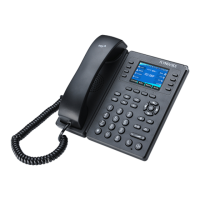
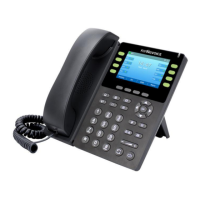
Details the physical components and different hardware types of the IP phone.
Identifies and illustrates the specific hardware parts of the FIP1X series phones.
Lists and describes icons that appear in the phone's status bar.
Provides instructions on using the keypad to enter text and characters.
Guides on how to initiate phone calls using various methods.
Explains how to answer incoming calls manually or automatically.
Details how to switch between handset, speakerphone, and headset modes.
Describes how to enable DND to automatically reject incoming calls.
Provides methods to end the current call.
Explains how to mute or unmute the microphone during a call.
Guides on placing calls on hold and resuming them.
Instructions on how to place an active call on hold.
Details how to resume a call that has been placed on hold.
Guides on forwarding or diverting incoming calls.
Guides on transferring calls using different methods.
Details on setting up and managing conference calls.
Explains how to forward all calls to a specific contact.
Explains how to leave and listen to voice mail messages.
Introduces the phone's directory features, including contacts and blacklist.
Guides on managing individual contacts in the local directory.
Details how to view, save, and delete call history records.
Instructions on changing the administrator password for enhanced security.
Guides on connecting to and managing wireless networks.
Guides on resetting the phone to its original factory configuration and settings.
 General
| Network Interface | 10/100 Mbps Ethernet |
|---|---|
| HD Audio | Yes |
| Headset Port | RJ9 |
| Wall Mountable | Yes |
| Weight | 0.6 kg |
| Audio Codec | G.711, G.729, G.722, iLBC |
| Power over Ethernet (PoE) | 802.3af |
| Features | Call hold, call transfer, call forward, 3-way conference, redial, mute, volume control |
| Protocols | SIP (RFC3261), TCP/IP, UDP, RTP, RTCP, DHCP, DNS, DDNS, NTP, STUN, HTTP, HTTPS, ARP, ICMP, PPPoE |
| Power Supply | DC 5V |
| Supported Languages | English, Chinese |
| Display | 128x48 graphic LCD |


 To Next Page