ITA
STEP 5 - Registra il tuo strumento nel tuo account Flymaster
Cloud.
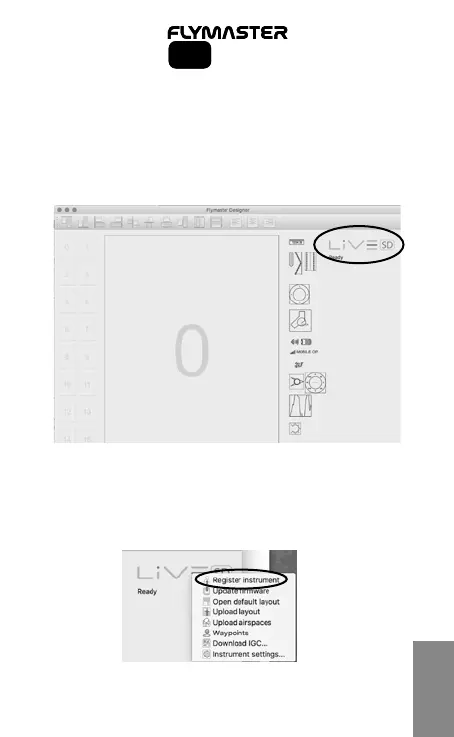
5.1 – Avvia il software Designer
5.2 – Accendi il tuo strumento
5.3 – Connettilo al computer utilizzando il cavo USB
5.4 – Lo strumento apparirà sul software Designer
5.5 – Clicca sul logo dello strumento: dovrebbe comparire un menu
pop-up.
5.6 – Clicca su “Register Instrument” utilizzando email e password
dell’account Cloud creato seguendo le istruzioni allo step 2.
23
SD SeriesSD Series



 To Next Page