2. Charging the battery and
placement of the boundary wire
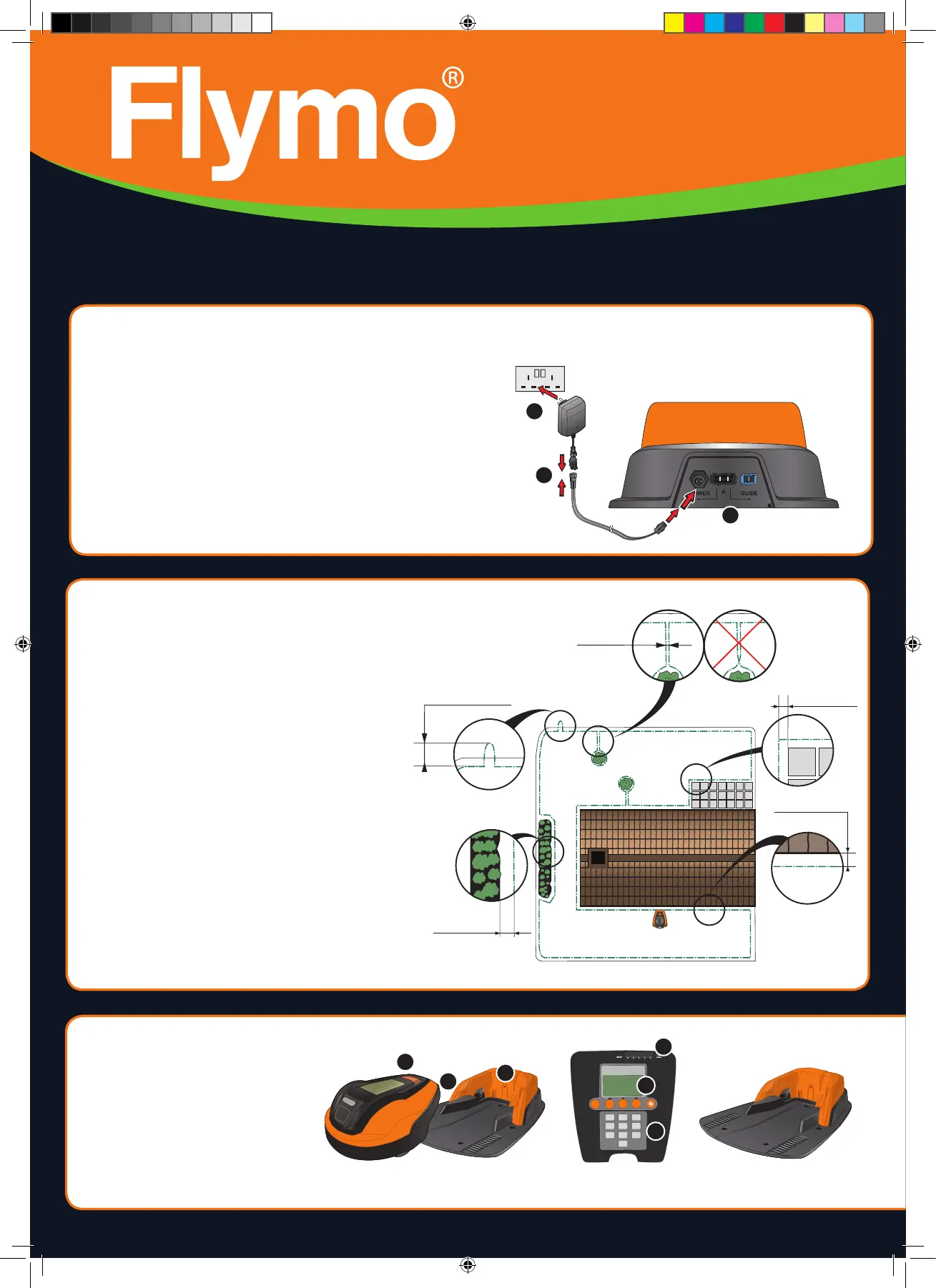
See chapter 3.3 and 3.4 in the Installation Manual
1. Place the robotic lawnmower in the charging station
to charge the battery while the boundary wire is laid.
Set the main switch to position 1.
2. Run the boundary wire ensuring it forms a loop
around the work area.
3. Make an eyelet at the point where the guide wire
will be connected later (see point 4.5).
20 cm / 8”
10 cm / 4”
0 cm / 0”
5 cm / 2”
30 cm / 12”
1. Placement of and connecting the
charging station
See chapter 3.2 in the Installation Manual
1. Place the charging station at a central position in the work area, with
a lot of open space in front of the charging station and on a relatively
horizontal surface.
2. Connect the power supply’s low voltage cable to the charging
station and the power supply.
3. Connect the power supply to a 100-240 V wall socket.
1. Main switch
2. STOP button
3. LED for function check of the
boundary and guide wires
4. Cutting height indication
5. Display
6. Keypad
Charging station
1 2 3 4 5
1 2 3
4 5 6
7 8
0
9
Start
4
5
6
1
2
3
GETTING STARTED WITH THE FLYMO 1200 R ROBOTIC LAWNMOWER
1
2
3
1157876-26,QG,Flymo1200R,2016,GB.indd 26 2015-12-07 08.52



 To Next Page