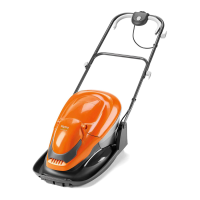
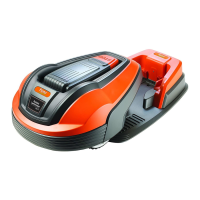
The Flymo Robotic Lawnmower 1200 R is an automated lawn care device designed for ease of use and efficient grass cutting. This quick guide provides essential information for setting up, operating, and maintaining the robotic lawnmower.
Function Description:
The Flymo Robotic Lawnmower 1200 R is designed to autonomously cut grass within a defined boundary. It operates by navigating a lawn area, returning to a charging station when its battery is low, and resuming operation once charged. The device is suitable for lawns up to 400 m² and requires a minimum boundary wire distance of 150 cm from obstacles. Its primary function is to maintain a consistently mown lawn without manual intervention, offering an "Easier by Design" approach to garden care.
Important Technical Specifications:
- Model: Robotic Lawnmower 1200 R
- Maximum Lawn Area: Up to 400 m²
- Minimum Boundary Wire Distance: 150 cm
- Power Supply: 100-240 V wall socket
- Charging Station Placement: Central position in the work area, with open space in front and on a relatively horizontal surface.
- Boundary Wire Placement: Forms a loop around the work area, with specific distances from edges (e.g., 10 cm / 4" from obstacles, 20 cm / 8" from hard surfaces, 5 cm / 2" from soft edges).
- Guide Wire Placement: Runs from the charging station to a point on the boundary loop, laid at least 2 meters straight out from the front edge of the charging station.
- Mowing Capacity: Approximately 33 m² per hour per day.
- User Interface: Display and keypad for settings and control.
- Safety Features: STOP button, PIN code for initial setup.
Usage Features:
- Placement and Connection:
- Charging Station: Place centrally with clear space. Connect the low voltage cable to the charging station and power supply, then plug into a 100-240 V wall socket.
- Boundary Wire: Lay the boundary wire to define the mowing area, ensuring it forms a complete loop. Specific distances from obstacles and edges must be maintained for optimal performance. Connect the wire ends to the charging station's contact pins (A) using connectors and pliers, ensuring correct polarity (right-hand wire to right-hand pin, left-hand wire to left-hand pin). Use cable markers for easy reconnection.
- Guide Wire: Run the guide wire through the slot at the bottom of the charging station, connect it to the "Guide" contact pin, and lay it to a point on the boundary loop. Connect the guide wire to the boundary wire using couplers.
- Charging: Place the robotic lawnmower in the charging station and set the main switch to position 1 to charge the battery.
- Starting: Open the cover, set the main switch to position 1 (a four-digit PIN code must be selected during the first start-up), press the START button, and close the cover.
- Stopping: Press the STOP button.
- Adjusting to Garden Size (Timer Function): The mowing results depend on the mowing time. Adjust the mowing time using the Timer function in the menu to suit the garden size. If the mower cuts too often, the lawn may appear trampled; if too seldom, the lawn may not be properly mown. For example, a 360 m² lawn would require approximately 11 hours of operation per day.
- Narrow Passage Test (Calibrate Guide Function): To ensure the mower can navigate narrow passages, use the "Calibrate guide" function. Place the mower in the charging station, select "Calibrate guide" from the menu, press OK, then START, and close the cover. Observe if the mower successfully follows the guide wire through the passage. If not, check the guide wire installation according to instructions in chapter 3.6 of the Installation Manual.
- User Interface Components:
- Main switch (1)
- STOP button (2)
- LED for function check of boundary and guide wires (3)
- Cutting height indication (4)
- Display (5)
- Keypad (6)
These components allow users to control and monitor the lawnmower's operation and settings.
Maintenance Features:
- Installation Manual Reference: The quick guide frequently refers to the full Installation Manual for detailed instructions on placement, connection, and advanced settings, suggesting that comprehensive maintenance information is available there.
- Cable Markers: Provided to mark boundary and guide wires, simplifying reconnection and troubleshooting.
- Connectors and Couplers: Used for secure and durable connections of boundary and guide wires, ensuring long-term reliability.
- Troubleshooting: The LED indicator (3) helps check the function of boundary and guide wires, aiding in diagnosing connection issues. The "Calibrate guide" function also serves as a diagnostic tool for navigation in narrow passages.
The Flymo Robotic Lawnmower 1200 R aims to simplify lawn care through automation, offering a user-friendly experience from setup to daily operation.


 To Next Page

 General