Flyron Technology Co., Ltd. FN-T718 Industrial MP3 Player
www.flyrontech.com E-mail: info@flyrontech.com
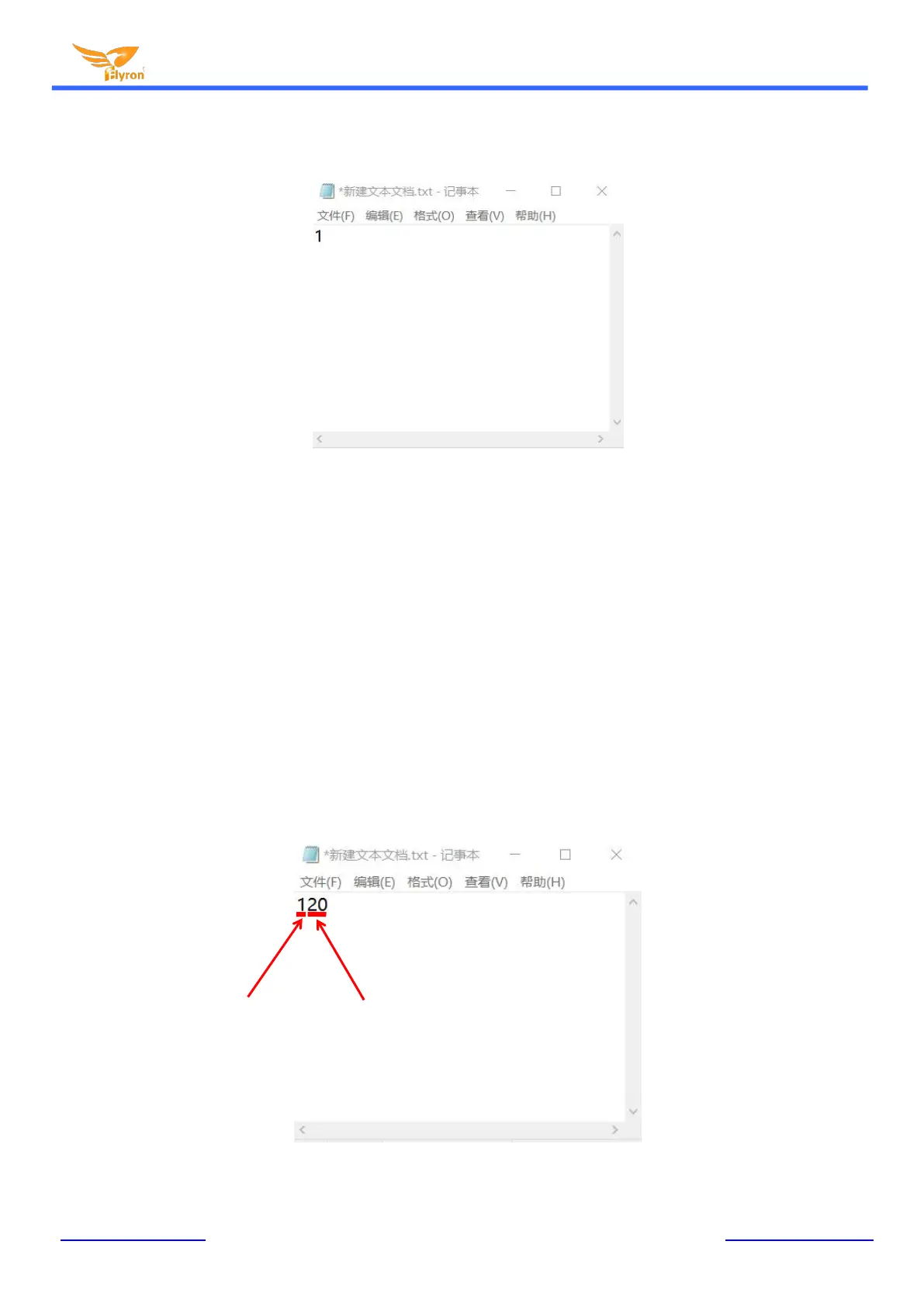
2). Open it and enter a number (mode) you need. Suppose you need mode “1”, just enter “1”. See below.
3). Save it and close it.
4). Rename the file “Config” or any other name you like.
2.2. Create a config file with volume setting
There’re thirty-one volume levels from “00” to “30”. “00” means mute while “30” means the max. volume
level.
1). Firstly create a new text file on computer (desktop or somewhere else).
2). Open it and enter a number (mode) you need, and enter a volume level right after the mode number.
See below.



 To Next Page