2
Menu Control Buttons
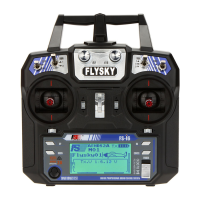
On either side of the screen are two pairs of buttons that need to be fully understood to control
programming of the Tx.
To the left is : -
UP Used to select a parameter to adjust or increase its value upwards.
DOWN Used to select a parameter to adjust or decrease its value downwards.
To the right is : -
OK Used to activate the chosen function so adjustments can be made.
Sometimes this button also moves the selection pointer arrow downwards like the
Down button!
Generally, a quick press,(less than a second) is required, but to access the MENU, a
long, (about one second) press is required.
CANCEL A short press (less than a second) is used to CANCEL any changes and exit up the
MENU system.
A long press (between one and two seconds) is used to SAVE the changes and exit
up the MENU system. This is the most common use of this button.
However, a very long press (say about two plus seconds), some functions will default
to a reset ( – don’t go there yet!).
It often pays to do two presses to go UP the menu two steps and come back down
again to check what you have actually achieved.
Frankly, these multiple duration presses are quite confusing!
For some settings, one of the two sticks are used to move the pointer arrow to the desired column of
percentage settings
Should the screen backlight turnoff, it can be turned back on with any button press without altering a
setting.
Factory User Manuals are available online and generally cover material for model aircraft.
Sadly, radio sailing needs are not specifically covered, hence these instructions may help to bridge the
gap between aircraft and yachts. Try the link below for the FS-i6 manual.
https://static1.squarespace.com/static/5bc852d6b9144934c40d499c/t/5c0787e10e2e721a7f17c998/1
543997593953/FS-i6+User+manual+20160819.pdf


 To Next Page
 Loading...