11
C56 Motherboard
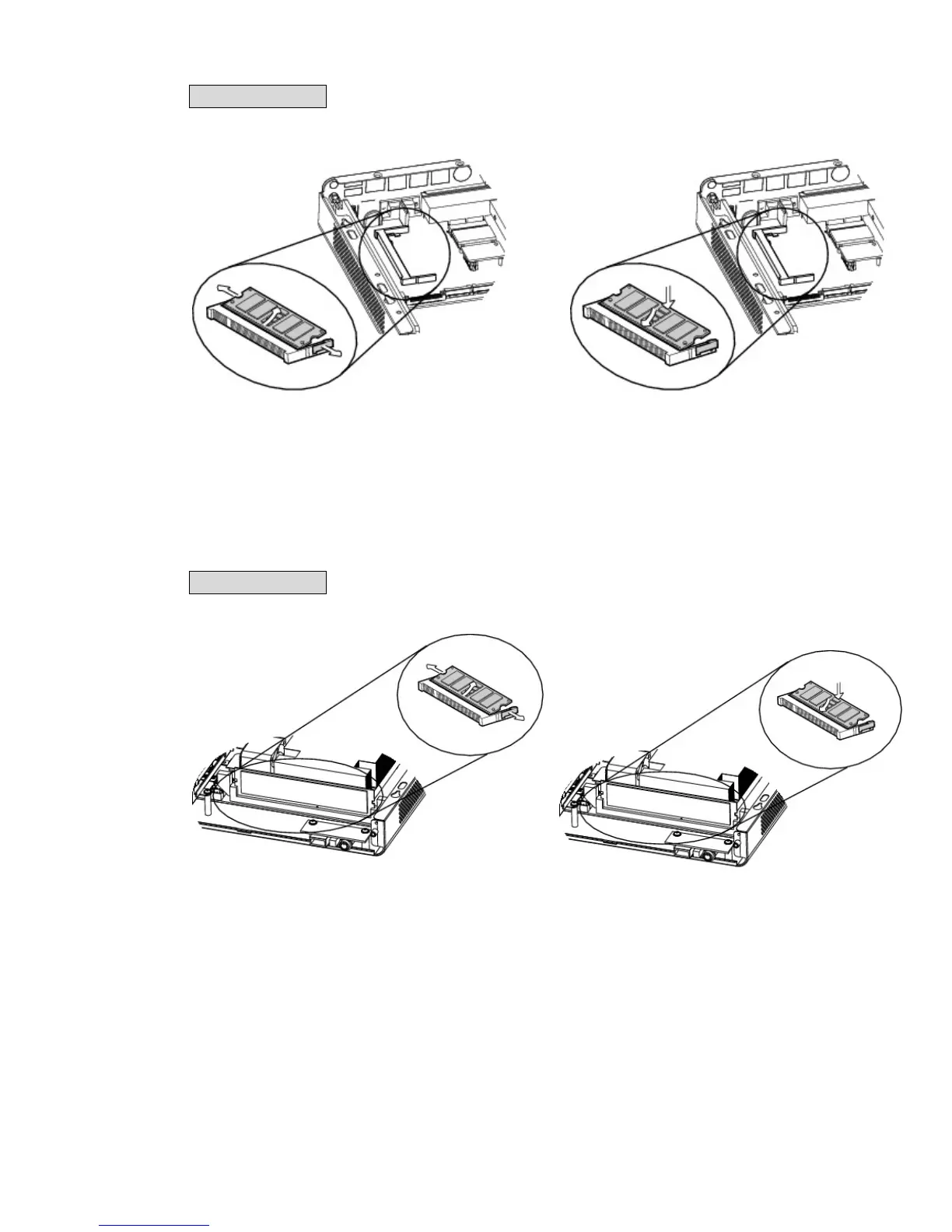
To replace the RAM, please remove the top cover as described in Chapter 3-1
1. Flip the ejector clips outwards to remove
the memory module from the memory
slot.
2. To install a RAM module, slide the
memory module into the memory slot
and press down until the ejector clips
snap in to place.
C65 Motherboard
To replace the RAM, please remove the top cover as described in Chapter 3-1
1. Flip the ejector clips outwards to remove
the memory module from the memory
slot.
2. To install a RAM module, slide the
memory module into the memory slot
and press down until the ejector clips
snap in to place.



 To Next Page