10
C65 Motherboard
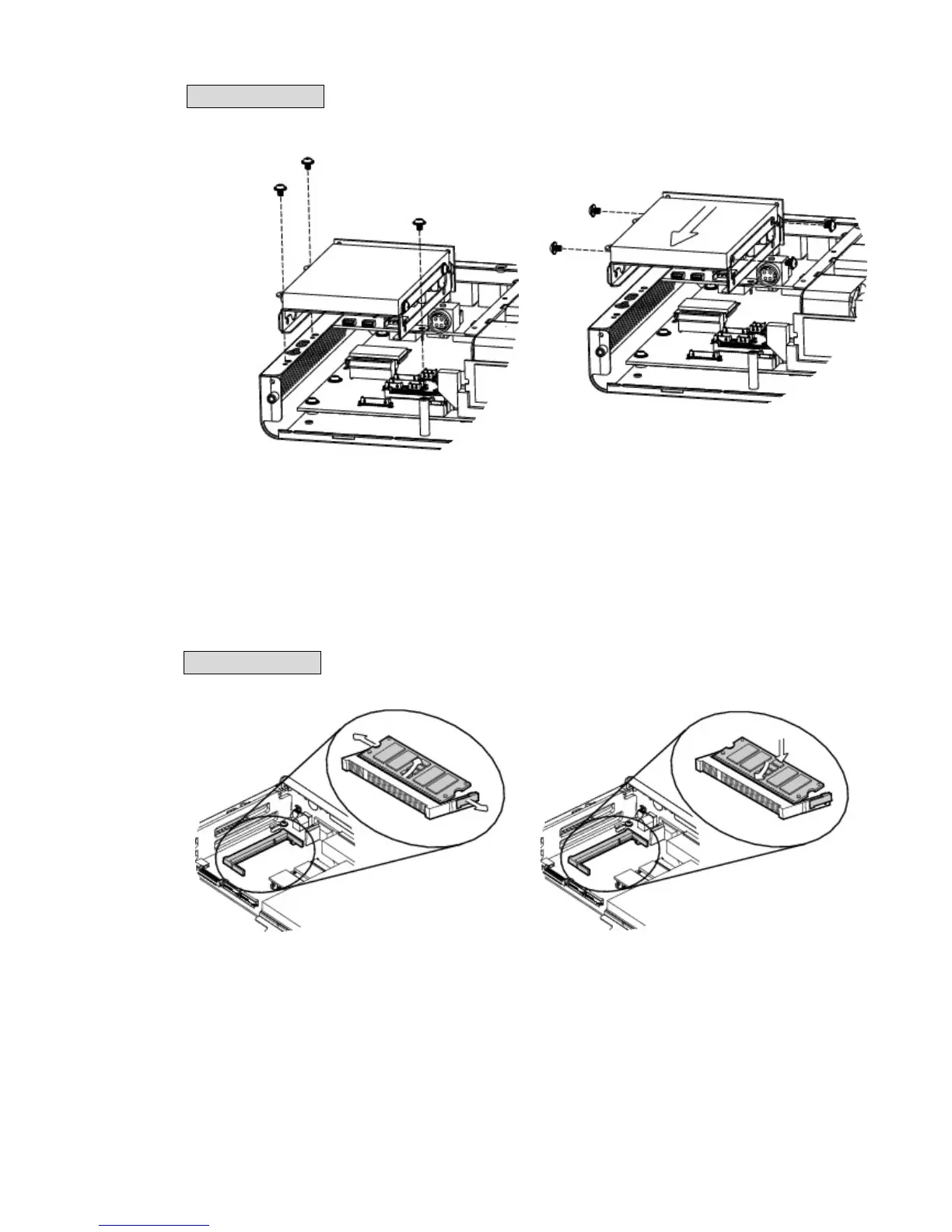
To replace the HD, please remove the top cover as described in Chapter 3-1
1. Remove the screws (x3) to separate
the HD module from the system.
2. Remove the screws (4) and replace the
HD.
3-3 Remove the RAM Module
C46 Motherboard
To replace the RAM, please remove the top cover as described in Chapter 3-1
1. Flip the ejector clips outwards to
remove the memory module from the
memory slot.
2. To install a RAM module, slide the
memory module into the memory slot
and press down until the ejector clips
snap in to place.



 To Next Page