Section I – Connecting via Ethernet
Page 4 AB06064 · Issue/Rev. 0.0 (5/06)
►
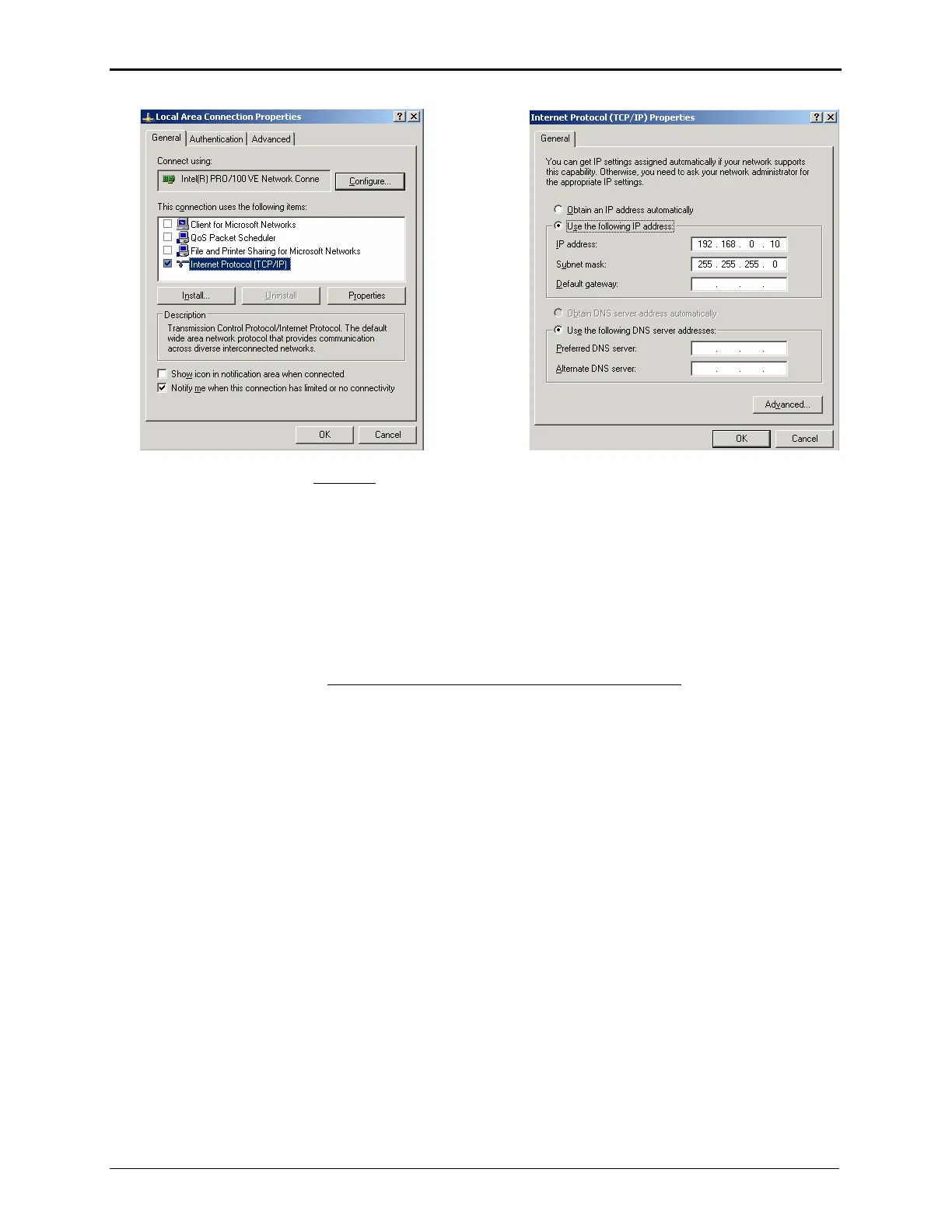
Uncheck all of the boxes EXCEPT
the check box for “Internet Protocol (TCP/IP)”
Make sure that the “Internet Protocol (TCP/IP)” line is selected then click ‘Properties’
Select “Use the following IP address”
Enter an IP address on the same network as the microLoad, i.e. 192.168.0.10
(Make sure the host address is different than the microLoad.net!)
Enter the subnet mask: 255.255.255.0
Click OKAY when finished
Click OKAY again to exit the Local Area Connection dialog
Continue with the section titled Establishing and Verifying a Successful Connection



 To Next Page