12
EN
When No. 3 slide switch is on the up and No.4 slide switch is on the down, it indicates that the drag
brake force is set to 75%.
When No. 3 and No.4 slide switch are on the up, it indicates that the drag brake force is set to 100%.
Parameter Explanation:
1. Running Mode
FWD/REV/BRK: This mode adopts "double click” reverse mode, that is, when the throttle trigger is
pushed from netural range to the reverse area for the first time, the motor is only braking and will not
reverse; when the throttle trigger is moved back to the netural range and pushed to the reverse area
for the second time, it will reverse. This mode is applicable to general models.
FWD/REV: This mode adopts "one click" reverse mode, that is, when the throttle trigger is pushed
from netural range to the reverse area, the motor immediately generates reverse action, which is
generally applied to rock crawler.
Parameter setting method:
When No. 1 slide switch is on the down, it indicates that the operation mode is set to FWD / REV /
BRK.
When No. 1 slide switch is on the up, it indicates that the operation mode is set to FWD/REV.
2. Battery Type
There are LiPo and NiMH cells. The low-pressure protection value is different under different types.
It can be set according to the actual use.
Parameter setting method:
When No. 2 slide switch is on the down, it indicates that the battery type is set to Lipo.
When No. 2 slide switch is on the up, it indicates that the battery type is set to NiMH.
3. Drag Brake Force
The drag brake means that when the throttle trigger moves from the forward or reverse area to netural
range, it will produce certain braking force to the motor, the larger the value is, the greater the drag
brake force is. Select proper braking force according to the actual situation.
Parameter setting method:
When No. 3 and No.4 slide switch are on the down, it indicates that the drag brake force is set to 0%.
When No. 3 slide switch is on the down and No.4 slide switch is on the up, it indicates that the drag
brake force is set to 50%.
When No. 3 slide switch is on the up and No.4 slide switch is on the down, it indicates that the drag
brake force is set to 75%.
When No. 3 and No.4 slide switch are on the up, it indicates that the drag brake force is set to 100%.
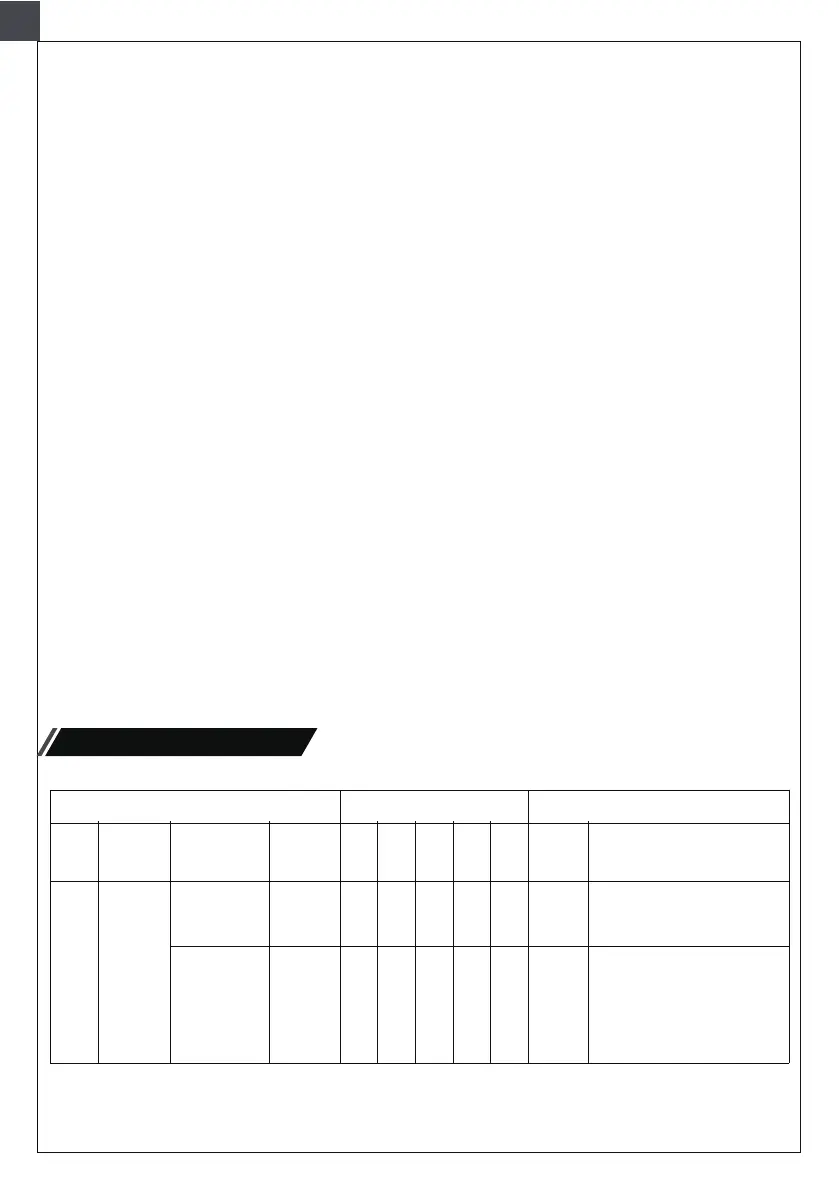
Lighting function
Times for Pressing
Button
Light
Position
HeadlightCH4
White
headlights
keep on
White
headlights
keep on with
high
brightness
I II III IV V
OFF
OFF OFF
OFF OFF OFF
OFF
•
•
•
Control
Mod
Remarks
Function
Power on
is off by
default


 To Next Page
 Loading...