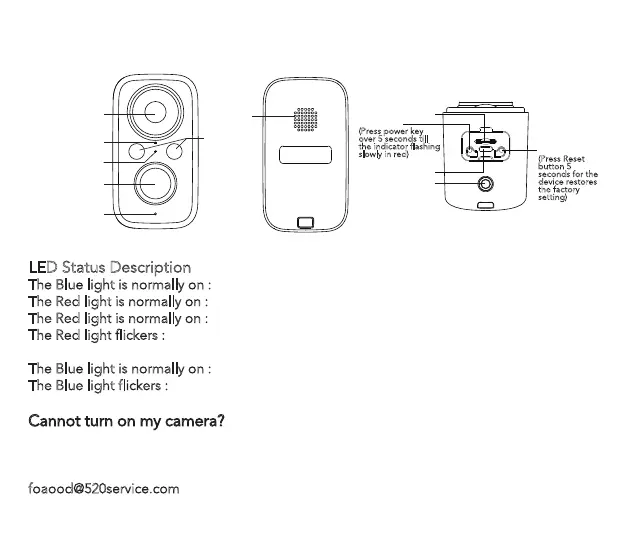
Product Introduction
LED Status Description
The Blue light is normally on : the camera is fully charged .
The Red light is normally on :
the camera is charging.
The Red light is normally on :
The camera is on or the internet has problem.
The Red light flickers :
Waiting for WiFi connection(flicker slowly), Connected WiFi (flicker
quickly).
The Blue light is normally on :
the camera is connecting to network.
The Blue light flickers :
the camera is on line and the user can view the video.
Cannot turn on my camera?
·Charge the camera, and then try to turn on it.
·Press and hold the power key until turning on the camera. (can try many times)
·If you tried the above steps, but still no luck, please message your order and problem to
foaood@520service.com
.
Charging indicator
Lens
IR and White
Speaker
Wall Mount Hole
USB Charge Port
TF card slot
Working Status
Indicator
PIR
Microphone
Power Key
(Press power key
over 5 seconds till
the indicator flashing
slowly in red)
RESET
(Press Reset
button 5
seconds for the
device restores
the factory
setting)
3



 To Next Page