Quick Start Guide
2 FS-100 Portable DTE Recorder
2 Description
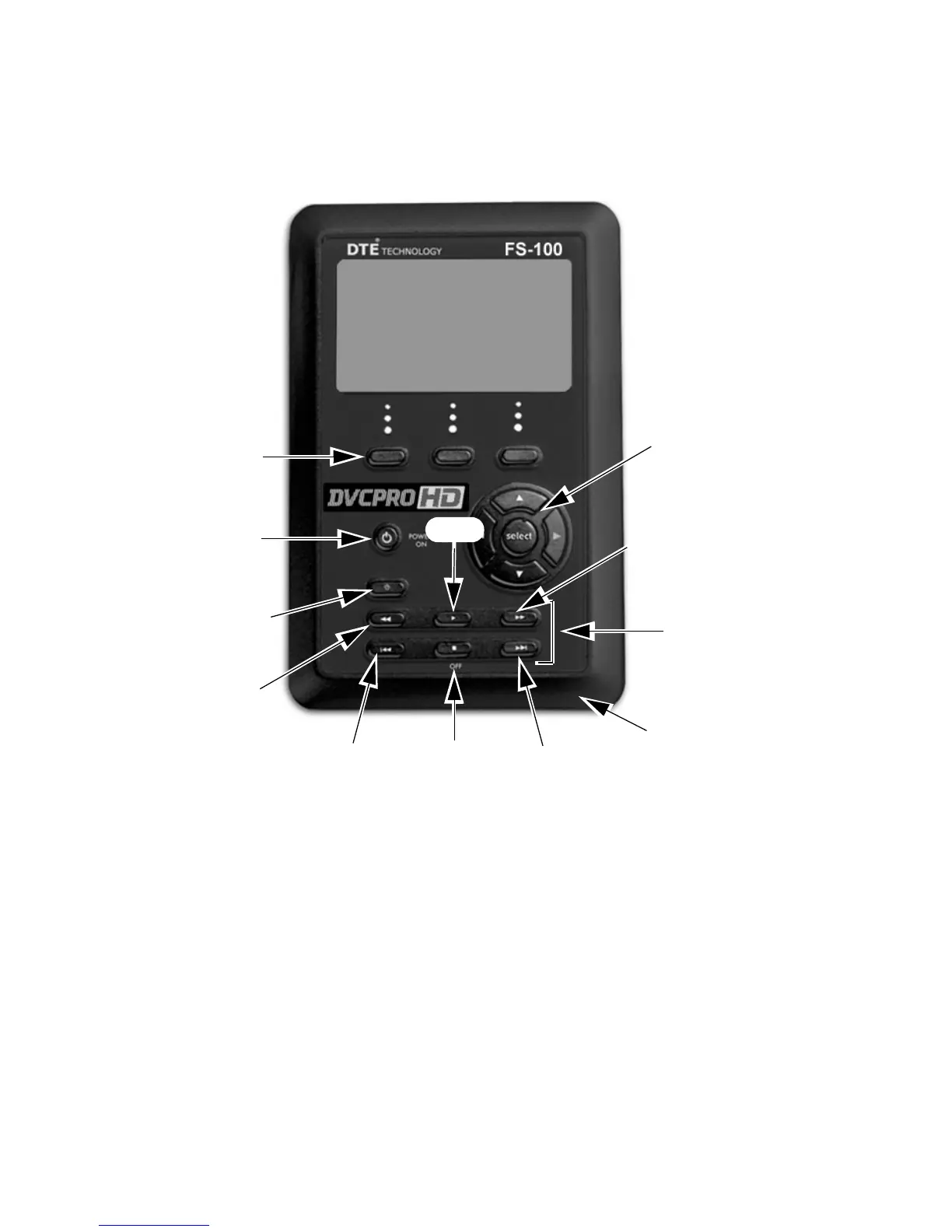
Front
Power On Button
The Power ON button provides two functions.
Power ON
Turn on the FS-100.
Reset FS-100
• FS-100 first must be powered on.
• Hold down the
Power On button for two seconds.
Power OFF
Hold down the OFF/STOP button for five (5) seconds. During power off,
the FS-100 beeps, indicating that it is turning off.
LCD
Display
Function
buttons
A B C
Speaker
Record
Button
Power ON
and Reset
STOP
Power Off
Forward
Index
Transport
Controls
Forward
Search
Navigation
buttons
Back
Search
Play
Back
Index



 To Next Page
 Loading...


