45
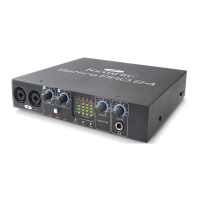
FRONT AND REAR CONNECTIVITY
Analogue channel inputs (inputs 1-2)
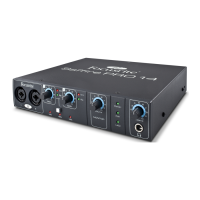
• 2 Mic XLR combo (channels 1-2) on front panel
• 2 Line ¼” TRS (channels 3-4) on rear panel
• Automatic switching between mic / line (channels 1-2)
• Switching between line / instrument Inputs (channels 1-2) via Saffire MixControl application
• Switching between +16dBu (low) and -10dBV (high) gain on inputs 3-4 via Saffire MixControl application
Digital channel inputs (inputs 5-6) 44.1 - 96kHz
• Stereo S/PDIF input on RCA
Analogue audio outputs (outputs 1-4)
• 4 ¼” TRS jacks
• Output level control (analogue) for outputs 1 and 2
• Stereo headphones mix 1 on ¼” TRS (also routed to outputs 3 & 4) with independent volume control
Digital channel outputs (outputs 5-6) 44.1 - 96kHz
• Stereo S/PDIF output on RCA
Other I/O
• 1 6-pin FireWire S400 sockets
• 2 standard 5-pin DIN MIDI connectors: in and out
• DC power input connector (for use with supplied universal input power supply)
Front Panel Indicators
• 2 2 segment input meters, sig (-18) and O/L (0dBFS)
• “LKD” locked indicator
• “FW” host connected indicator
• “Power” indicator
• Instrument input source selection LED for channels 1 and 2
• Phantom power (48V) switch and LED for inputs 1 and 2
Weight and dimensions
• Dimensions: approx. 21.5 x 4.5 x 22cm (W x H x D)
• Weight: 1.5kg
Troubleshooting
For all troubleshooting queries, please visit the Focusrite Answerbase where there are articles covering numerous troubleshooting
examples. www.focusrite.com/answerbase.
Copyright
Focusrite and Saffire are registered trade marks of Focusrite Audio Engineering Limited. 2010 © Focusrite Audio Engineering
Limited. All rights reserved




 To Previous Page