Fodenn Electronic Technology Co.,Ltd
Add: 3rd floor, Building B, Runchang industrial park, Zhonghao 2 road,
Bantian street, Longgang district, Shenzhen
Tel:0755-86329789 Fax:0755-83689236 Email:oversea1@fodenn.com
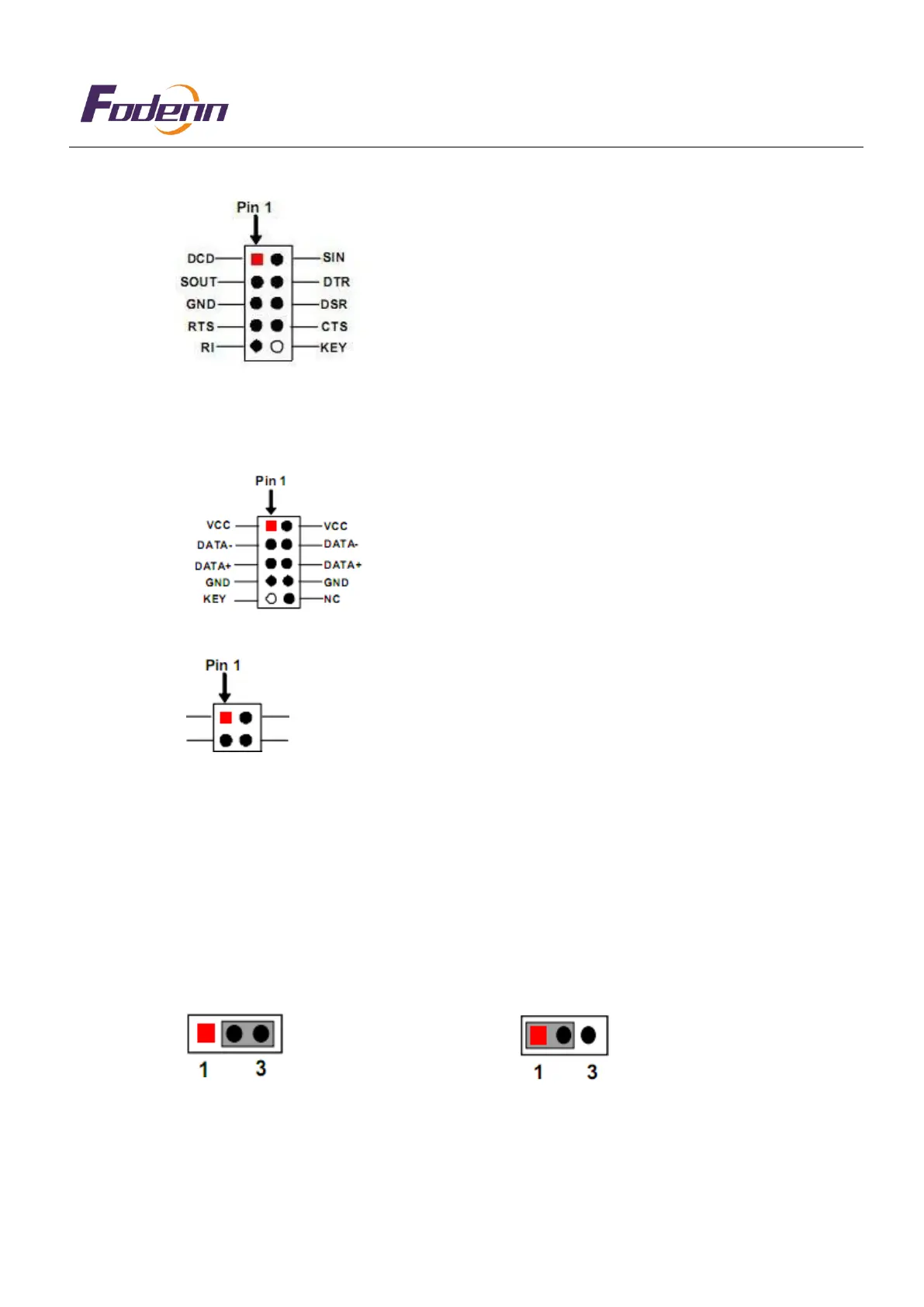
2.2.3 COM1/2/3/4/5/6: Parameter definition
2
COM1/COM2(9 PIN)
2.2.4 F_USB1,F_USB2 and F_USB3(9-PIN): Parameter definition, and optional USB2 (2.0mm) Pin
definition.F_USB1/2/3
2.2.5 J_485/422(4-PIN):RS485/RS422 Parameter definition
2TX485_422+ 2RX422+
2TX485_422- 2RX422-
2 4
2.2
,6 CLR_CMOS(3-PIN)
Note: CLR_CMOS allows you to clear the data in CMOS, including system setting data, such as system
password, date, time and system setting parameters. In order to clear and reset the system parameters to the
default settings, please turn off the computer and unplug the power cord, then use a jumper cap to short-
circuit pin2 and pin3 on CLR_CMOS for five seconds. If you need to clear the CMOS when completing the
BIOS refresh, you must first start the system, and then shut down the system before you perform the CMOS
clear operation.
PIN2-3: Clear COMS PIN1-2: Meaningless


 To Next Page
 Loading...