FoMaKo Focus Your Streaming www.fomako.net
address you just added->Press “enter” button to confirm ->Back.
Now, you add CAM 1 to controller successfully
Set and Call Preset Position
Press “STORE” button, the button will light up, then you can save preset position by
numbers;
Press “CALL” button, the button will light up, then you can call preset position by
numbers.
Screen Preview Function
”PVW” button control the camera’s video preview on the screen. But you need do the
settings before using it.
PVW function uses camera’s RTSP streaming function. So, you need know your
camera’s RTSP streaming URL.
Let’s use FoMaKo camera for example:
FoMaKo camera’s RTSP streaming URL is :
Main streaming: rtsp://192.168.1.100:554/live/av0
Second Streaming: rtsp://192.168.1.100:554/live/av1
Please change ip address 192.168.1.100 to your camera’s ip address.
Normally, we use second streaming for PVW function.
Settings on Controller:
(1) Long press the camera’s shortcut key, such as “CAM 1” , go to CAM 1’s settings ->
Stream URL
(2) Input camera’s RTSP streaming URL: rtsp://192.168.1.100:554/live/av1 ,
(3) Press “enter to save”
(4) Press “PVW” button, now, the camera’s preview video will shown on screen
(5) Press “PVW” button again, it will close the preview video.
Tips:
(1)
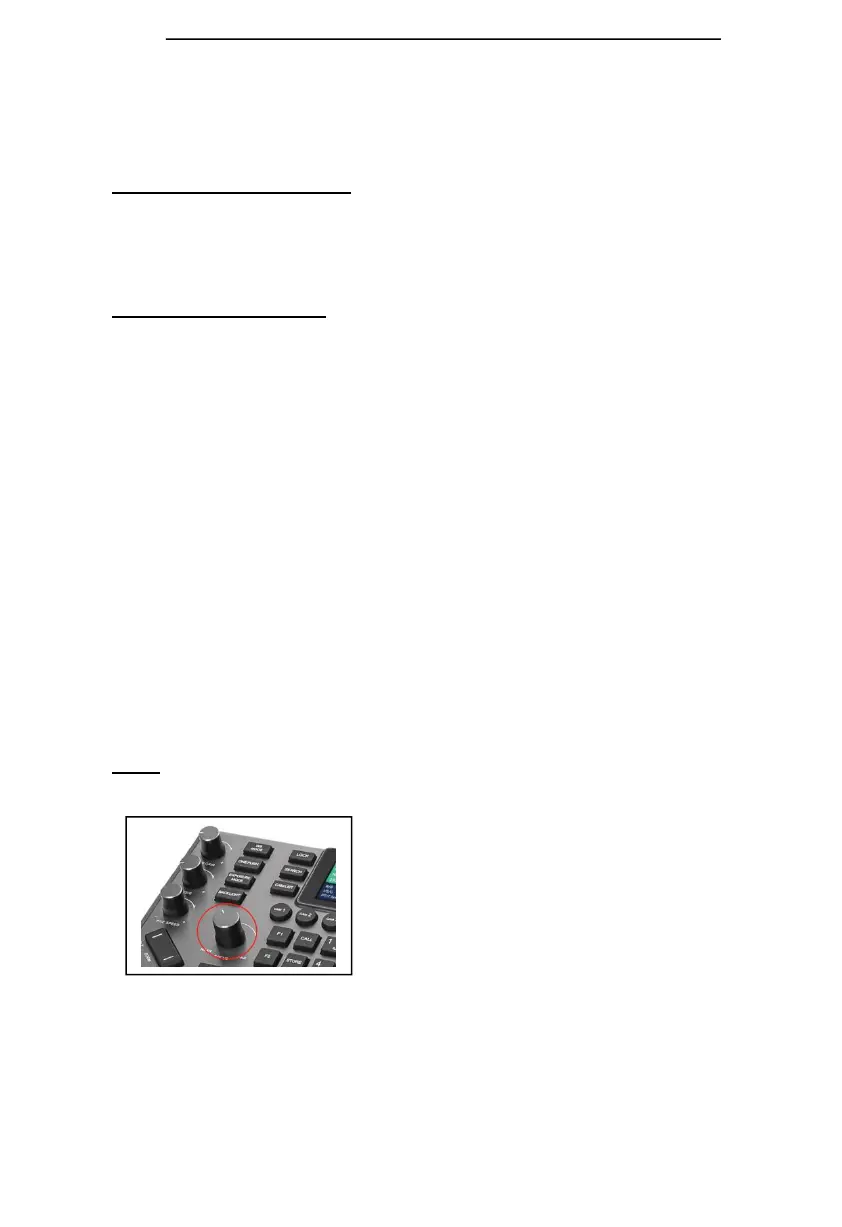
When go the the controller’s settings, you can use the “Focus” button to choose the
settings. The operation will be much more faster.
(2) Save more than 10 position presets: Settings-> Keys->Preset Operation Mode ->255
If you need more supports, please contact us at: ivan@fomako.net, normally, we can
reply you within 12hours



 To Next Page