Controls
The ON/OFF/HIGH Speed
button is a continuous ON
button that will run until it is
pushed again to turn OFF.
The PULSE/LOW Speed button
operates in a pulse mode that will
run only while the button is held
down.
4
Operating Instructions
How to Assemble Bowl on Base
1. Make sure unit is off and
unplugged.
2. Place the Food Bowl onto
Base and turn in the direction
of arrow to lock.
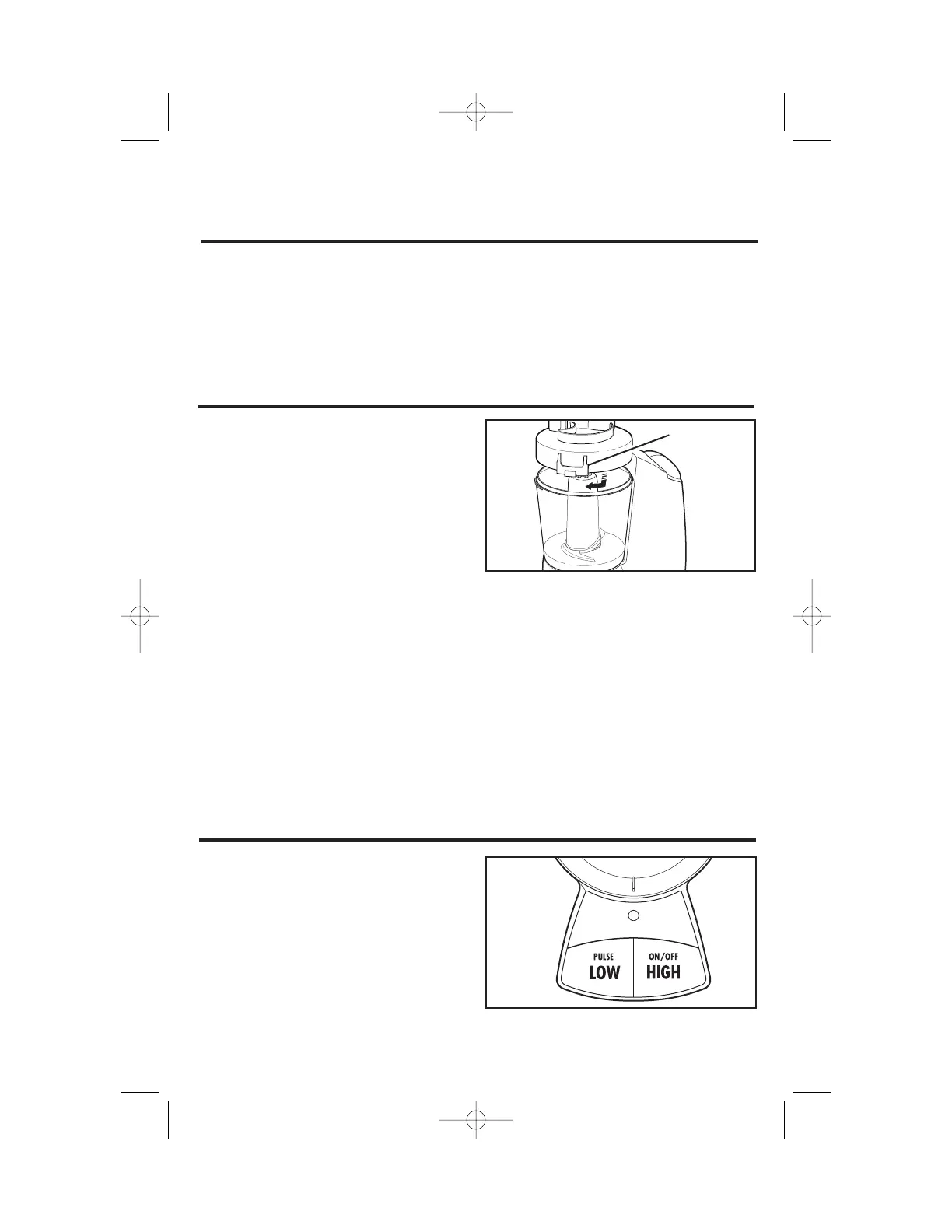
How to Assemble Cover on Bowl
1. Make sure unit is off and
unplugged.
2. Place desired blade or disc in
Food Bowl. See How to Chop
or How to Slice.
3. Make sure the groove inside
the Cover (that fits on rim of
Food Bowl) is clean and free
of food particles.
4. Place the Cover onto the
Food Bowl and turn Cover
clockwise to lock. There are
interlock tabs on both sides
of Cover. Either tab can be
used to lock Cover in place.
5. Plug in unit.
NOTE: Food to be processed
may be placed in the Food
Bowl before locking the Cover
or it may be added through
the Food Chute.
Interlock
Tab


 To Next Page