EasyManua.ls Logo

for Living 052-2230-6 - User Manual

for Living 052-2230-6
13 pages
Print Icon
To Next Page IconTo Next Page
Loading...
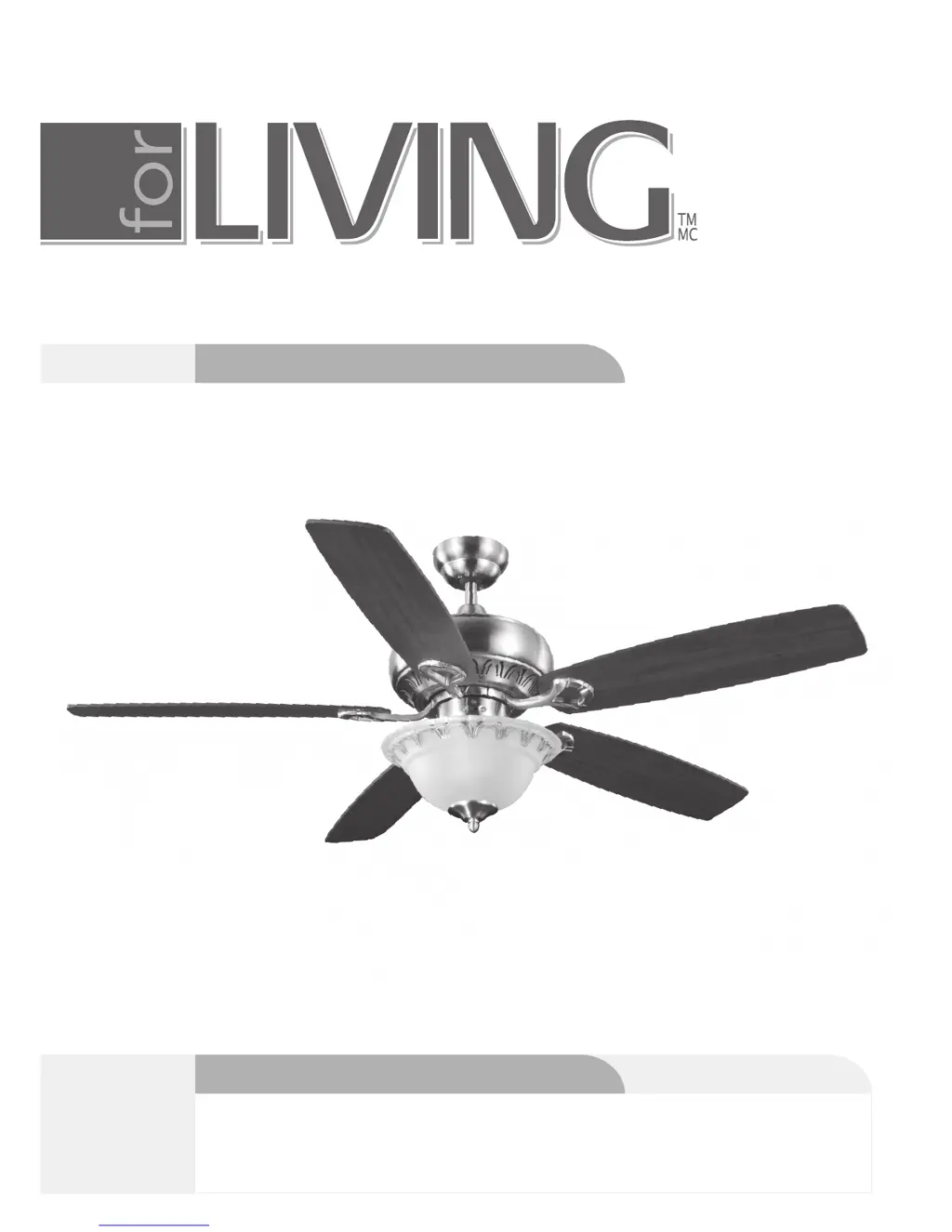
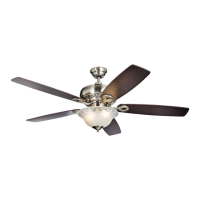
olympia 52" ceiling fan
model no. 052-2230-6
Instruction Manual
IMPORTANT: Please read and understand this manual before any assembly. Before
Toll-free: 1-877-483-6759
V5. 2016
beginning assembly of products, make sure all parts are present. Compare parts
with exploded view. If any parts is missing, or if you have any questions, contact
customer service at 877-483-6759.

Questions and Answers

  • C
    coxderrickAug 2, 2025
    What to do if my for Living Fan does not start?
    • K
      kingscottAug 2, 2025
      If your 'for Living' Fan doesn't start, the issue might stem from a blown fuse or circuit breaker. Inspect the main fuse and branch circuit fuses or circuit breaker, and repair as necessary. Alternatively, there may be loose or incorrect power line connections to the fan or switch wires. Verify all wire connections to the fan and housing wiring, and repair if needed.
  • A
    ashley87Aug 9, 2025
    Why do lights not work on my for Living 052-2230-6?
    • M
      melanie32Aug 9, 2025
      If the lights on your 'for Living' Fan aren't working, first ensure the wire connector in the switch housing is properly connected. Faulty light bulbs could also be the cause; unscrew and discard them properly. If your fan is equipped with a 190 W LIMITER, it might have automatically turned off because the total wattage exceeds the maximum level. In this case, turn the power OFF and replace the bulbs with lower wattage bulbs so that the total wattage will be below 190 W.
  • K
    kbakerAug 14, 2025
    Why is my for Living 052-2230-6 so noisy?
    • J
      jonathanporterAug 14, 2025
      A noisy 'for Living' Fan can be due to several factors. The blade screws might be loose; tighten them with a screwdriver. Check and fasten the screws if the mounting bracket or canopy is loose. Also, check and tighten the screws securing the decorative housing to the hanger. Loose lamp shades or bulbs can also cause noise; tighten them by hand. Ensure the screws securing the downrod to the hanger are checked and fastened, and that the wire connectors are not vibrating against the inside of the canopy by disconnecting power at the fuse box, loosening the canopy, and re-positioning the connectors. Furthermore, make sure the light kit or light bulb is firmly attached by removing and re-attaching it. Ensure the canopy is not touching the ceiling, and check and fasten the motor housing screws.
  • P
    Phillip AcevedoAug 20, 2025
    How to fix a for Living 052-2230-6 that wobbles?
    • G
      ggallowayAug 20, 2025
      Excessive wobbling or shaking in your 'for Living' Fan could be caused by loose screws securing the fan blade clips to the motor; ensure these are fastened and tightened. Also, check that the fan blade and its blade clip are securely fastened by tightening their screws. Make sure the canopy and mounting bracket are tightened securely to the ceiling joist. Unbalanced blades can also cause this issue. Check by selecting a point on the ceiling above the tip of one of the blades, measure this distance, and ensure all blades are even. If all blade levels are not equal, adjust accordingly.
  • G
    Gabriel DunlapAug 27, 2025
    What to do if my for Living Fan does not move much air?
    • J
      Joe SmithAug 27, 2025
      If your 'for Living' Fan doesn't seem to move much air, it might be in reverse (blades moving clockwise). Change the forward/reverse slide switch. Also, ensure the fan is properly located in the center of the room with at least 12" (30cm) between the end of the blades and walls or other obstructions.

Summary

Ceiling Fan Safety Instructions

General Safety Precautions and Warnings

Important guidelines and warnings for the safe operation and handling of the fan.

Rules for Safe Installation Procedures

Essential rules and precautions to ensure a safe and correct installation.

Assembly Preparation and Tools

Detailed Assembly Steps

Continued Assembly Procedures

Electrical Wiring Guide

Step-by-step instructions for connecting the fan's electrical wires.

Wiring Connections Explained

Connecting Fan Wires to Receiver

Detailed instructions for wiring fan components to the receiver unit.

Connecting Receiver to Mains Power

Steps for connecting the receiver to the household electrical supply.

Final Assembly Steps

Ceiling Fan Operation Guide

Remote Control Functions and Settings

Explanation of remote control features for fan speed and light.

Controlling Airflow Direction (Forward;Reverse)

Guide on switching between forward and reverse airflow modes.

Maintenance and Care Instructions

Ceiling Fan Troubleshooting Guide

Troubleshooting Noisy Operation

Common causes and solutions for issues related to fan noise.

Troubleshooting Fan Start Issues

Steps to diagnose and resolve problems when the fan does not start.

Continued Troubleshooting Steps

Troubleshooting Light Issues

Solutions for problems where the fan's lights are not working.

Troubleshooting Fan Wobble and Shake

Methods to resolve excessive fan wobble or shaking.

for Living 052-2230-6 Specifications

General IconGeneral
Brandfor Living
Model052-2230-6
CategoryFan
LanguageEnglish

Related product manuals