WARNING !
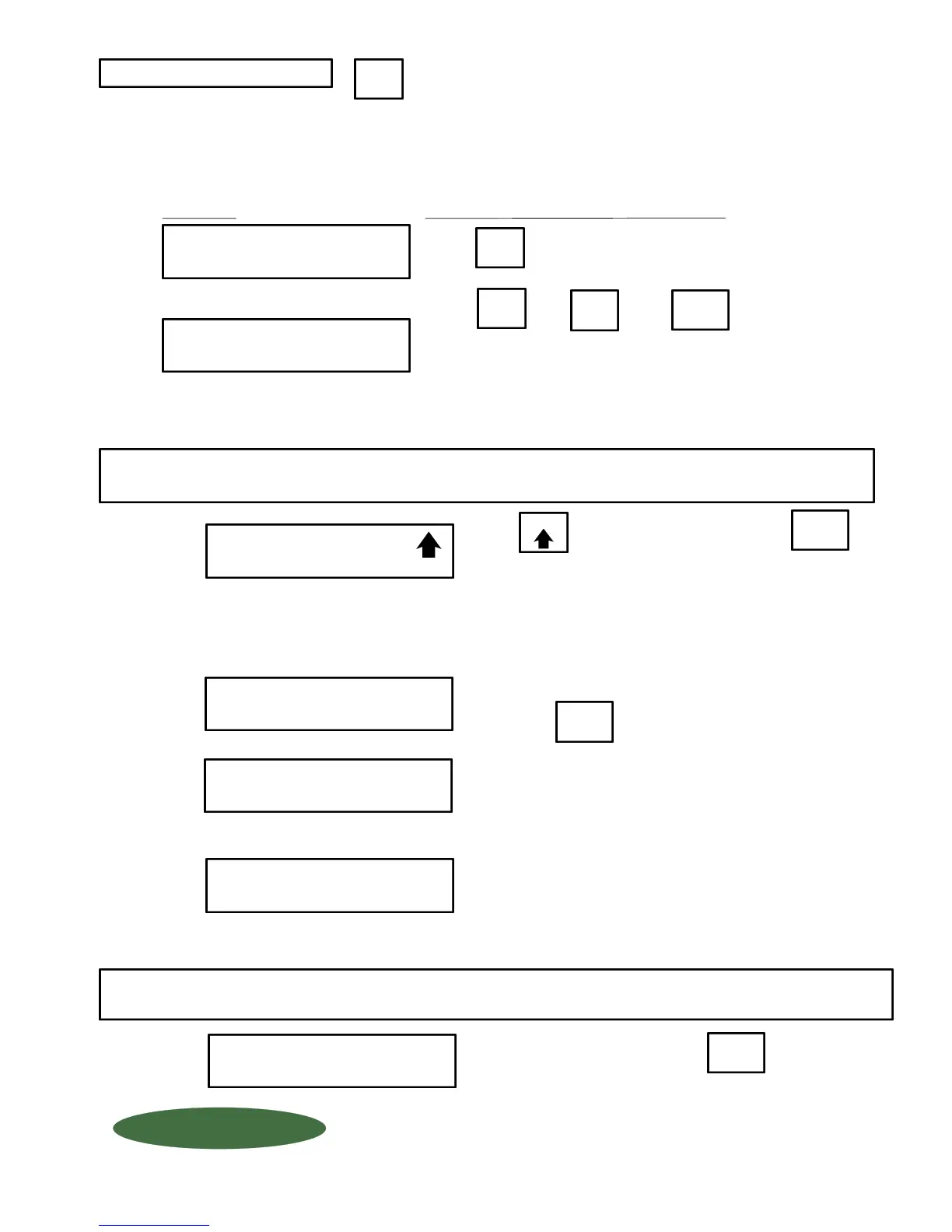
DO NOT UNLOAD or LOAD tanks until "CHANGE TANKS NOW, THEN
PRESS ENTER" appears on the display. If you load or unload tanks
before reaching this step, the "amount used" and "daily usage" displays
will be incorrect.
It also allows you to enter the tare weight(s) of your tanks if you choose "Manual" tank load mode, or load the
net weight of a cylinder if you chose the "Auto" tank load mode. (See Code Set-up 9085)
Allows you to load new tanks without adversly affecting
the "AMOUNT USED" and "DAILY USAGE" displays.
MENU
Press to enter the tank load mode.
Remove empty tanks and place new tank(s) onto the scale
then press
SCALE #2 TANK #1
TARE = XXXX
NET REMAINING
SCALE 1 = XXXX
Enter the scale NUMBER that you want to load/unload tanks.
This "freezes" or "holds" the AMOUNT USED and DAILY
USAGE displays until feeding resumes).
1
2
ENTER SCALE #
1 THRU 2 X
....If you chose "AUTO" the WIZARD automatically loads the
net weight and goes into the weighing mode (skip Step 6).
ENTER
CHANGE TANKS NOW
THEN PRESS ENTER
WAIT
TARE MODE
*AUTO MANUAL
Press or then
Press to select which method, then press
MANUAL Mode: Requires that you enter tare weight of EACH tank on
EACH scale. (Example: Scale #2, tare weight of TANK #1, then
TANK #2, etc). After entering the tare weights of all your tanks, the
WIZARD 4000 automatically adds them up and subtracts them from
the gross weight.
ENTER
ENTER
TANK
LOAD
Step 6
Digital Display
Action Required - Press "ENTER" after completing each step.
Step 2
Step 4
Step 5
Step 3
Step 1
Wait until this clears to continue.
TANK
LOAD
....If you chose "MANUAL" you will manually enter tank
tare weight in Step 6.
....If MANUAL chosen above in Step 3...
Use "MANUAL" for PARTIALLY FULL containers.
Use "AUTO" for FULL containers.
TANK LOAD MODE
Fill your tank with chemicals, then press
FILL TANK NOW
THEN PRESS ENTER
ENTER
Step 7
"PORTABLE" Tank Applications (Follow Steps 1 thru 6 only)
(such as Ton Containers, Drums and Cylinders)
"FIXED" Tank Applications (Follow Steps 1, 2 and 7 only)
(such as Chem-Scale, Hoppers, Powercells and Ultrasonic)
Skip to STEP 7 in "FIXED" Tank Applications.
QUESTIONS ? Help Hotline: 1-800-893-6723
W.2.103
1150-D Burnett Ave, Concord, CA 94520 USA
1-800-893-6723 US & Canada, Fax: 925-686-6713
www.forceflow.com / info@forceflow.com
File: T4\O&M\AWZMSTR\WZDAY1B.tcw 11/99 (B07.pdf)
FORCE FLOW
FORCE FLOW
F
F
L
L
O
O
Q
Q
I
I
U
U
P
P



 To Next Page
 Loading...