Deployment Reference SheetAppliance Deployment Overview
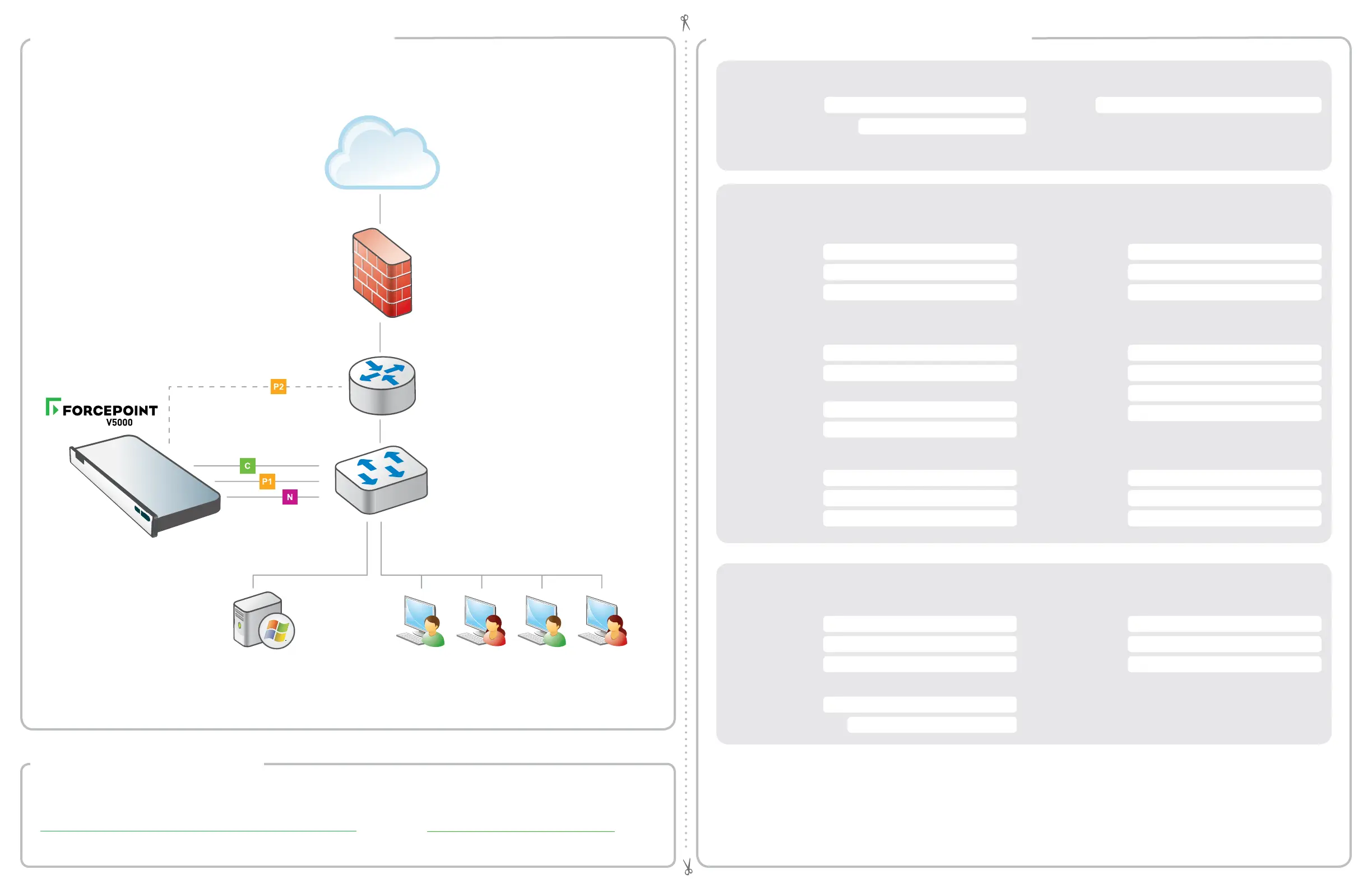
You can deploy one or more appliances on your network. The diagram below illustrates a basic appliance deployment.
A separate computer with Windows Server is required for running Forcepoint Security Manager. See the Forcepoint
Appliances Getting Started guide for details.
* P2 is optional and may be connected to a router or switch.
** Connect the N interface to a bidirectional span, monitor, or mirror port on the switch.
*** Forcepoint Security Manager is required; Forcepoint Security Appliance Manager (FSAM) is optional.
Internet
Firewall
Clients
Windows Server***
Router
*
**
Switch
Forcepoint Security Manager
Email
Web SQL Server
Policy Server IP: IP Address:
Log Server IP:
User Name:
Subscription Key: Password:
Log Server IP:
Authentication Mode:
Network Configuration
Network Agent Interface (N)
Content Gateway / Forcepoint Email Security Interfaces (P1 & P2)
P1
P2
Appliance Management Communication Interface (C)
IP Address:
Primary DNS:
Subnet Mask: Secondary DNS:
Default Gateway: Tertiary DNS:
IP Address:
Primary DNS:
Subnet Mask:
Secondary DNS:
Default Gateway: Tertiary DNS:
IP Address:
Default Gateway:
Subnet Mask: Primary DNS:
IP Address:
Secondary DNS:
Subnet Mask:
Tertiary DNS:
Above settings apply to P1 and P2
Support & Resources
Appliance Information
C Interface IP: Hostname:
admin is the default user name for the Appliance CLI, Forcepoint Security Manager, and Content Gateway Manager.
See the Forcepoint Appliances Getting Started guide for details.
Getting Started Guide
support.forcepoint.com/documentation
Online Support and Contact Information
support.forcepoint.com
Default iDRAC password:



 To Previous Page