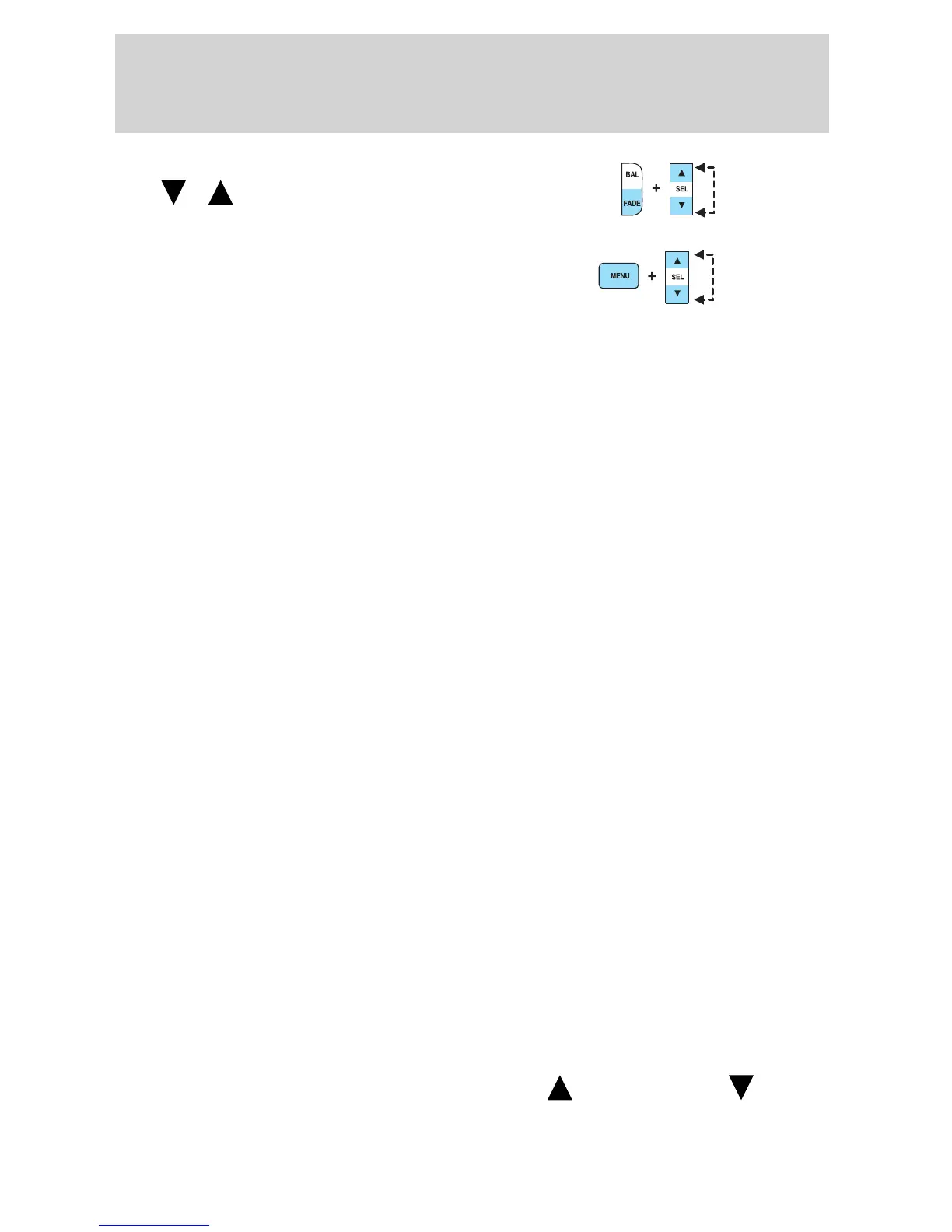
Fade: Press FADE; then press
SEL
/ to shift sound to the
rear/front speakers.
9. Menu: Press MENU to access
clock mode, RDS on/off, Traffic
announcement mode, Program type
mode, Shuffle mode and
Compression Mode.
The Federal Communications Commission (FCC) and the Canadian Radio
and Telecommunications Commission (CRTC) recommend that FM radio
broadcasters use RDS technology to transmit information. FM radio
stations are independently operated and individually elect to use RDS
technology to transmit station ID and program type as desired.
Traffic: Allows you to hear traffic broadcasts. With the feature ON, press
SEEK or SCAN to find a station broadcasting a traffic report (if it is
broadcasting RDS data). Traffic information is not available in most
U.S. markets.
FIND Program type: Allows you to search RDS-equipped stations for a
certain category of music format: Classic, Country, Info, Jazz, Oldies,
R&B, Religious, Rock, Soft, Top 40.
Press MENU until FIND appears in the display. Use SEL to scroll through
music types. Press SEEK or SCAN to search for a station playing the
requested music category.
Show TYPE: Displays the station’s call letters and format.
Press MENU until SHOW appears on display. Use SEL to select NONE,
NAME or TYPE.
Shuffle: Press to play tracks in a random order. Press MENU until
SHUFFLE appears in the display. Use SEL to select SHUFFLE DISC,
SHUFFLE TRK or SHUFFLE OFF.
Compression: Brings soft and loud CD passages together for a more
consistent listening level. Press MENU until COMPRESS is displayed.
Press the SEL control to enable the compression feature when
COMPRESS OFF is displayed. Press the SEL control again to disable the
feature when COMPRESS ON is displayed.
Setting the clock: Press MENU until SELECT HOUR or SELECT MINS
is displayed. Use SEL to manually increase (
) or decrease ( )the
hours/minutes. Press MENU again to disengage clock mode.
2005 Explorer Sport Trac (p27)
Owners Guide (post-2002-fmt)
USA (fus)
Entertainment Systems
25












 To Next Page