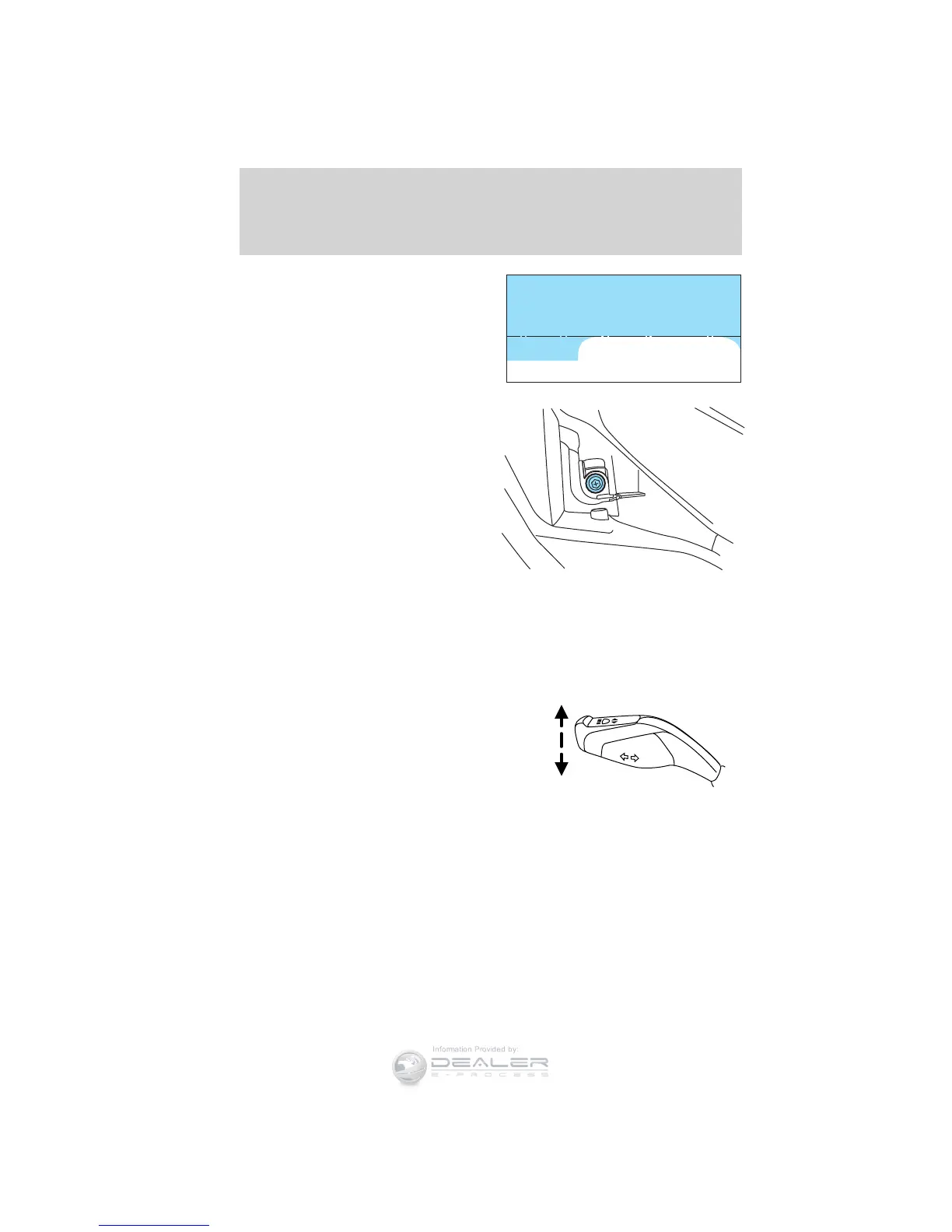
On the wall or screen you will
observe a flat zone of high intensity
light located at the top of the right
hand portion of the beam pattern. If
the top edge of the high intensity
light zone is not at the horizontal
reference line, the headlamp will
need to be adjusted.
4. Locate the vertical adjuster on
each headlamp. Using a Phillips #2
screwdriver or 13mm wrench/socket,
turn the adjuster either clockwise
(to adjust down) or
counterclockwise (to adjust up).
The horizontal edge of the brighter
light should touch the horizontal
reference line.
5. Close the hood and turn off the lamps.
HORIZONTAL AIM IS NOT REQUIRED FOR THIS VEHICLE AND IS
NON-ADJUSTABLE.
TURN SIGNAL CONTROL
• Push down to activate the left
turn signal.
• Push up to activate the right turn
signal.
Lane change
To indicate a left or right lane change:
• Tap the lever up/down. The turn signals will flash three times and
stop.
• Push the lever up/down to the non latched position and hold. The turn
signals will flash for as long as the lever is held in this position.
Lights
126
2012 Focus (foc)
Owners Guide, 1st Printing
USA (fus)













 To Next Page