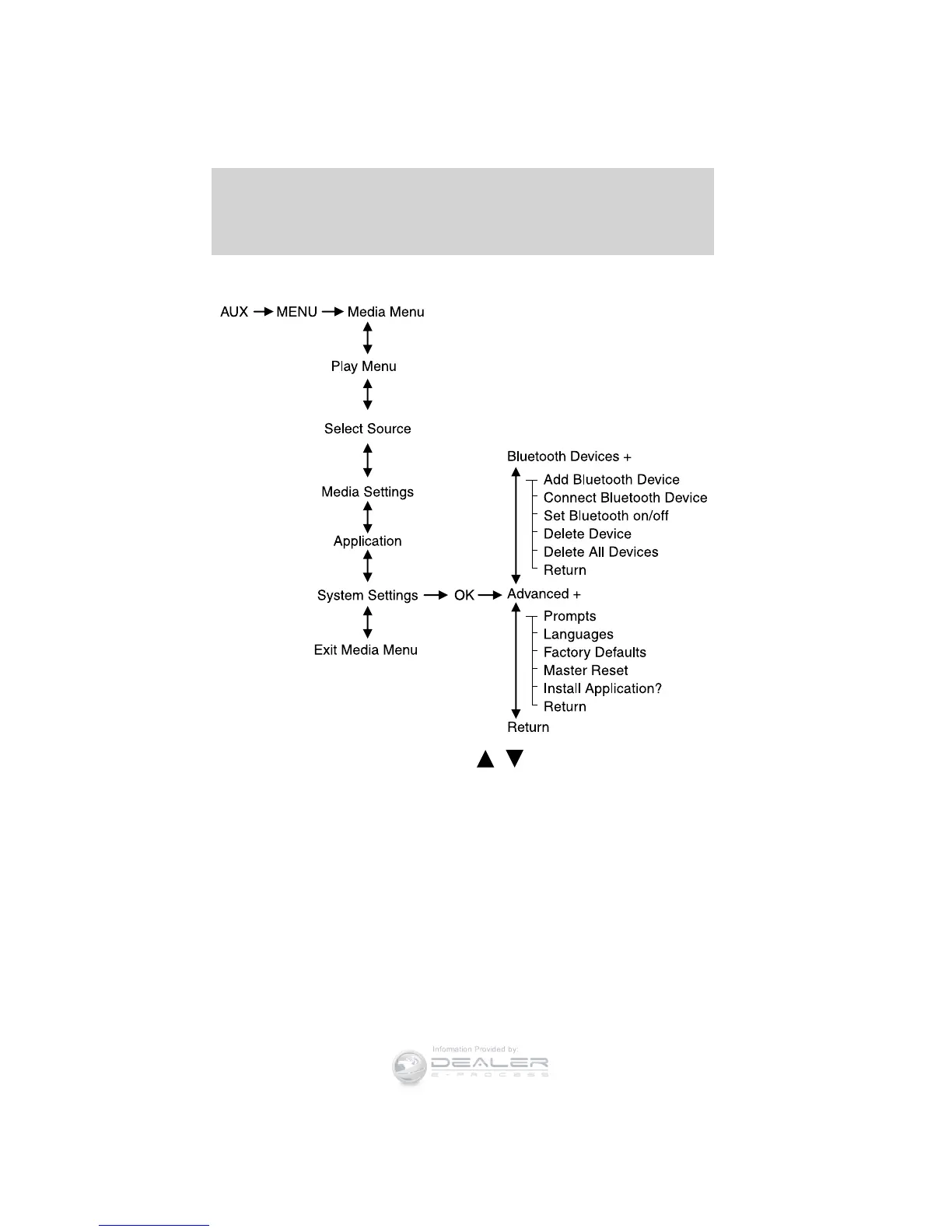
See the following sections for more information on these menus as well
as the following graphic for the menu layout.
Scrolling through the menus: Press
/ to scroll through the
menu options.
Bluetooth Device menu options
This menu allows you to add, connect and delete devices as well as turn
Bluetooth on and off.
To access:
1. Press AUX and then MENU to enter the Media Menu
2. Scroll until System Settings appears and select OK.
3. Scroll until Bluetooth Devices appears.
Entertainment Systems
97
2012 Focus (foc)
Owners Guide, 1st Printing
USA (fus)













 To Next Page