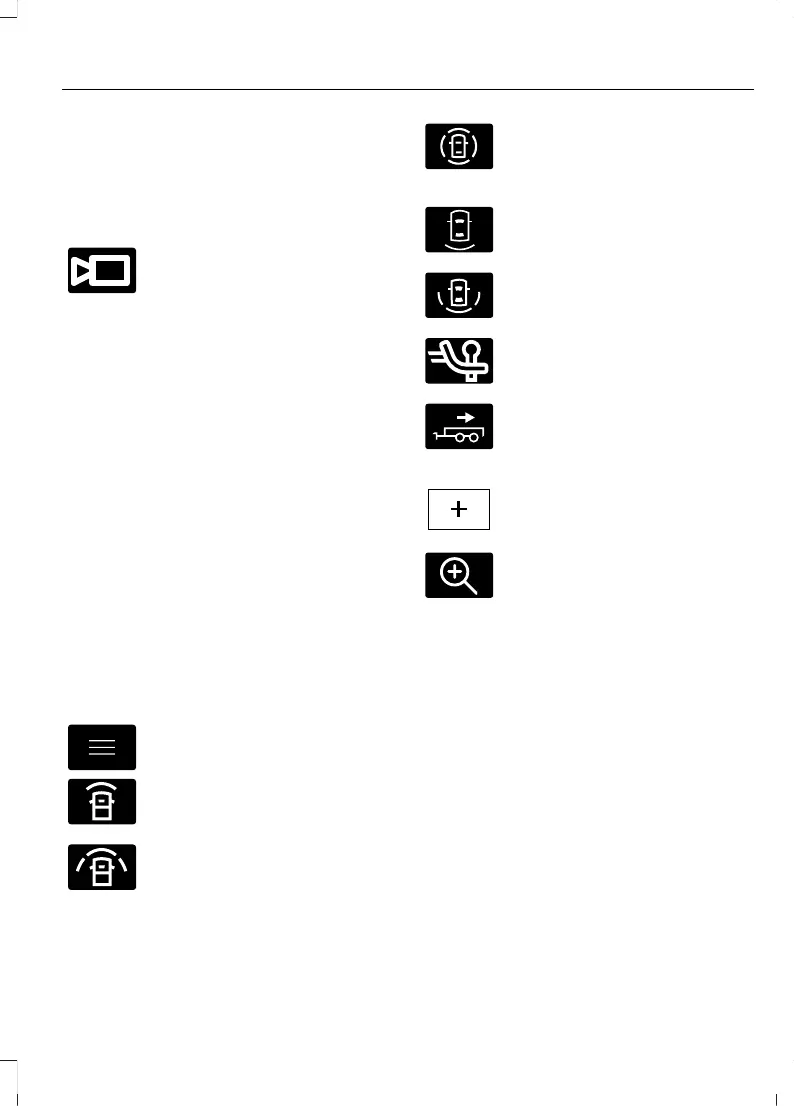
360 DEGREE CAMERA
SETTINGS
SWITCHING THE 360 DEGREE
CAMERA ON AND OFF
The 360 degree camera system
button is on the instrument
panel and allows you to toggle
the front camera on or off. The front and
rear cameras have multiple screens which
consist of:
• Normal view.
• Normal view with 360.
• Split view.
Note: The rear view camera activates when
you switch into reverse (R). Additional views
are then accessible on the touchscreen.
When in park (P), neutral (N) or drive (D),
only the front images display when you
press the button. When in reverse (R), only
the rear images display when you press the
button.
Note: The 360 degree camera system turns
off when your vehicle is in motion at low
speed, except when in reverse (R).
SWITCHING THE 360 DEGREE
CAMERA VIEW
Press to access the different
camera views.
Front normal view provides an
image of what is directly in front
of your vehicle.
Front split view provides an
extended view of what is in front
of your vehicle.
Normal + 360 degree view
contains the normal camera
view next to a 360 degree
camera view.
Rear normal view provides an
image of what is directly behind
your vehicle.
Rear split view provides an
extended view of what is behind
your vehicle.
The hitch view provides an
image of the area around the
tow hitch.
Trailer reverse guidance shows
the sides of your truck and trailer.
See Trailer Reverse Guidance
(page 367).
Zooms in on the image and park
hold is activated. See
Connecting a Trailer (page 340).
Zooms in on the 360 degree
image.
Note: The rear normal view and hitch view
are available when your vehicle speed is
greater than 6 mph (10 km/h).
257
2022 Expedition (TB8) Canada/United States of America, enUSA, Edition date: 202109, First-Printing
360 Degree Camera (If Equipped)










 To Next Page