Press and hold OK to reset the current trip, distance time, average MPG,
and fuel used.
Scroll up/down to highlight one of the options, then press the right arrow
key or OK to enter into that menu option.
Note: Some items are optional and may not appear.
Information
4WD Gauge – Indicates 4WD status.
MyKey威 Distance (if MyKey威 is programmed)
MyKey威 Information (number of MyKeys威 and admin keys
programmed)
Coolant Temperature – The indicator will change colors indicating: blue
for cool, gray for normal and red for hot. If the engine coolant
temperature exceeds the normal range, stop the vehicle as soon as
safely possible, switch off the engine and let then engine cool.
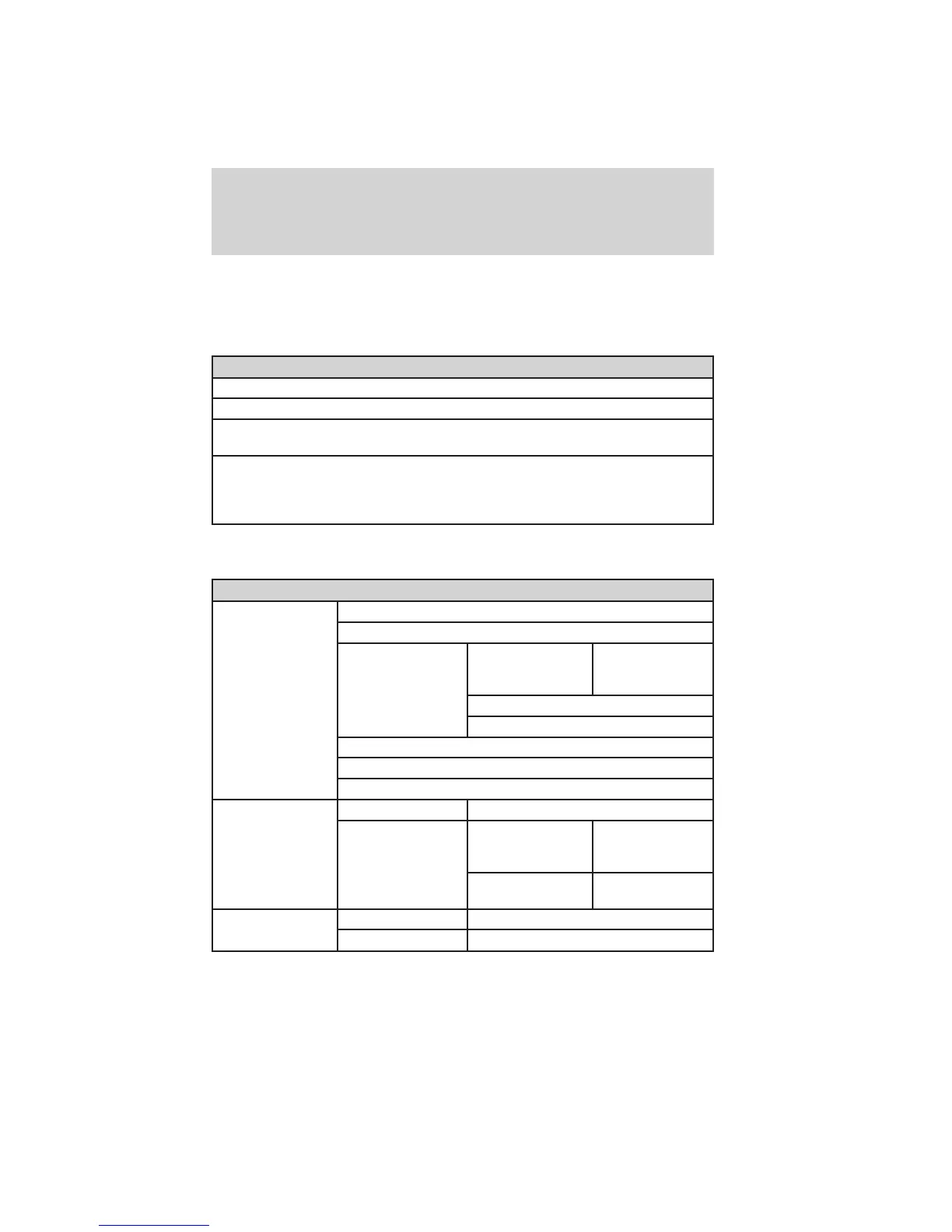
In this mode, you can view vehicle information and configure different
vehicle settings. Press the right arrow key (when in the Settings menu)
to reach the different menus.
Settings
Driver Assist Traction Control
Blind Spot
Collision Warning Sensitivity (if
MyKey is
programmed)
High, Normal or
Low
Chimes
Warning
Cross Traffic
Rear Park Aid
Trailer Sway
Display Language English, Español or Français
Units Distance Miles and
Gallons or Km
and Liters
Temperature Fahrenheit (°F)
or Celsius (°C)
Convenience Autolamp Delay Off or number of seconds
DTE Calculation Normal or Towing
Instrument Cluster
25
2011 Explorer (exp)
Owners Guide, 3rd Printing
USA (fus)














 To Next Page