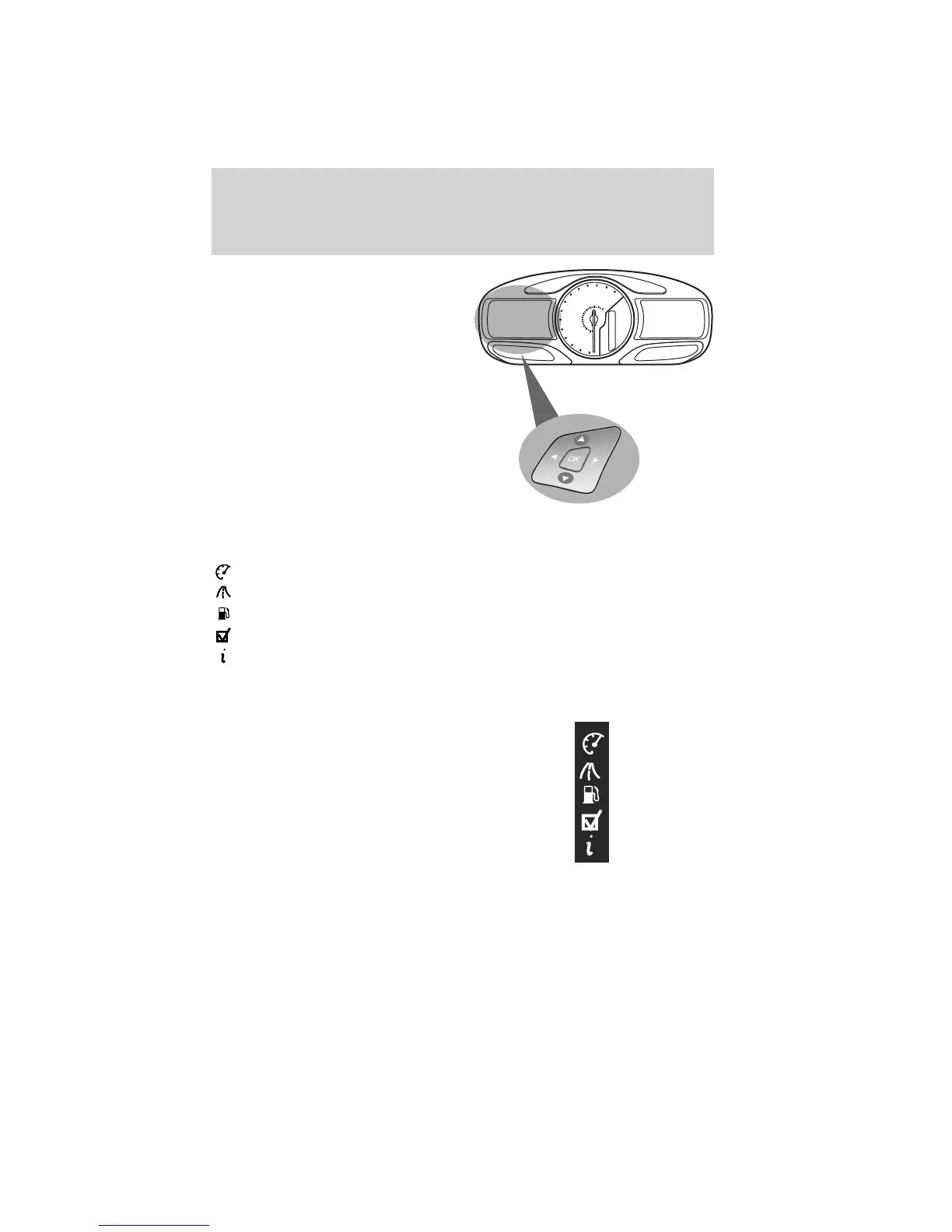
• Press the up/down arrow buttons
to move up/down through the
message center choices.
• Press the left/right arrow buttons
to move left/right through the
message center choices.
• Press the OK button to select
highlighted options and confirm
choices/messages.
Main menu
From the main menu screen you can choose the following:
Display Mode
Trip1&2
Fuel Economy
Settings
Information
Scroll up/down to highlight one of the options, then press the right arrow
key or OK to enter into that menu option.
Menu Control: You can choose a
different menu control operation to
suite your needs. In any screen
which shows these category icons
(other than the Main menu screen)
and:
• Standard is set– then scrolling up and down will scroll through the
main categories.
• Memory on is set– then scrolling up and down will scroll through the
last selected sub-category/screen within a main category.
km/h
MPH
Instrument Cluster
35
2011 Explorer (exp)
Owners Guide, 3rd Printing
USA (fus)














 To Next Page