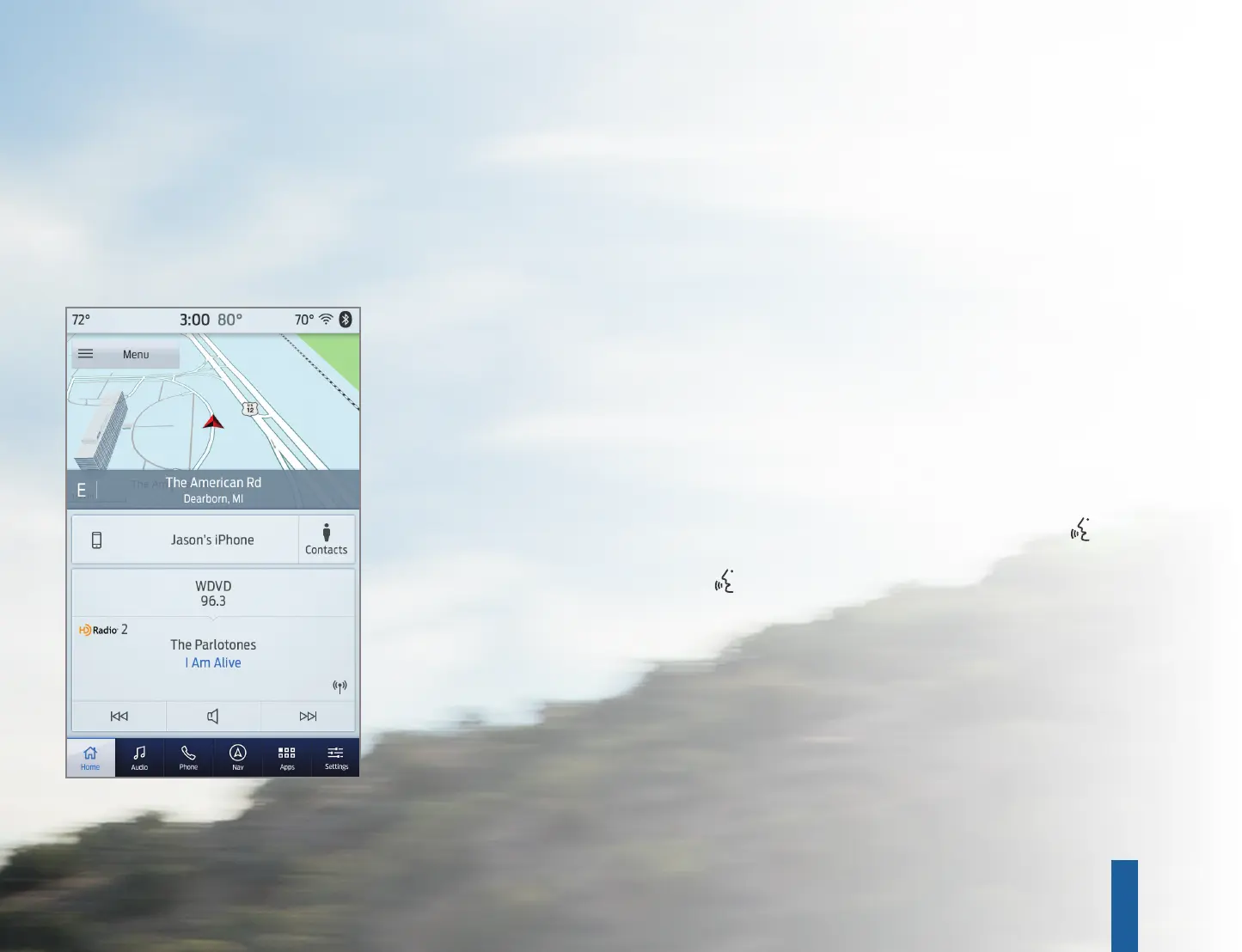
SYNC 3 allows you to interact with a variety of features using the
touchscreen and voice commands. The system provides easy use of the
system elements like audio, phone, mobile apps and settings.
USING THE TOUCHSCREEN
Use the touchscreen
to navigate the SYNC 3
features. The status bar
on the top of the screen
contains the home
button, clock, driver and
passenger climate set
temperatures, outside
temperature and status
bar icons that inform
you about the system.
The feature bar allows
you to select system
features, like audio
and settings. For your
safety, some features
are speed-dependent.
Their use is limited to
when your vehicle
speed is less than
3 mph (5 km/h).
UPDATING YOUR SYSTEM
System updates are available through the local Ford
website using a USB or by connecting your vehicle to a Wi-Fi
network connection. With a network connection, you can
have your SYNC 3 system update automatically as well.
Please see the SYNC 3 section of your Owner’s Manual for
more information on updating your system.
USING VOICE RECOGNITION
Using voice commands allows you to keep your hands on
the wheel and focus on what is in front of you. To activate
the SYNC 3 voice commands, press the voice button on
the steering wheel and wait for the prompt.
• Press the button during any system voice prompt to
interrupt the prompt and begin your voice command.
• To adjust the volume of the system voice prompts, turn
the volume control when a voice prompt is playing.
• To use Siri on your iOS device, press and hold the voice
control button on the steering wheel.
You can find the available voice commands in the SYNC 3
chapter of your Owner’s Manual or in the Commonly Used
Voice Commands in this guide.
6. KEYLESS STARTING*
You can start your vehicle by pressing the STA RT
STOP button while fully pressing down on the
brake pedal. Press the button again, without
applying the brake, to switch the engine o. If you
leave your vehicle idling for an extended period of
time, the engine shuts down automatically.
Before this happens, a message appears in
the information display, allowing you time to
override the shutdown feature. If you try to
leave the vehicle when it is still on, the horn
will sound twice.
7. CLIMATE CONTROLLED FRONT SEATS*
For heated front seats, press repeatedly to
cycle through the various heat modes and o.
For ventilated front seats, press repeatedly to
cycle through the various cooling modes and o.
8. 360 DEGREE CAMERA*
The button allows you to toggle through
dierent camera views. The front and rear
cameras have multiple screens that include
Normal View with 360, Normal View and Split
View. When in park (P), neutral (N) or drive (D),
only the front images display when you press the
button. When in reverse (R), only the rear images
display when you press the button.
9. HAZARD WARNING FLASHER
NOTE: A valid key must be inside the vehicle for the
ignition to start.
NOTE: The 360 degree camera system turns o
when your vehicle is in motion at a low speed,
except when in reverse (R).
SYNC
TM
3
*if equipped
INSTRUMENT PANEL
8
9
7
6
76
4615393_22a_Explorer_QRG_080921.indd 6-74615393_22a_Explorer_QRG_080921.indd 6-7 8/12/21 1:54 PM8/12/21 1:54 PM


 To Next Page
 Loading...