FORD DUAL MEDIA SOUND SYSTEM (IF EQUIPPED)
1.
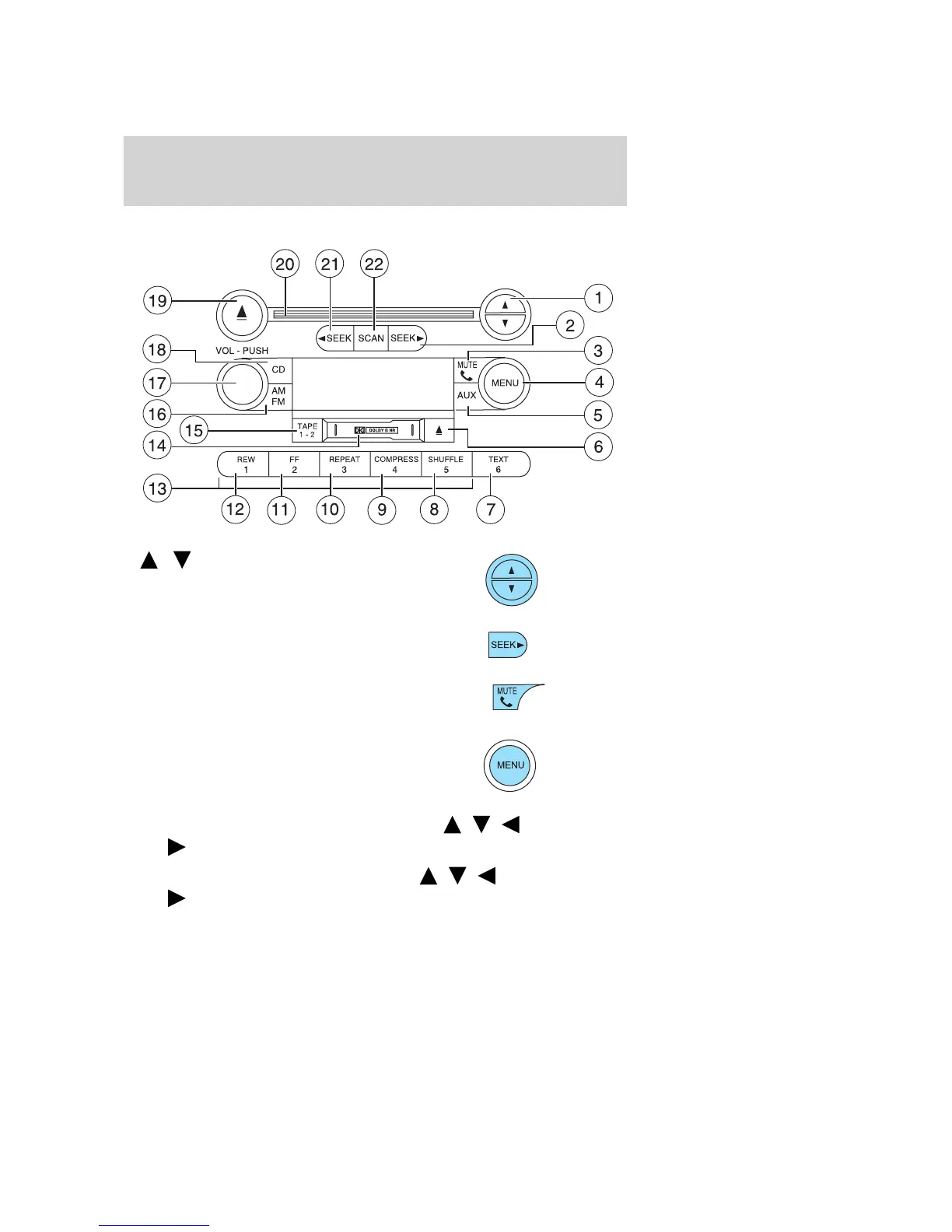
/ Tune: Press to manually
go up or down the radio frequency.
Also use in menu mode to select
various settings.
2. Seek: Press to access the next
strong station or track.
3. Phone/mute: Press to mute the
playing media. Press again to return
to the playing media.
4. Menu: Press to toggle through
the following modes:
Treble: Press to adjust the treble setting. Use
/ / SEEK,
SEEK .
Bass: Press to adjust the bass setting. Use
/ / SEEK,
SEEK
.
2004 F150 (f12)
Owners Guide (post-2002-fmt)
USA English (fus)
Entertainment Systems
23



 To Next Page