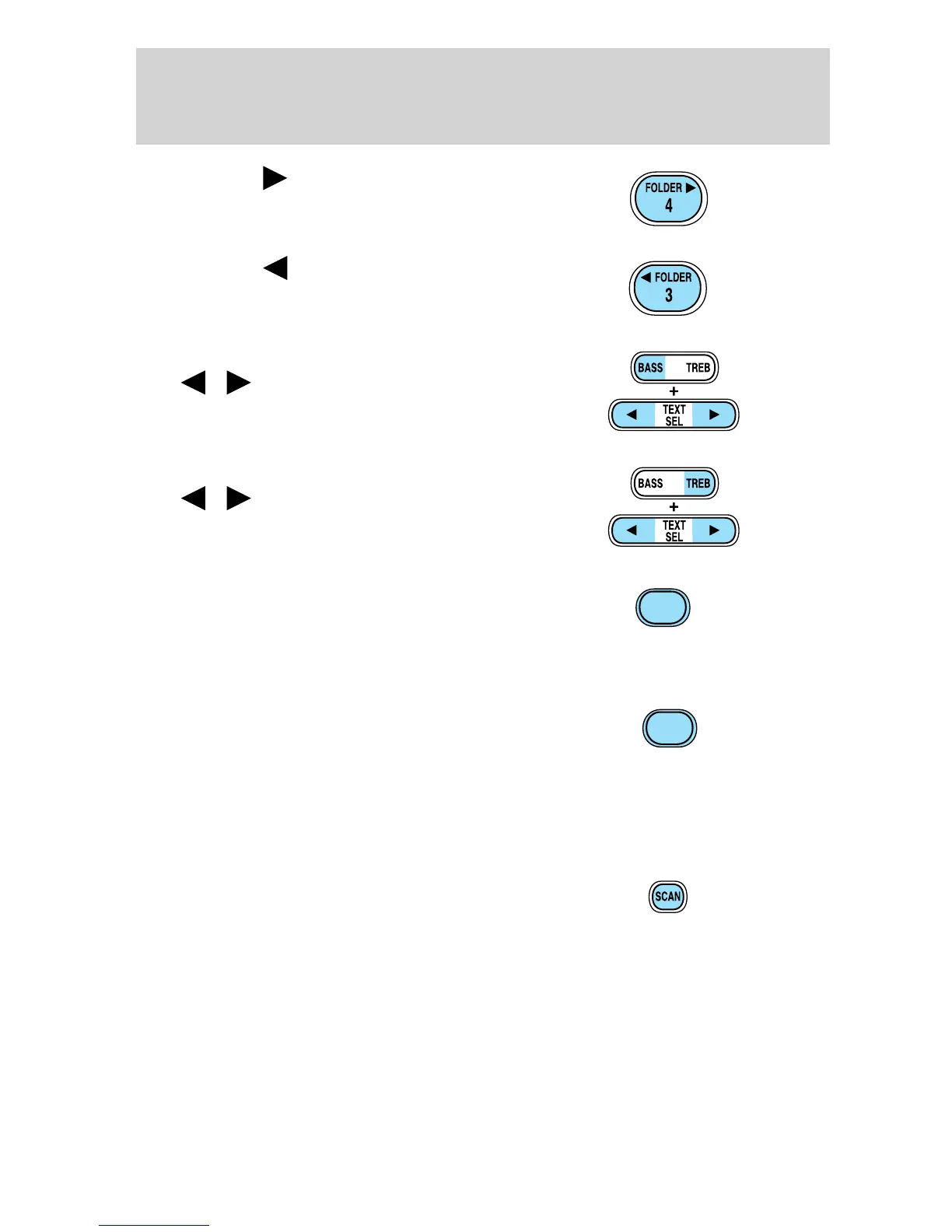
12. FOLDER : Press to access
the next MP3 directory folder.
13. FOLDER
: Press to access
the previous MP3 directory folder.
14. Bass: Press BASS; then press
SEL
/ to decrease/increase
the bass output.
Treble: Press TREB; then press
SEL
/ to decrease/increase
the treble output.
15. Fast Forward (FF): In CD
mode, press and hold to fast
forward. In tape mode, press to
activate fast forward. Press FF again
to return to play.
16. Rewind (REW): In CD mode,
press and hold to reverse CD. In
tape mode, press to rewind. Press
REW again to return to play.
17. Memory preset buttons: To set a station: Press BAND to select the
frequency band (AM/FM1/FM2), tune to a station, press and hold a
preset button until sound returns.
18. Scan: Press to hear a brief
sampling of all listenable stations,
tape selections or CD tracks. Press
again to stop.
FF
2
REW
1
2006 F-650/750 (f67)
Supplement
USA (fus)
Entertainment Systems
42


 To Next Page