QuickGuide | SYNC
®
2
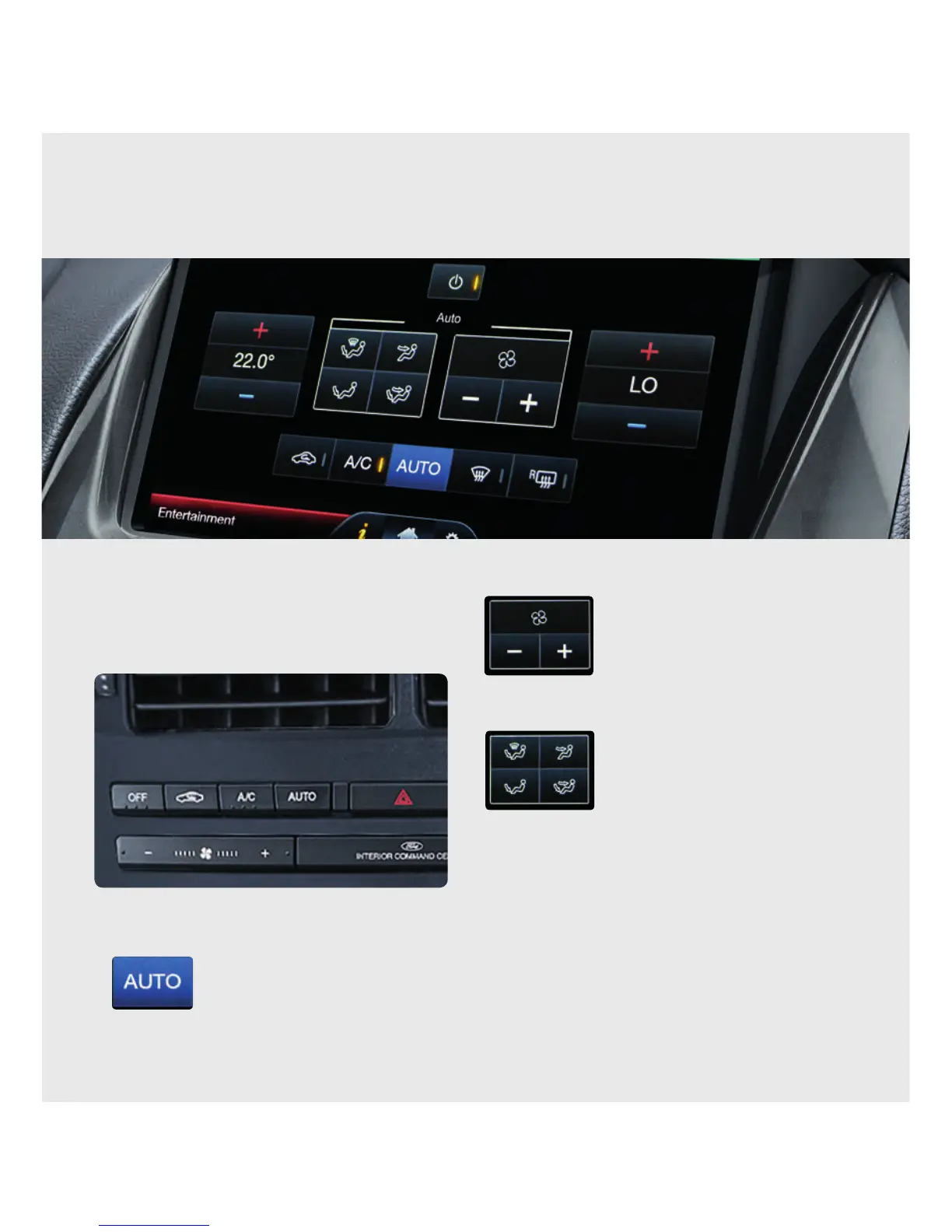
Synchronise driver and passenger temperatures
(ifequipped with Dual Zone Climate Control).
1. Touch the Climate corner of the touch screen.
2. Press and hold the hard AUTO button located
below the centre air vents to set both sides of the
cabin to your driver’s temperature. Alternatively
you can touch and hold the so
AUTO button on the screen when it is
inactive (not highlighted in blue).
3. If the front passenger later adjusts the temperature
setting on their side of the cabin, independent of your
selection, the synchronised settings will be overridden.
Adjust the temperature and fan speed
Use your voice, the touch
screen (blue area, lower right)
or climate control buttons
(below air vents).
Adjust climate air fl ow modes or A/C On/O
Use your voice, the touch
screen or climate control
buttons to adjust air fl ow.
Note: In some screens, when Climate Control buttons
below centre air vents are pressed, some of the climate
selections are temporarily displayed on the instrument
cluster but the touch screen does not change.
CLIMATE
Beyond the simple setting for automatic climate control for set-and-forget convenience, you can customise the
climate you want by just saying it.



 To Next Page