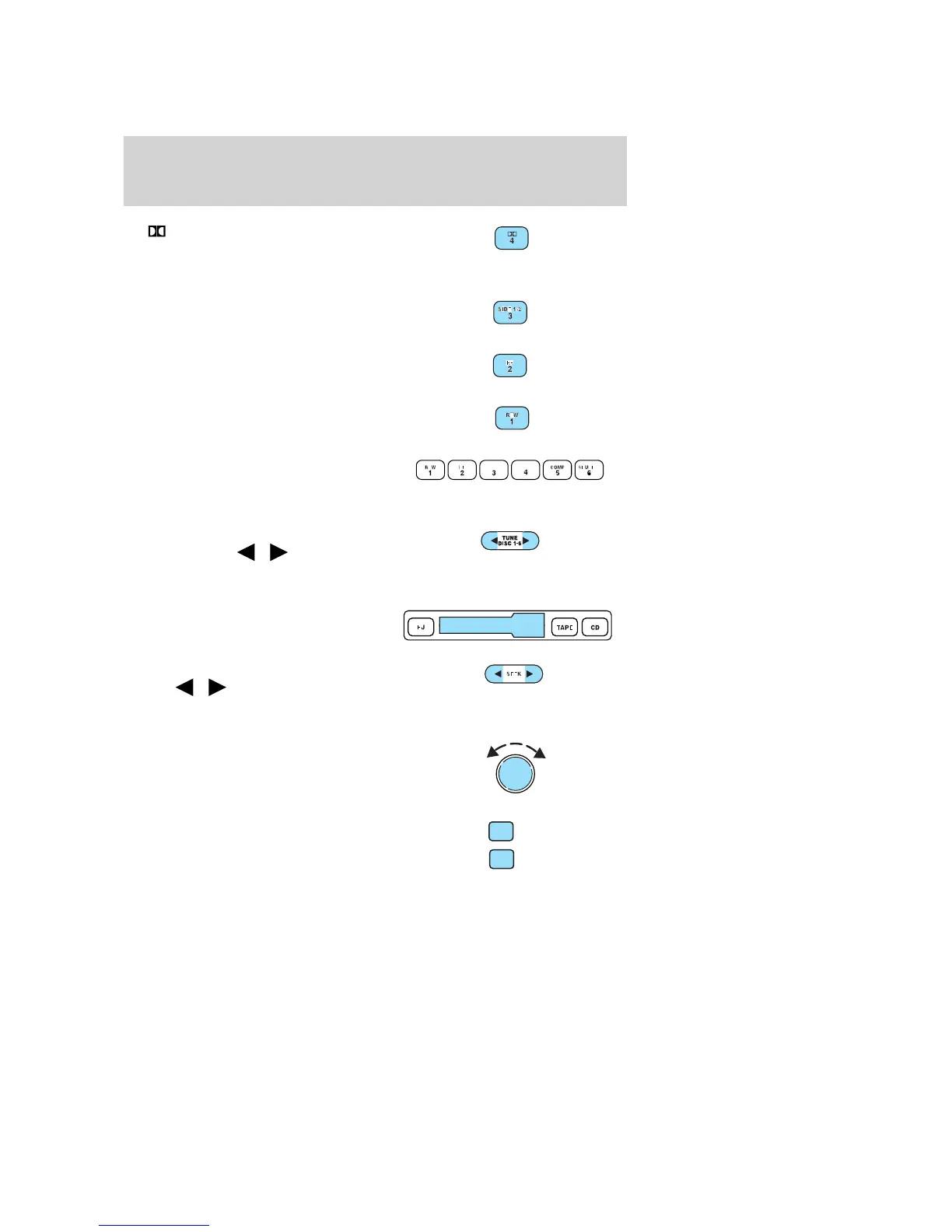
11. Dolby威 noise reduction:
Reduces tape noise and hiss while
playing a tape, press to
activate/deactivate.
12. Side 1–2: Press to change tape
direction.
13. FF (fast forward): Press to
advance the tape or CD.
14. REW (rewind): Press to rewind
the tape or reverse the CD.
15. Memory preset buttons: To
set a station: Select frequency band
AM/FM1/FM2; tune to a station,
press and hold a preset button until sound returns.
16. Tune: Works in radio mode or
CD mode. Press
/ to change
frequency down/up or previous/next
disc.
17. Cassette door: Insert a
cassette into the cassette door.
18. Seek: Press and
release
/ for previous/next
listenable radio station, tape
selection or CD track.
19. Power/volume: Press to turn
ON/OFF; turn to increase or
decrease volume levels.
20. AM/FM: Press to choose a
frequency band in radio mode
(AM/FM1/FM2).
VOL
PUSH ON
AM
FM
2004 Taurus (tau)
Owners Guide (post-2002-fmt)
USA English (fus)
Entertainment Systems
18















 To Next Page