4.2 Turn ON
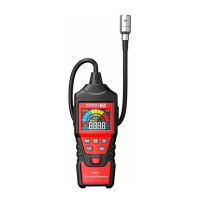
Press the button for 3s and then release it. The interface shows “Welcome Starting”, “LED Testing”, and then
vibrates with “Motor Testing”, then beep and flashes with “Sound and Alarm Testing”, after “60s warming”, it enters into
detecting status.
At this time, it displays the combustible concentration in the environment.
4.3 Menu Operation Instructions
The interface menu contains: 【Clear】, 【 】, 【Info】.
【Clear】: press the key !for 2 seconds after the instrument into the clear state, and save the value of the display was
successful.
【 】: Press the key !to switch to the silent state, display , and then press the button to switch to the sound
state.
【Info】: press the key !to display the status information, including battery power, low value, high value and range (see
below).


 To Next Page