EN
Account and watch registration:
In the registration window, enter your email address, password and
the area of use of the watch. Then enter or scan the watch code (REG
CODE) found on the bottom of the box and on the watch.
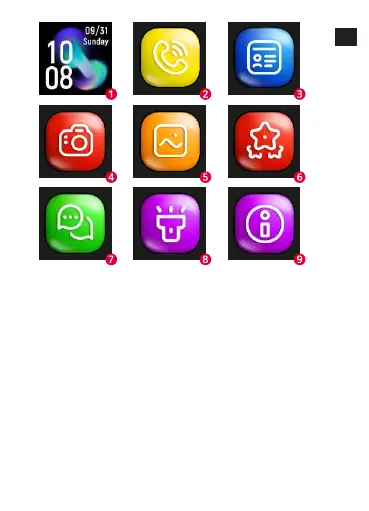
Functions
-
Chat: Send a text or voice message to the watch by typing it on
the keyboard or recording it using the phone’s microphone.
You can also listen to the voicemails sent from the watch here.
-
Route: select the date and time slot to display the traveled
route.
-
Map: Select the map icon to view the current location of the
watch.
-
Safety zone: designate a safety zone, when the watch will fo-
und outside the selected zone, you will receive a notification
from the app.










 To Next Page