6
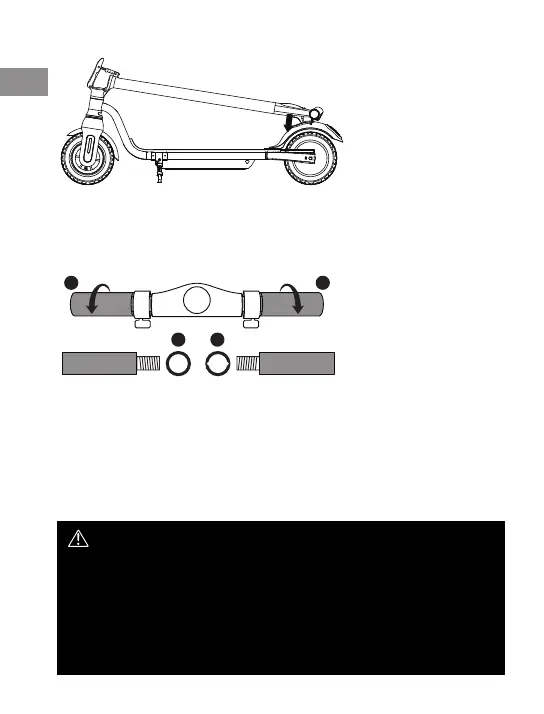
2) Snap the handle into the clip.
HANDLES ASSEMBLE
Install the Handles and tighten the handles.
L R
RL
SCOOTER CHARGING
1. Make sure the charging socket is clean and dry
2. Connect the charging cable to the charging adapter
3. Connect the power adapter to a 100-240 V AC power outlet
4. Connect the output cable from the charger to the scooter charging socket, the LED on the
power supply will light up red
5. When the LED turns green, charging has nished
6. Disconnect the charger
IMPORTANT NOTES ABOUT CHARGING
• If the green light on the charger does not turn RED after connecting your scooter,
check that the cables are properly connected; or the scooter is already fully charged.
Press and hold the power button to check the battery status on the display.
• Do not overcharge, as this will aect the battery life.
• The best charging temperatures are between 0 ° and 40 °. Extreme cold and
extreme heat will prevent the battery from fully charging.
• Remember to disconnect the charger from the power supply before using the scooter.
• Only use the scooter charger included in the kit.
• If the scooter is turned on after inserting the plug, the battery indicator will start ash
EN
6



 To Next Page