8
TURNING OFF THE SCOOTER
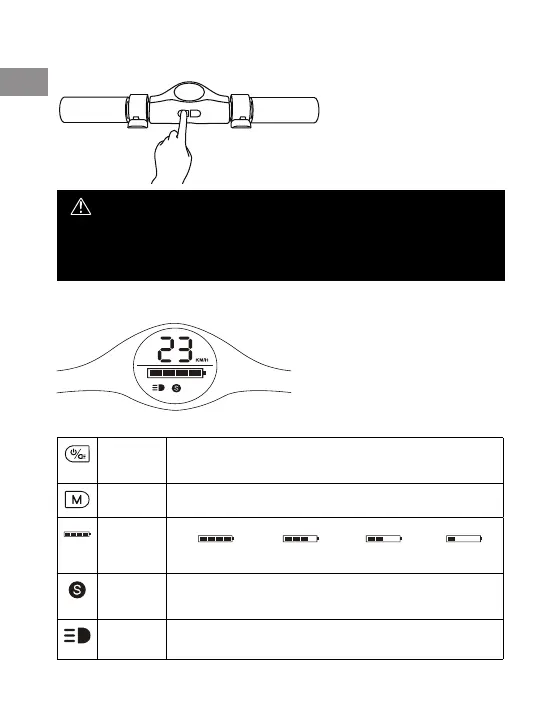
Press and hold the ON / OFF button for about 3 seconds
NOTE:
The foot brake acts as an auxiliary brake when the electric brake is not working
properly or if the driving situation requires sudden braking. Frequent use of the footbrake
can cause faster rear wheel and fender wear. This is not subject to complaint.
DISPLAY DESCRIPTION
Power key Press 2sec to turn it ON / OFF.
When the scooter is on, turn on the front light by pressing the power
button twice; turn it o by pressing the power button twice again.
Mode key When the scooter is on, switch the speed modes at low speed,
middle speed and high speed by pressing this button
Battery
power
75%-100% power 50%-75% power 25%-50% power 0%-25% power
Speed
level
When the icon is white, it is at low speed mode, max speed is 10km/h.
When the icon is yellow, it is middle speed mode, max speed is 20km/h.
When the icon is red, it is high speed mode, max speed is 25km/h.
Light
status
When the icon is on, the front light is turned on,
When the icon is o, the front light is turned o.
EN
8



 To Next Page