
 Need help?
Do you have a question about the Fortinet FortiExtender 202F and is the answer not in the manual?
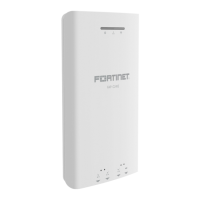
The FortiExtender 202F is a wireless Internet WAN connection device designed to provide robust network connectivity. It features one 1-Gb/100-Mb WAN connection and four 1-Gb/100-Mb LAN connections, with Port 4 supporting PoE PD LAN (802.3af/at). The device is available in two models: FEX-202F-AM, which includes two Sierra Wireless CAT7 EM7411 modems, and FEX-202F-EA, which includes two Sierra Wireless CAT7 EM7421 modems. Both models support two LTE CAT7 modules, offering 2 x 300 Mbps downlink and 2 x 150 Mbps uplink. It's important to note that the FEX-202F only supports MicroSIM (3FF) SIM cards, which are not included and must be purchased separately.
Key technical specifications include ambient operating temperature ranging from 0°C to 40°C. The device complies with IEEE 802.3af/at PoE specifications, requiring a compliant PoE injector or a 12 VDC/2.5 A power adapter with an ID 2.1 mm plug for power. For wireless connectivity, it supports Bluetooth with a frequency range of 2402-2480 MHz and a maximum transmit power of 10 dBm (EIRP). WCDMA bands include Band 1 (1920-1980 MHz Uplink, 2110-2170 MHz Downlink) and Band 8 (880-915 MHz Uplink, 925-960 MHz Downlink), with a maximum transmit power of 25.7 dBm (Conducted). LTE bands supported are Band 1 (1920-1980 MHz Uplink, 2110-2170 MHz Downlink), Band 3 (1710-1785 MHz Uplink, 1805-1880 MHz Downlink), Band 7 (2500-2570 MHz Uplink, 2620-2690 MHz Downlink), Band 8 (880-915 MHz Uplink, 925-960 MHz Downlink), Band 20 (832-862 MHz Uplink, 791-821 MHz Downlink), Band 28 (703-748 MHz Uplink, 758-803 MHz Downlink), Band 32 (1452-1496 MHz Downlink), Band 38 (2570-2620 MHz Uplink, 2570-2620 MHz Downlink), Band 40 (2300-2400 MHz Uplink, 2300-2400 MHz Downlink), Band 42 (3400-3600 MHz Uplink, 3400-3600 MHz Downlink), and Band 43 (3600-3800 MHz Uplink, 3600-3800 MHz Downlink), all with a maximum transmit power of 25.7 dBm (Conducted). The device is equipped with multiple LTE/GNSS All-in-One Antennas, with an FPC antenna type having a gain of 3.5 dBi for 2400 MHz-2500 MHz Bluetooth.
Usage features include a console port for device access, requiring a baud rate of 115200. The device has LED indicators for WAN & LAN Port status (Green Steady for 1-Gb connected, Green Flashing for 1-Gb activity, Amber Steady for 100-Mb connected, Amber Flashing for 100-Mb activity, Off for no network), and Bluetooth status (Green Steady for configuration window open, Blue Flashing for configuration in progress, Blue Steady for configuration completed, Off for no configuration allowed). Control buttons include a Reset/Default Button (press and hold for less than 5 seconds to reset/reboot, more than 5 seconds to restore factory settings) and a Bluetooth Button (press and hold for more than 5 seconds to turn on Bluetooth LED and open configuration window; ignored for less than 5 seconds). The device is designed for optimal LTE signal strength, recommending placement near a window. It can be placed on a desk with rubber feet or mounted on a wall using anchors and screws. For wall mounting, a drill template sticker is provided.
Maintenance features include the ability to configure a static IP address if DHCP is not used. The default web GUI address is http://192.168.200.99, with default login credentials "admin" for both username and password, prompting a password change on first login. The device is designed for easy SIM card insertion, with guidelines for single or dual SIM card installation, ensuring correct card orientation (Module 1 cards facing down with cut corner on the left, Module 2 cards facing up with cut corner on the right). Regular firmware updates and access to technical support are available through the Fortinet support website. The device is compliant with various regulatory standards, including FCC, Industry Canada, ISED, UKCA, and EU RED, ensuring safe and reliable operation. Users are advised to register their product for technical support, new product features, and protection from new threats. Fortinet also provides a document library, training services, and technical discussion forums for further support and information.
 General
| Brand | Fortinet |
|---|---|
| Model | FortiExtender 202F |
| Category | Network Router |
| Language | English |










 To Next Page