4
3
2
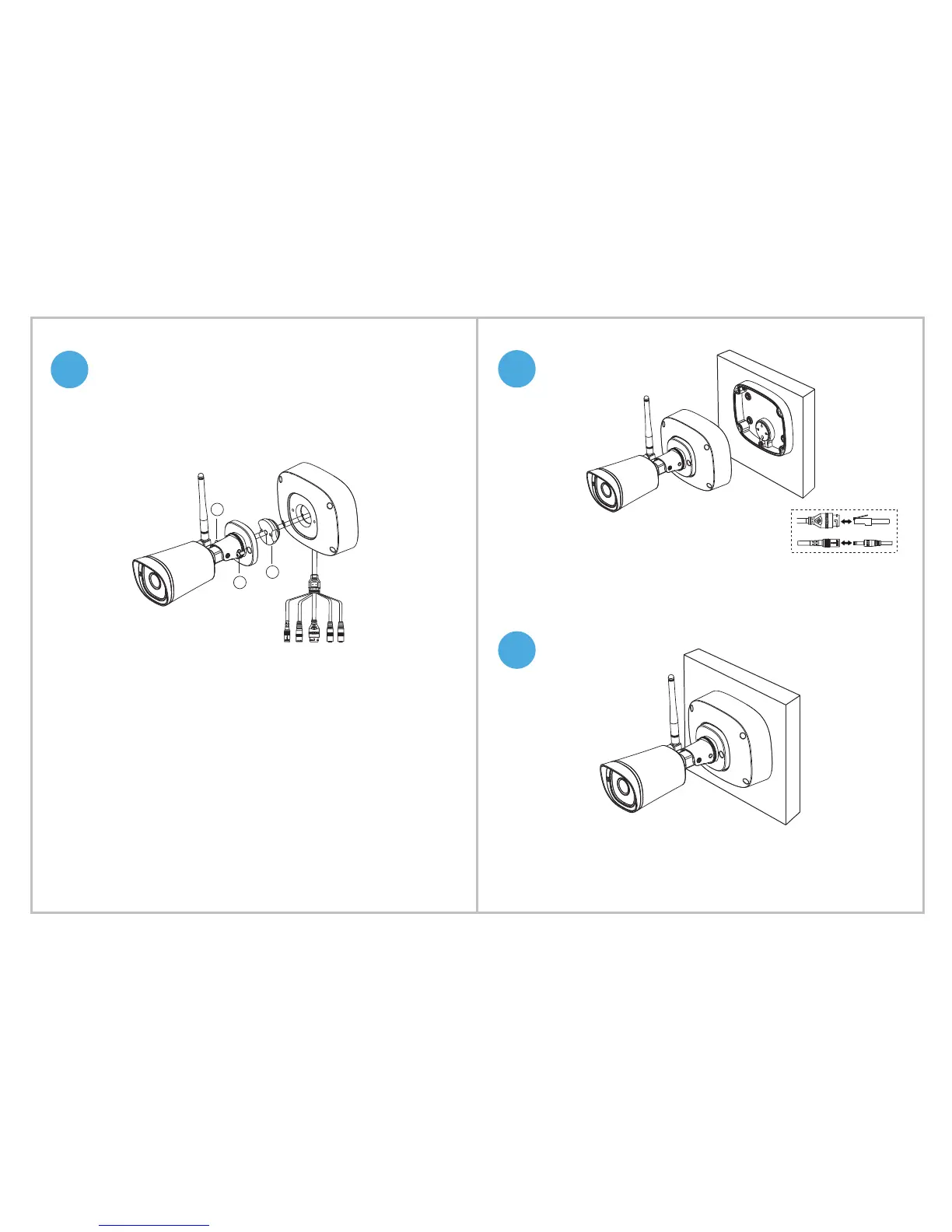
1. Loosen the screws to open the Waterproof Junction Box.
2. Put the silica gel plug at the junction of camera and wires.
3. Thread wires through Waterproof Junction Box.
4. Tighten the two screws to x camera on the Waterproof junction box.
a
b
c
Silica Gel Plug: c Screws: a b
Fix the Waterproof Junction Box on the IP camera
1. Connect the wires.
2. Fix the wires to the Waterproof Junction Box.
Tighten the screws to x the Waterproof Junction Box and IP camera on
the wall.


 To Previous Page