This document serves as a user manual for Foster G3 Cabinets, a range of commercial refrigeration appliances designed for professional use. The manual outlines a four-step process to ensure the longevity and optimal performance of the appliance: getting to know the new Foster appliance, installation, using the appliance, and maintenance.
Function Description
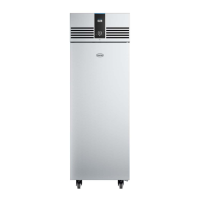
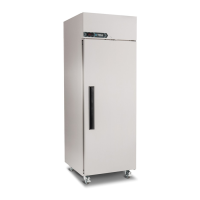
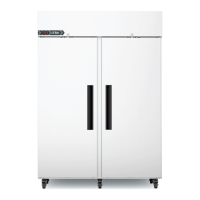
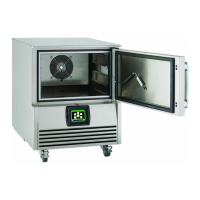
The Foster G3 Cabinets are refrigeration units designed to store food products at controlled temperatures. They are available in various models, including single-door and double-door configurations, catering to different storage needs. The appliance maintains an internal temperature suitable for refrigeration, with specific climate classes indicating the ambient temperature and humidity conditions under which the appliance has been tested to European standards. The internal temperature is displayed on a digital interface, allowing users to monitor the storage environment. The appliance also features an automatic defrost function that operates periodically without user intervention, ensuring efficient operation and preventing ice buildup. For models EP700G and EP1440G, an internal light is provided to illuminate the storage compartment.
Usage Features
The manual provides detailed instructions for the proper use of the G3 Cabinets. Before initial use, it is crucial to allow the appliance to stand for 60 minutes after unpacking and cleaning. The appliance should be placed on a firm, level surface, away from heat and cold air sources, and in a location where the maximum rated ambient temperature is not exceeded. Adequate ventilation is necessary as the appliance produces warm air during operation.
The control panel features a digital display and several buttons for interaction. Button 3 is central to many operations: pressing it for 3 seconds turns the unit on or into standby mode. When in standby, only button 3 is displayed, and the rest of the screen is blank. In normal operation, the display shows the internal temperature and button 3. Other buttons (1, 2, 4, and 5) become visible after pressing button 3.
The Set Point, which is the desired internal temperature, can be displayed and adjusted. To display the Set Point, users press button 3, then button 1, and then button 3 again when 'SP' is displayed. To amend the Set Point, the same sequence is followed, and buttons 2 and 4 are used to adjust the value. Pressing button 3 saves the new value; otherwise, it will not be stored. If the Set Point cannot be adjusted as required, users are advised to contact an authorised Foster dealer. The display will reset after 30 seconds or by pressing button 1.
Keypad Security Settings are available to prevent unauthorised adjustments to the appliance's operating temperature. This feature can be locked or unlocked by pressing button 3, then button 1, then button 4 to display 'Loc'. Button 3 is then pressed, and buttons 2 and 4 are used to change the value to 'Yes' (lock) or 'no' (unlock). Pressing button 3 saves the setting.
A manual defrost can be initiated by pressing and holding button 3 for 5 seconds. This action will first turn off the appliance. If the button is held for 2 more seconds, icon 4 will illuminate, indicating that defrost has commenced, and the button can then be released.
The appliance is supplied with adjustable, removable trayslides and shelves. Each shelf can hold up to 40kg of product when evenly distributed. It is important not to block air vents with products, maintaining a minimum of 25mm between the top of the product and the shelf above. Products should not be placed directly on the base of the appliance unless appropriate shelves and spacers are used. Maintaining adequate airflow around and through stored products, as well as around the perimeter of the shelves, is crucial for optimum energy and temperature performance.
For models with a door lock, the key is inserted and turned 90° to lock, and in the opposite direction to unlock. The internal light, where fitted, is operated by pressing button 5 once to turn it on and again to turn it off.
Maintenance Features
Maintenance is a critical aspect of extending the life of the appliance, as outlined in step 4 of the manual. Regular cleaning and maintenance are essential. Before any cleaning, the appliance must be switched off and disconnected from the power supply. Users should ensure they wear appropriate personal protective equipment (PPE) and avoid connecting or disconnecting the appliance with wet hands. The appliance should only be reconnected to the power supply once it is completely dry.
Cleaning should be carried out periodically, depending on the application. This involves switching off the appliance, disconnecting it, and removing all products, racking, and shelves. Care should be taken when handling racking and shelves, inspecting them for damage, and ensuring no body parts come into contact with cold surfaces. For freezers, it is recommended to allow the internal temperature to rise above freezing before cleaning.
All internal and external surfaces should be washed with a mild liquid detergent diluted according to the manufacturer's instructions, then rinsed with clean water and thoroughly dried. It is explicitly stated not to use wire wool, abrasive substances, or cleaning agents with high acid or alkaline content (e.g., bleach acid or chlorine) as these can damage the appliance. After cleaning and drying, the racking and shelves should be refitted. The appliance can then be reconnected to the power supply, switched on, and allowed to reach its normal operating temperature before reloading products.
The Condenser Air Grill should be cleaned using a soft brush or vacuum to remove loose dust and dirt. Regular cleaning of the condenser itself, located behind the air grill, is vital for energy efficiency and prolonging the appliance's life. However, this task should be performed by a competent engineer periodically, as outlined in the Regular Maintenance section. Wire brushes, abrasive, or corrosive materials should never be used to clean the condenser.
Door gaskets should be inspected regularly for damage and replaced if necessary. They can be cleaned by wiping with a warm, damp soapy cloth, followed by a clean, damp cloth, and then thoroughly dried. The shelves are dishwasher safe and can be removed for cleaning, while the vertical supports should be cleaned with warm soapy water, rinsed, and dried.
The manual also includes a troubleshooting guide for common issues and alarms. Alarms and warnings displayed on the controller include 'hi' (internal temperature too high), 'Lo' (internal temperature too low), 'do' (door open), 'tA' (internal temperature probe failed), 'tE' (evaporator probe failed), 'PF' (mains power restored after an interruption), 'HC' (condenser temperature too high), and 'Cnd' (condenser clean period expired). Icon 5 will also be illuminated when an alarm condition is active. For any persistent issues or alarms not resolved by the suggested actions, users are advised to contact their authorised Foster dealer or Foster Service, providing the model and serial number of the appliance. Regular maintenance by a competent engineer every 6 to 12 months is recommended to maintain the warranty and ensure optimal performance.



 To Next Page
 General