After connecting the appliance to the network
or after a power failure the clock will flash
and thus shows that the time is not correct.
To set the clock proceed as follows:
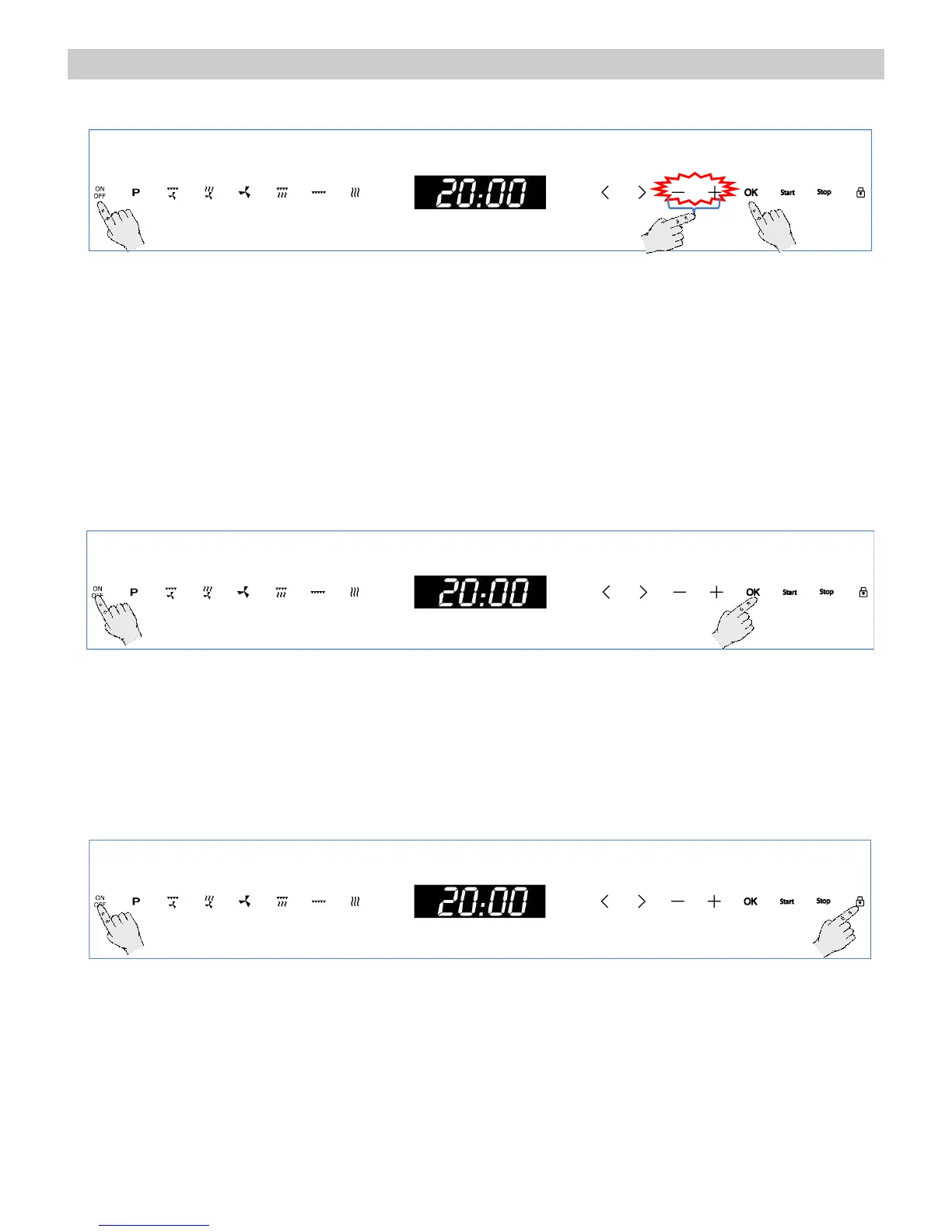
1. Press the “On/Off” key to switch the oven
on.
2. Hold down the “+” and “–” keys
simultaneously for 3 seconds.. The hour
digits will flash (steps 1 and 2 are not
necessary when the oven is first plugged in
or after a power failure).
3. Press the “+” and “–” keys to set the hours.
4. Press the OK key to confirm the hours. The
minutes digits will flash.
5. Press the “+” and “–” keys to set the
minutes.
6. Press the OK key to confirm the minutes.
Hiding/Displaying the Clock
If the clock display disturbs you, you can hide it by
proceeding as follows
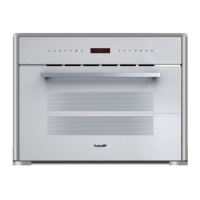
1. Press the “On/Off” key to switch the oven
on.
2. Press the “OK” key for 3 seconds. The
display will blank.
If you want to see the clock display again
repeat the above procedure.
Safety blocking
The appliance can be blocked (for example to prevent the use by children).
To block the oven proceed as follows:
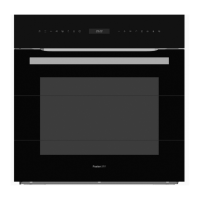
1. Press the “On/Off” key to switch the oven
on.
2. Hold down the “Safety Block” key for 3
seconds. The “Safety Block” key lights up
and the display shows a key symbols.
The oven will not operate until it is
unblocked. To unblock the oven repeat the
above procedure.


 To Next Page