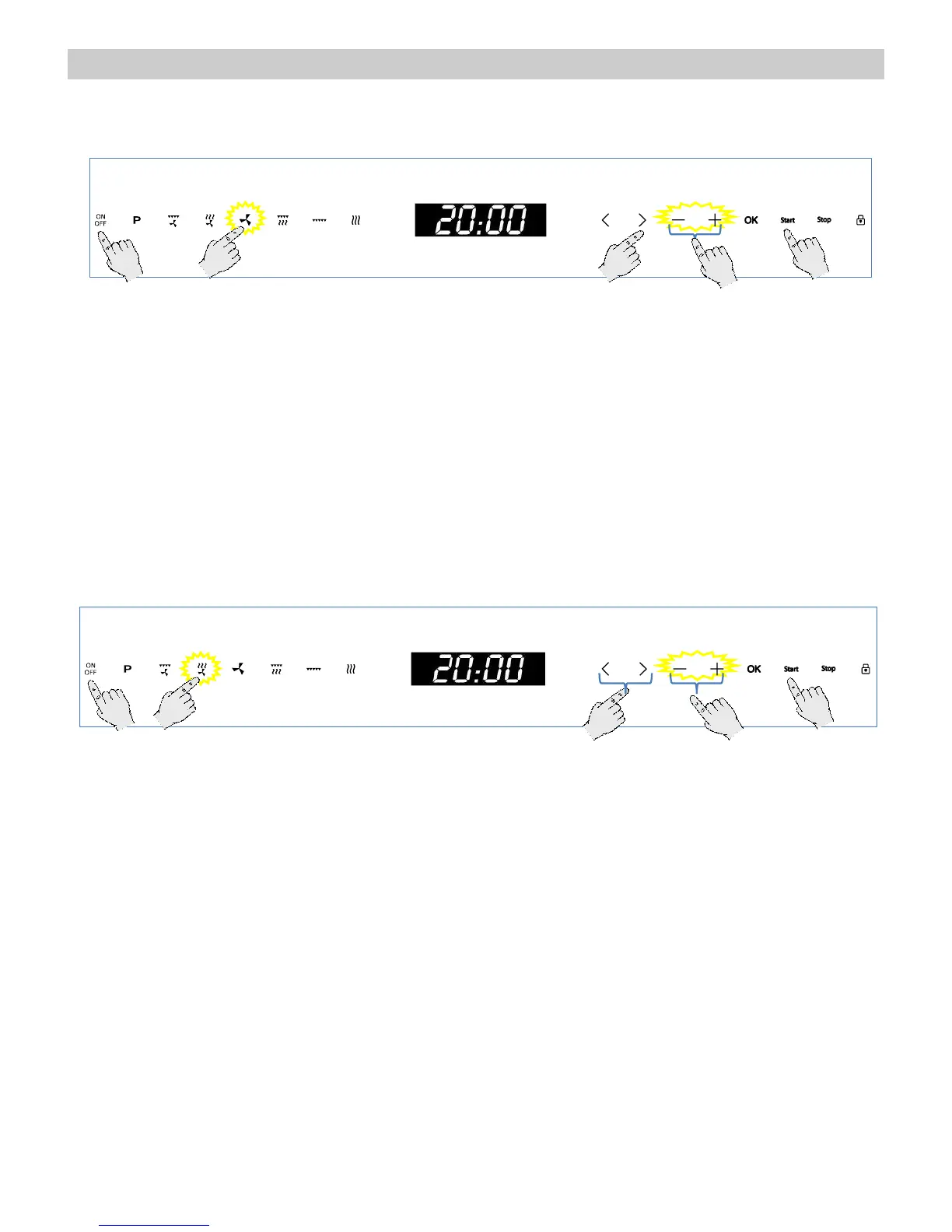
1. Press the “On/Off” key to switch the oven on.
2. Press the “Hot-Air” function key.
3. Press the “+” and “–” keys to set the desired
Operating Time.
4. Press the “>” key.
5. Press the “+” and “–” keys to set the required
Temperature.
6. If you want to modify any of the above
parameters, press the “<” or “>” keys to
select the parameter and then the “+” and “–”
keys to set a different value.
7. Press the Start key. The oven will start to
operate.
Microwave + Hot air
Use this function to bake and roast
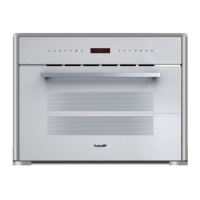
1. Press the “On/Off” key to switch the oven
on.
2. Press the “Microwaves + Hot-Air” function
key.
3. Press the “+” and “–” keys to set the desired
Operating Time.
4. Press the “>” key.
5. Press the “+” and “–” keys to set the required
Microwave Power Level (see the chapter
Technical Characteristics).
6. Press the “>” key. The display shows:
7. Press the “+” and “–” keys to set the required
Temperature.
8. If you want to modify any of the above
parameters, press the “<” or “>” keys to
select the parameter and then the “+” and “–”
keys to set a different value.
9. Press the Start key. The oven will start to
operate.


 To Next Page