Basic Functions
Defrosting by weight (automatic)
Use this function to defrost meat, poultry, fish, fruit and bread quickly.
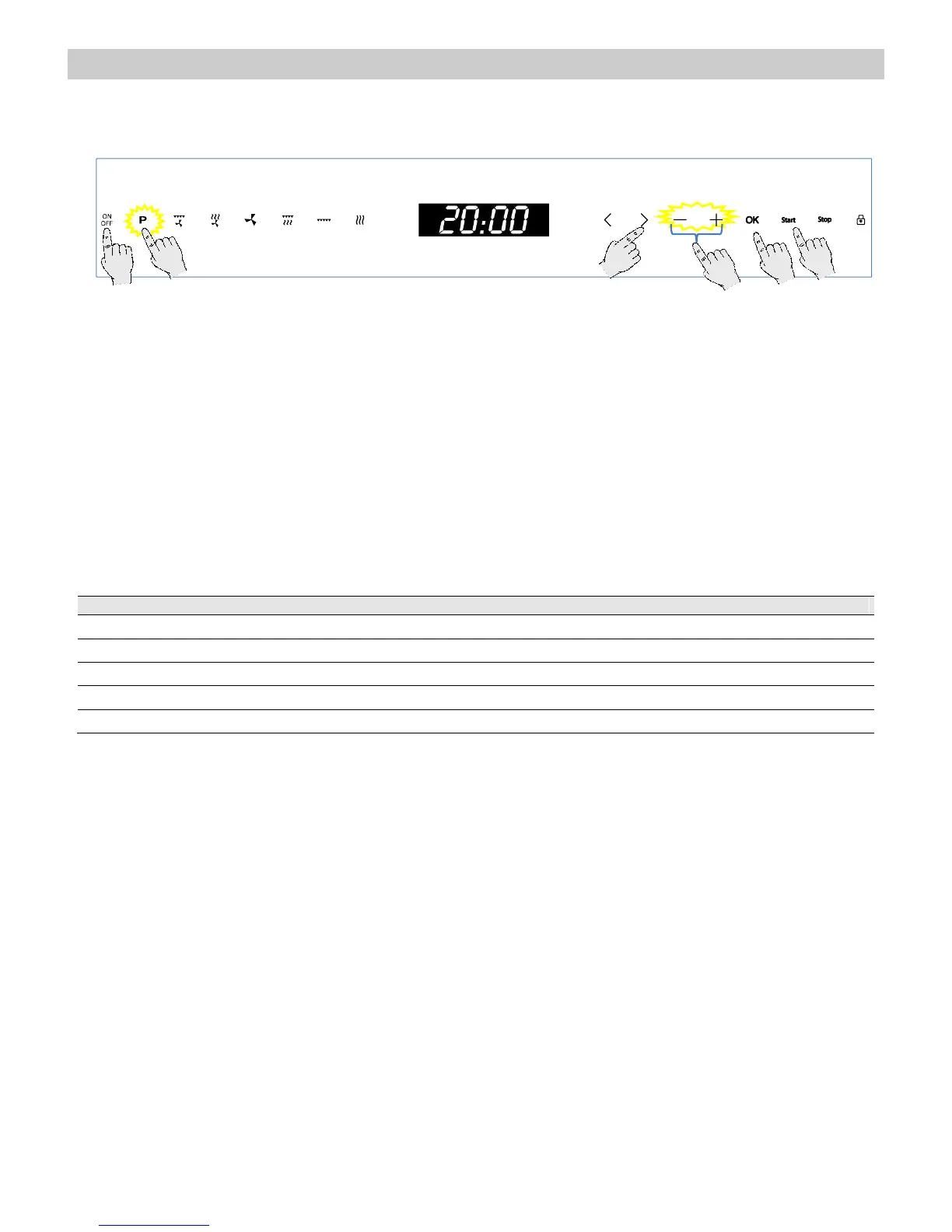
1. Press the “On/Off” key to switch the oven on.
2. Press the “Auto-cook programs” key. The
key turns red.
3. Press the “>” to highlight the Defrost by
Weight function.
4. Press the “OK” key to select the function.
5. Press the “+” and “–” keys to select the
desired Program (see table below).
6. Press the “>” key.
7. Press the “+” and “–” keys to set the desired
Food Weight.
8. If you want to modify any of the above
parameters, press the “<” or “>” keys to
select the parameter and then the “+” and “–”
keys to set a different value.
9. Press the Start key. The oven will start to
operate.
The following table shows the defrosting by weight function programmes, indicating weight intervals, and
defrosting and standing times (in order to ensure the food is of a uniform temperature).


 To Next Page