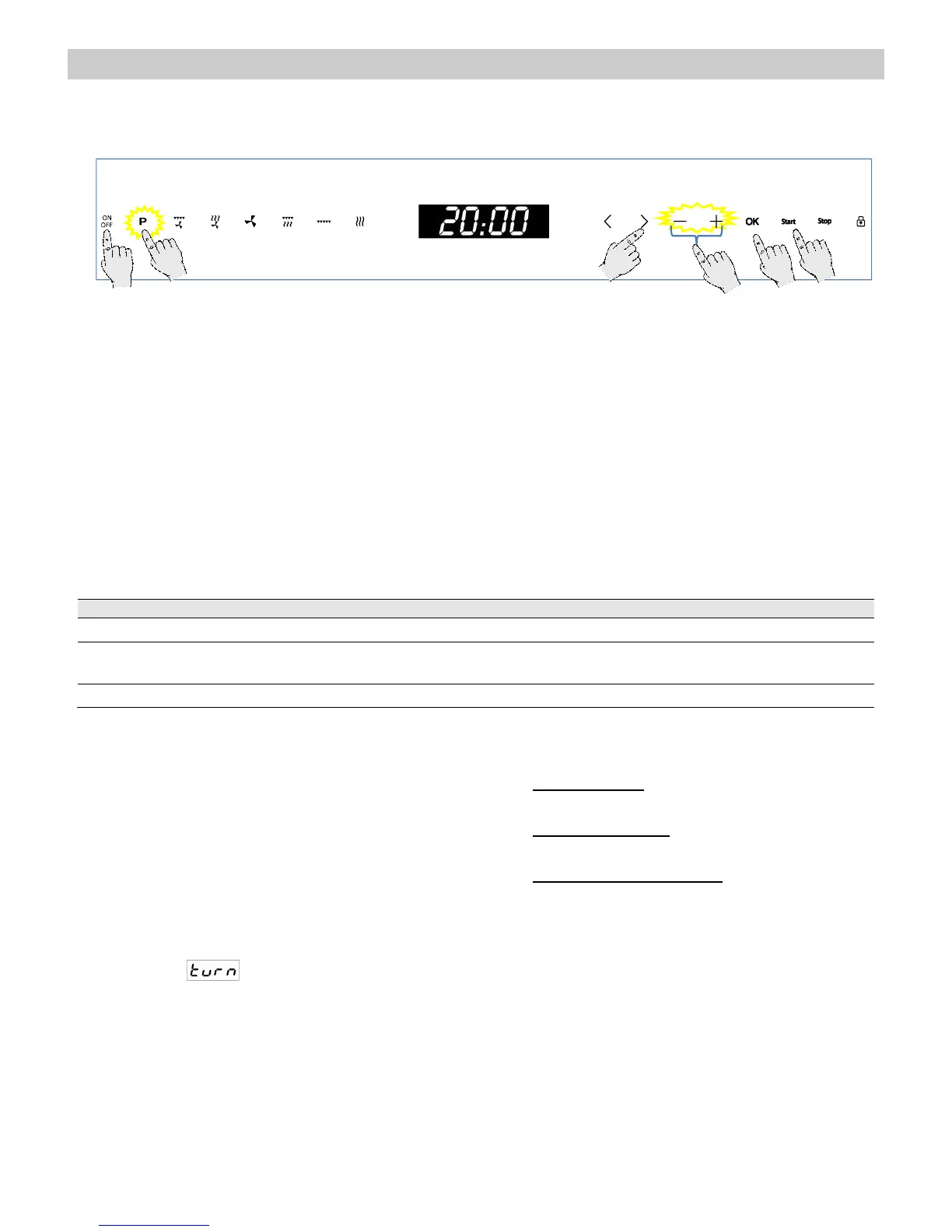
1. Press the “On/Off” key to switch the oven on.
2. Press the “Auto-cook programs” key. The
key turns red.
3. Press the “>” 2 times to highlight the P3
function.
4. Press the “OK” key to select the function.
5. Press the “+” and “–” keys to select the
desired Program (see table below).
6. Press the “>” key.
7. Press the “+” and “–” keys to set the desired
Food Weight.
8. If you want to modify any of the above
parameters, press the “<” or “>” keys to
select the parameter and then the “+” and “–”
keys to set a different value.
9. Press the Start key. The oven will start to
operate.
The following table shows the Special Function P3 programmes, indicating weight intervals, and
defrosting and standing times (in order to ensure the food is of a uniform temperature).
Important Notes:
Always use dishes that are suitable for
microwaving and heat resistant (eg
baking dishes). The oven produces very
high temperatures. For programme C 02
always use a lid, to prevent loss of
liquids.
Stir or mix the foods several times during
heating, especially when the oven emits
a beep and the display is flashing as
follows .
Warning! After heating, the container may be
very hot. Although microwaves do not heat most
containers, they can get very hot due to heat
transfer
Preparation instructions:
Frozen pizza – Use pre-cooked frozen
pizzas and pizzas-rolls.
Deep-frozen food – Use lasagne, cannelloni,
prawn soufflé, all frozen. Keep covered.
Potato dishes, frozen – Chips, potato
croquettes and fried potatoes must be
suitable for preparation in the oven.


 To Next Page