35
2/ DESCRIPTION OF YOUR APPLIANCE
EN
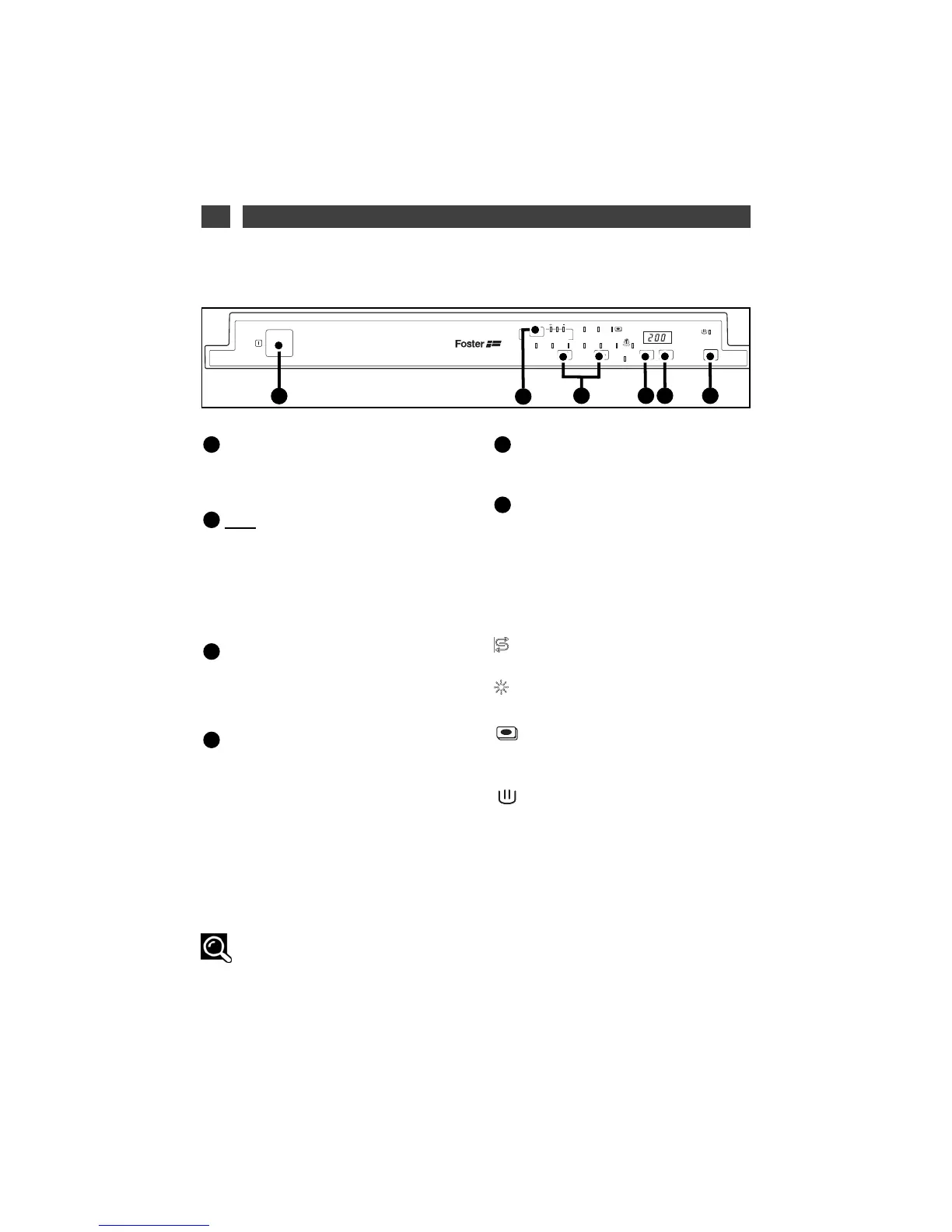
On/ Off :
Press this button to start your dishwasher :
the screen lights up.
DCS
: “Dirt Control System”
This exclusive concept gives a direct access to
3 types of dishes only, but offers a large
choice of programs by adjustment of your
dirty mark level estimation. (See 10 /
Washing
programmes).
Choosing a programme:
briefly
press one button or the other in succession to
select your programme.
Set :
•
Set the water softerner.
(See 5/ Detergent products and setting the
water softener).
- Activate or deactivate use of “regenerating
salt”, “rinsing product” or “4-in-1” (depending
on the water softener setting on the next page).
•
Setting the audible signal.
(See 11/ Programming).
Delayed programme start
Press this button to delay the programme by 1
to 12 hours.
Start / C :
Briefly press this button to
start your programme.
If you make an error, to cancel a selection or
cancel a programme while it is running, hold
down this button for 3 seconds.
The indicator lights :
SSaalltt
:
lit; indicates lack of regenerating salt.
Rinsing liquid:
lit; indicates lack of rinsing product.
washing product:
lit; indicates that your dishwasher is set to use
“2, 3 4-in-1” pellets.
In progress
lit; indicates that your programme is running.
End :
lit; indicates that your programme has finished
FF
EE
DD
CC
BB
AA
Advice :
A short audible signal (beep) confirm the button’s selection, except for the “On/Off” button.
(See 10/ Washing Programmes).
• PRESENTATION OF THE CONTROL PANEL
Fig. 02


 To Next Page