2
12) PC or Macintosh recognizes MR-8HD/CD as an external removable disk.
(a) Windows XP/2000
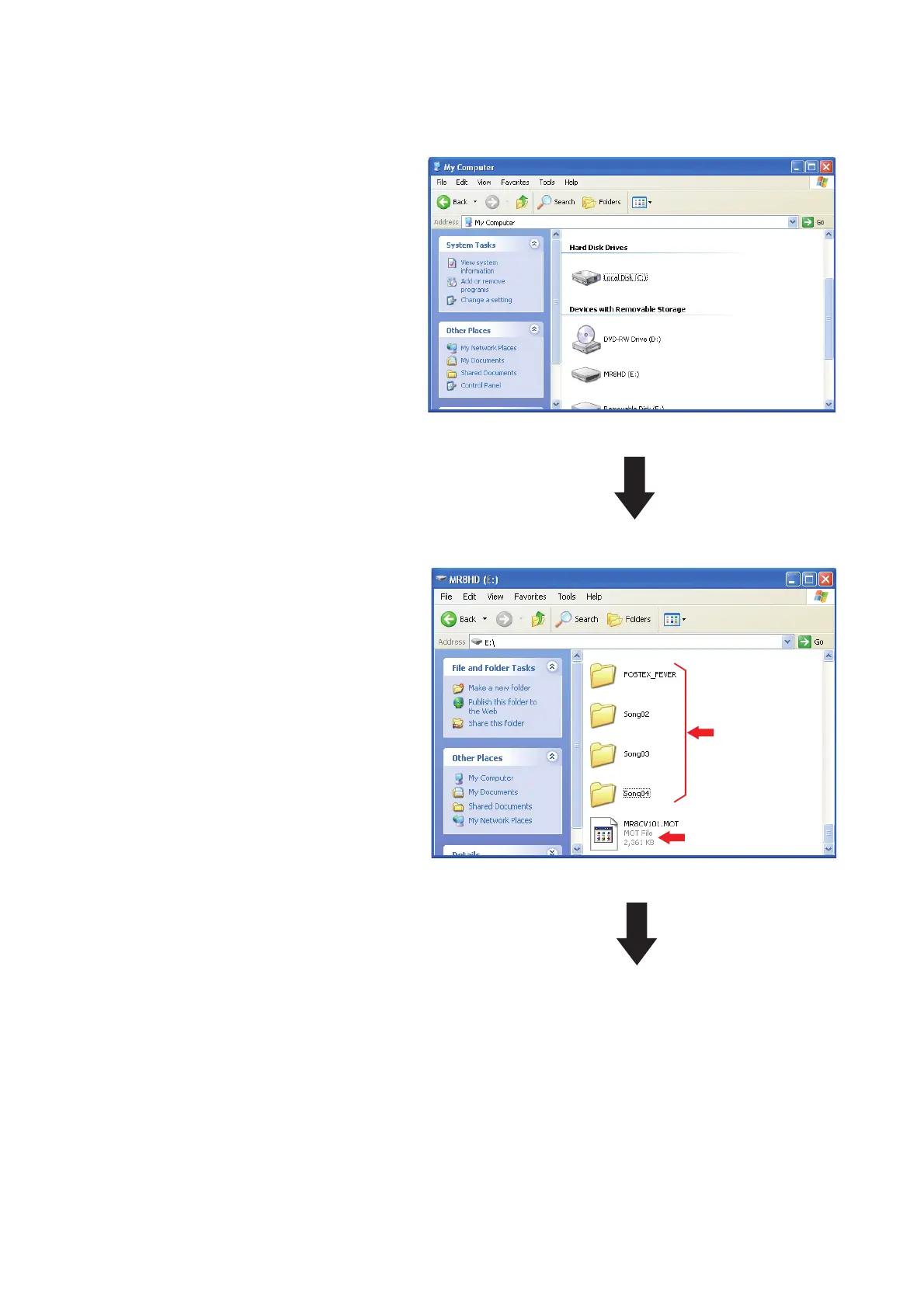
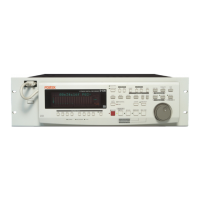
By double-clicking the removable drive
(F) (MR-8HD/CD), the window on the
right will appear. You can see that the
software update file is placed in the top
directory tree of the Removable Disk (F).
Continue to the next page.
The example on the right indicates that
MR-8HD/CD is recognized as a remov-
able disk (F) in the My Computer on
Windows XP PC. Unzip the software
update file with “zip” extension (e.g.
MR8HDCD_V101.zip) normally sent
together with a technical bulletin. If
you do so, a software update file (e.g.
MR8CV101.MOT) will be created. Place
a newly created software update fi le with
“MOT” (motorola format) extension in
the root directory tree of the Removable
disk (F).
MR-8HD/CD software
update file
MR-8HD/CD
song folder



 To Next Page