Need help?
Do you have a question about the Fostex D-160 and is the answer not in the manual?
Identifies the specific model of the digital multitrack recorder.
Specifies the primary function of the device.
Provides critical warnings regarding electrical shock and proper usage.
Important notes on power supply, setup location, and handling.
Guidelines for connecting the D-160 to a power source.
Precautions for operating and maintaining the hard disk drive.
Recommendations for placing the unit to avoid damage.
Information on contacting service for repairs.
Guidance for operating the detachable remote controller.
Instructions for using the dust cap to protect the hard disk.
Highlights the primary functions and capabilities of the D-160.
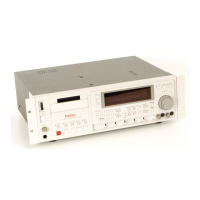
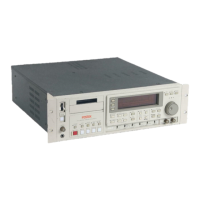
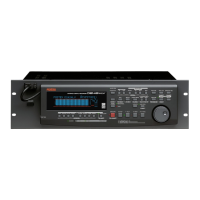
Overview of the front panel controls when the controller is attached.
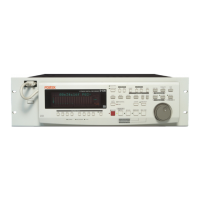
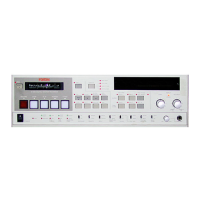
View of the front panel with the detachable controller detached.
Diagram showing the rear panel connections and ports.
Identifies and describes components on the front panel.
Details the controls and displays on the detachable controller.
Explains the operation of various keys like Meter, Record Track Select.
Functions of Shift, Auto Play/Return, Clipboard In/Out, and Auto Return Start keys.
Functions of Auto Return End, Auto Punch In, and Auto Punch Out keys.
Explains the function of display selection and execution control keys.
Describes the Store, Hold/Digit Move keys and Jog/Shuttle dial functions.
Functions of Redo, Undo, and Erase keys for data manipulation.
Controls the pitch variation function for playback and recording.
Functions for pasting, moving, and copying audio data.
Enables and controls the auto punch in/out recording mode.
Allows immediate positioning to any desired point in the recording.
Controls for starting recording and stopping transport functions.
Details the analog audio input and output connectors.
Describes the optical connectors for digital data transfer.
Specifies connectors for outputting digital audio signals.
Details the SCSI and MIDI interface connectors.
Information on optional card slots and power connection.
Explains the level meter and track status indicators.
Describes ABS, MTC, SIGNATURE, LOCATE, REMAIN, SETUP, COMPLETED.
Explains various indicators like SURE, MIDI, DIGITAL, CHASE.
Details indicators for sampling rates and MIDI/TC sync status.
Describes the 35-dot display for time, program, and parameter info.
Shows how to access Disk Remain and Setup mode displays.
Demonstrates switching between ABS, BAR/BEAT/CLK, and MTC time bases.
Procedure for selecting and managing programs via STORE and HOLD/>.
Manages up to 99 programs for recording, playback, and editing.
Details warnings for invalid data, In/Out points, and unassigned tracks.
Explains warnings related to disk space and editing limits.
Covers errors like Load Error, Disk Error, and Recording Disable.
Explains hard disk recording method and the REMAIN display function.
Details the structure of audio files and events on the hard disk.
How to manage up to 99 programs for songs.
Differentiates between real tracks and additional tracks for data storage.
Explains how to monitor input signals and playback signals.
Describes the ABS, MTC, and Bar/Beat/Clock time references.
Procedures for installing and formatting hard disk drives.
Instructions for extending the detachable controller connection.
Step-by-step guide to install a removable hard disk cartridge.
Detailed steps for removing and installing a new hard disk cartridge.
Instructions for installing a hard disk into the removable case.
Steps to format the hard disk, including IDE and SCSI options.
Illustrates connecting the D-160 to an external mixer for recording.
Diagram for connecting to a mixer with limited buss outputs.
Procedure to reset controls and switches to their initial settings.
Lists the default settings for controls and switches.
Step-by-step guide to setting up new programs.
How to switch between programs using the STORE and HOLD/> keys.
Lists parameters configurable per program and common to all.
Procedure to delete unnecessary programs and free up space.
How to set the sampling rate (44.1kHz or 48kHz) for programs.
Step-by-step guide for basic recording and playback.
How to record and play back programs using the Program Change function.
Instructions for playing back recorded data.
How to use the Vari-pitch function to change playback speed and pitch.
Guide to recording multiple tracks and combining sounds using overdubbing.
Final step to combine multiple tracks into stereo and copy to master recorder.
Technique to combine tracks and overdub sounds onto previously recorded tracks.
How to record digital signals from external devices to the D-160.
Configuring external devices to output digital signals.
Choosing program and matching sampling rates for digital input.
Assigning digital input signals to specific D-160 tracks.
Procedure for recording digital data from D-160 to external devices.
Connecting devices to the D-160's digital output connectors.
Choosing program and matching sampling rates for digital output.
Configuring tracks for outgoing digital signals (SPDIF, adat).
Diagram and instructions for connecting a digital mixer.
Steps to set up the digital mixer for synchronization.
D-160 setup steps for digital synchronization.
Methods for storing memory data (real-time, editing).
Procedures for recalling, editing, and re-storing memory data.
How to use the LOCATE key and memory sequences.
Automatically starts playback from a located point.
Automatically locates the start point after reaching the end point.
Method to store start/end points by holding keys during playback.
Procedure to edit and store the start/end points.
Steps to recall, edit, and re-store start/end points.
Combines Auto Play and Auto Return to repeat playback sections.
Introduction to re-recording specific areas of a track.
Procedure for storing the start and end points for auto punch.
Steps to store the end point for auto punch recording.
How to rehearse auto punch in/out without actual recording.
Guide to performing the actual auto punch in/out recording.
How to restore or reapply auto punch in/out operations.
Using a foot switch for manual punch in/out recording.
Guide to rehearsing punch in/out using a foot switch.
Guide to performing punch in/out recording in take mode.
How to undo or redo manual punch in/out operations.
Introduction to non-linear editing: Copy/Paste, Move/Paste, Erase.
Important considerations before performing editing operations.
Explains the distinction between copy and move paste functions.
Steps to copy sound data to the clipboard.
Procedure to set and store the clipboard IN point.
Procedure to set and store the clipboard OUT point.
Selecting tracks and copying data to the clipboard.
Listening to sound data currently copied to the clipboard.
Pasting copied data to the same or different tracks.
Procedure to set the start point for pasting.
Steps to execute the paste operation, including repeats.
How to undo or redo copy & paste operations.
Procedure for selecting and moving sound data to the clipboard.
Procedure to set and store the clipboard IN point for moving data.
Procedure to set and store the clipboard OUT point for moving data.
Selecting tracks and moving data to the clipboard.
Listening to sound data moved to the clipboard.
Pasting moved data to tracks, including repeat options.
Procedure to set the start point for pasting moved data.
How to undo or redo move & paste operations.
Erases data within a specified range without affecting ABS END.
Erases data from a point up to the ABS END of a program.
Deletes all data and resets settings for a selected program.
Procedure to set auto punch points for erase start/end.
Steps to execute the erase operation using specified tracks.
How to undo or redo erase operations.
Setting punch points to erase data up to the ABS END.
Explains how erase affects ABS END and REMAIN value.
Deletes all data and resets settings for a selected program.
Details save/load formats: S/PDIF, adat, SCSI, and their characteristics.
Lists parameters that can be saved/loaded and those that cannot.
Steps to connect external devices for saving data.
Configuring external devices to receive digital signals.
Procedure for saving data using the Setup mode.
Steps to save song data to a DAT machine.
Steps to save song data to an ADAT machine.
Saving individual programs to a SCSI device.
Saving all programs to a SCSI device.
Lists recommended SCSI devices tested for operation.
Instructions for connecting a SCSI device to the D-160.
Explains how to format SCSI disks using the D-160 Setup mode.
Discusses potential issues with real-time recording/playback on SCSI drives.
Provides approximate formatting times for various SCSI disks.
Describes how data is named when saved to SCSI.
Steps for saving individual programs to a SCSI device.
Procedure for loading song data from external digital devices.
Steps to connect external devices for loading data.
Configuring external devices to output digital signals.
Procedure for loading data using the Setup mode.
Steps to load song data from a DAT machine.
Steps to load song data from an ADAT machine.
Loading individual programs from a SCSI device.
Loading backup data from multiple SCSI disks.
Compares D-160 features with other Fostex models.
Synchronizing the D-160 with a MIDI sequencer using MIDI clock.
Diagram for connecting external devices for MIDI sync.
D-160 setup for MIDI clock sync: setting sync output, time signature, tempo.
Setting MIDI sync output, time signature, tempo, and metronome.
Verifying sync status between D-160 and sequencer.
Synchronizing via MTC and controlling via MMC with a computer.
Diagram for connecting computer for MTC/MMC sync.
Setup for computer sequence software and D-160.
Configuring sequence software for MTC sync.
D-160 setup for MTC sync: frame rate, offset, and mode.
Constructing a multitrack system using D-160s in slave mode.
Wiring diagram for connecting D-160s in a multitrack system.
Master D-160 setup for MTC output and sync signal.
Configuring slave units for MTC sync and frame rate.
Verifying that the slave units have locked to the master's MTC signal.
Setting digital track parameters for sync and signal input/output.
Syncing D-160 as slave to external MIDI equipment (master).
Configuring external equipment (computer) for sync.
D-160 setup for sync: frame rate, offset mode, offset time.
Notes on setting MTC offset time and mode for correct sync.
Verifying MTC chase lock between master and slave devices.
Performing recordings while the D-160 is chase locked.
Explains sync system using Adat equipment like Fostex RD-8.
Wiring diagram for connecting RD-8 and D-160 for Adat sync.
Setup steps for the RD-8 master unit for MTC and Adat output.
D-160 setup for Adat sync: frame rate, offset mode, slave mode.
Guidance on setting MTC offset time for Chase Lock.
Verifying chase lock status when using Adat sync.
Setting up a multitrack system using D-160 as master with other units.
Wiring diagram for connecting D-160 with other Fostex units.
Procedure for initiating chase lock between units.
D-160 setup steps for MTC output and sync signal.
Setup steps for the DMT-8 Ver. 2 as a slave unit.
Verifying chase lock status with DMT-8 slave.
Selecting tracks for recording on both master and slave units.
Recording while the D-160 is chase locked.
Step-by-step guide to access the D-160's setup menus.
How to select desired setup modes using the JOG dial.
Allows swapping mono tracks or groups of tracks for recording flexibility.
Configures the time signature for songs.
Sets up tempo changes throughout a song.
Allows naming or editing program titles.
Procedure to delete programs to free up recording space.
Enables or disables the metronome click tone.
Sets the preroll time for locating recorded audio.
Selects the MIDI sync signal type (Clock or MTC).
Sets the MTC frame rate for external MIDI equipment.
Adjusts the offset time between MTC and ABS time.
Chooses MTC output position (ABS 0 or Bar/Beat/Clock).
Enables or disables the D-160 slave mode.
Selects the external sync signal type (Vari, SPDIF, Adat, Free).
Activates or deactivates record protection.
Assigns incoming digital signals to D-160 tracks.
Configures outgoing digital signals (SPDIF, Adat).
Sets the display resolution mode for Bar/Beat/Clock.
Sets the MIDI device ID number for external control.
Sets the sampling frequency (44.1kHz or 48kHz).
Checks event numbers on each recorded track.
Selects the drive device (IDE or SCSI) for real-time operations.
Loads song data from external devices (DAT, Adat, SCSI).
Saves song data to external devices (DAT, Adat, SCSI).
Initializes internal hard disk or external SCSI disks.
Allows swapping mono tracks or groups of tracks for recording flexibility.
Configures the time signature for songs.
Procedures to edit or delete individual time signature settings.
Resets all time signature settings to their defaults.
Sets up tempo changes throughout a song.
Registering and editing tempo points in the tempo map.
Erases all tempo settings, resetting them to default.
Allows naming or editing program titles.
Deletes programs to free up recording space.
Enables or disables the metronome click tone.
Sets the preroll time for locating recorded audio.
Selects the MIDI sync signal type (Clock or MTC).
Sets the MTC frame rate for external MIDI equipment.
Adjusts the offset time between MTC and ABS time.
Chooses MTC output position (ABS 0 or Bar/Beat/Clock).
Enables or disables the D-160 slave mode.
Selects the external sync signal type (Vari, SPDIF, Adat, Free).
Activates or deactivates record protection.
Assigns incoming digital signals to D-160 tracks.
Critical information on sampling frequency matching and sync.
Configures outgoing digital signals (SPDIF, Adat).
Sets the display resolution mode for Bar/Beat/Clock.
Sets the MIDI device ID number for external control.
Sets the sampling frequency (44.1kHz or 48kHz).
Checks event numbers on each recorded track.
Selects the drive device (IDE or SCSI) for real-time operations.
Loads song data from external devices (DAT, Adat, SCSI).
Steps to load song data from a DAT machine.
Steps to load song data from an ADAT machine.
Loading individual programs from a SCSI device.
Loading backup data from multiple SCSI disks.
Saves song data to external devices (DAT, Adat, SCSI).
Steps to save song data to a DAT machine.
Steps to save song data to an ADAT machine.
Saving individual programs to a SCSI device.
Saving all programs to a SCSI device.
Initializes internal hard disk or external SCSI disks.
Details MIDI messages transmitted and recognized by the D-160.
Lists MMC commands for controlling recorder functions.
Lists inquiry messages for checking D-160 status.
Details the structure and data of Fostex System Exclusive messages.
Requests the status of the loop operation mode.
Requests the status of the post locate mode.
Requests the status of the auto rec mode.
Requests the slave on/off status and lock status.
Requests the clipboard status for copy clip.
Requests the execution status of copy paste editing.
Requests the execution status of erase.
Requests status for move clip and move paste operations.
Requests status of digital input/output channel assignments.
Requests status for program number and metronome settings.
Requests status for output level, resolution, and MIDI sync settings.
Requests status for MTC offset mode and vari pitch function.
Requests status for signature and tempo map settings.
Requests status for preroll and remaining disk time.
Requests status for frame rate, sampling frequency, and time base.
Replies for copy clip/paste, erase, and clipboard play status.
Replies for undo and redo status.
Replies for move clip and move paste status.
Replies for track exchange and program status.
Replies for digital input/output channel assignments.
Replies for program, click, and output level status.
Replies for resolution, MIDI sync out, and MTC offset mode status.
Replies for vari pitch and signature map status.
Replies for tempo set map status.
Replies for preroll time and remaining disk time status.
Replies for frame rate, sampling frequency, and time base status.
Instructions for cleaning the exterior of the unit.
Details the connectors, impedance, and levels for inputs and outputs.
Details specifications for DATA I/O, MIDI, SCSI, and remote connectors.
Information on recording media, format, sampling frequency, and quantization.
Details dimensions, weight, power supply, and consumption.
States compliance with EMC and Low Voltage Directives.
Details the equipment's immunity to electromagnetic interference.
 Recorder Section
| recording medium | 3.5inch, E-IDE type hard disk x 1 (option) |
|---|---|
| sampling frequency | 44.1kHz, 48kHz (selectable) |
| quantization | 16 bit linear |
| A/D converter | 18bit Delta-Sigma 64 times over sampling |
| D/A converter | 20bit Delta-Sigma 128 times over sampling |
| recording time | 240 track - min. (FS 44.1kHz 1.3Gb hard disk drive) |
| number of recording tracks | 16 plus 8 additional tracks |
| pitch control | ± 6% |
| crossfade | 10msec. |
| R/P frequency response | 20Hz-20kHz |
Input/Output| input connector | RCA Pin jack x 8 |
|---|---|
| input impedance | 10kΩ or more |
| input level | -10dBv |
| output connector | RCA Pin jack x 16 |
| load impedance | 10kΩ or more |
| output level | -10dBv |
| data In / Out | Optical x 4 |
| format | IEC958 Part 2 (=S/P-DIF) Alesis Proprietary |
| MIDI In / Out / Thru | DIN 5 pin x 3 |
| punch In / Out | Phone jack x 1 |
| SCSI Port | D-SUB 25 pin (compatible with Apple SCSI-2) |
Physical| dimensions | 482 (w) x 148 (h) x 381 (d) mm |
|---|---|
| weight | Approx. 8Kg (without hard drive) |
| power requirements | 120VAC, 60Hz, 230V, 50/60Hz |
| power consumption | 28W |
Recorder Section| recording medium | 3.5inch, E-IDE type hard disk (option) |
|---|---|
| sampling frequency | 44.1kHz, 48kHz (selectable) |
| quantization | 16 bit linear |
| A/D converter | 18bit Delta-Sigma 64 times over sampling |
| D/A converter | 20bit Delta-Sigma 128 times over sampling |
| recording time | Approx. 60 min. 8 track fixed to 2.55Gb hard disk drive |
| number of recording tracks | 8 (8 tracks of simultaneous recording/reproducing) |
| pitch control | ± 6% |
| crossfade | 10msec. |
| R/P frequency response | 20Hz - 20kHz |
Input/Output| input connector | RCA Pin jack x 8 |
|---|---|
| input impedance | 10kΩ or more |
| input level | -10dBV |
| output connector | RCA Pin jack x 8 |
| load impedance | 10kΩ or more |
| output level | -10dBv |
| data In/Out | Optical x 2 |
| format | IEC958 Part 2 (=S/P-DIF), Alesis Proprietary |
| MIDI In / Out / Thru | DIN 5 pin x 3 |
| punch In/Out | Phone jack x 1 |
Physical| dimensions | 482 (w) x 148 (h) x 328.5 (d) mm |
|---|---|
| weight | Approx. 7.5kg (without hard drive) |
| power requirements | 120VAC, 60Hz, 230V, 50/60Hz |
| power consumption | 28W |

 To Next Page